

Voice answers read text aloud, so the text that is read matters. Google’s speakable documentation (last updated 8 September 2026 as we read it) is for news publishers who want to point to the sentences that sound right when spoken. It is a beta feature, so treat it as something to test, not rely on.
Best for: English-language news and magazine publishers in the United States, and their developers.
What Google says
- The
speakableproperty identifies sections of an article or web page best suited to audio playback using text-to-speech. It lets search engines and other applications identify content to read aloud on Google Assistant-enabled devices. - Google says Assistant uses speakable data to answer topical news queries on smart speakers. For a topic it returns up to three articles and can play the speakable sections aloud, attributing the source and sending the full article URL to the user’s phone through the Assistant app.
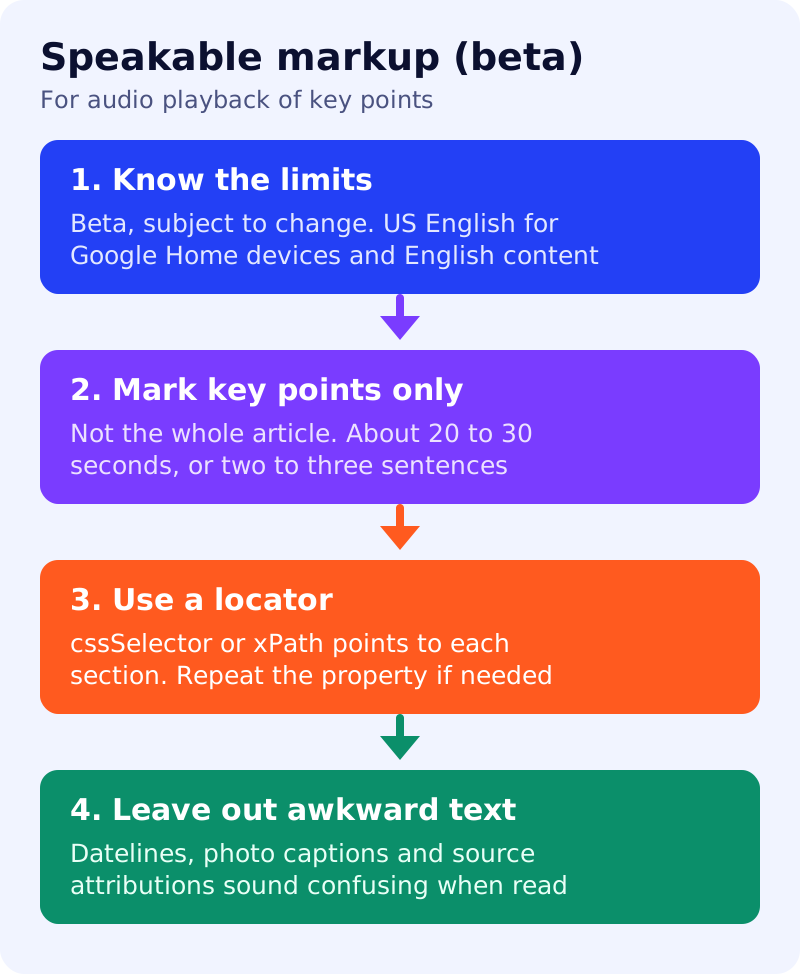
- Beta: the feature is subject to change, and requirements or guidelines may change.
- Availability: it works for users in the US with Google Home devices set to English, and for publishers in English. Google hoped to launch in other countries and languages once enough publishers had implemented it.
- Technical guidelines: do not add speakable markup to content that may sound confusing in voice-only situations, such as datelines, photo captions or source attributions. Mark key points instead of the whole article.
- Content guidelines: speakable content needs concise headlines or summaries that are comprehensible on their own. If you mark the top of the story, consider rewriting it into individual sentences so it reads clearly. Google recommends around 20 to 30 seconds per section, roughly two to three sentences.
- Markup is used with
ArticleorWebPage. You must give a content locator: eithercssSelectororxPath. Thespeakableproperty can be repeated.
What to do: step by step
| Step | Owner | Time | How to check | Done when |
|---|---|---|---|---|
| 1. Check you qualify | Editor | 15 min | US audience, English content, news articles | A yes or no with reason |
| 2. Pick two or three sections | Editor | 30 min per template | Headline plus summary, each two to three sentences | A named section per article type |
| 3. Rewrite for the ear | Editor | 1 hour | Read the text aloud, without the visual context | No “see photo” or “below” wording |
| 4. Add the locator | Developer | 1 to 2 hours | A stable CSS selector or XPath for each section | Selectors resolve on 10 sample pages |
| 5. Validate | Developer | 30 min | Rich Results Test, URL Inspection | No errors |
| 6. Re-check status | SEO | Quarterly | Read Google’s page again, it is beta | A dated note on any change |
Common mistakes
- Marking an entire 1,200-word article.
- Including the dateline (“LONDON, Nov 13”) or a photo credit.
- Using a selector that breaks when the template changes.
- Treating a beta feature as a guaranteed channel. Google can change or remove it.
Related: the schema decision table, article schema that matches the page and answer-first pages. We did not test speakable markup on a live assistant, and results are not guaranteed.