

Google’s Article documentation (updated 8 September 2026 as we read it) says Article markup on news, blog and sports pages can help it understand the page and show better title text, images and date information. It lists author, dateModified, datePublished, headline and image as recommended properties. It also notes there is no markup requirement for Google News features such as Top stories. The principle that runs through the guidelines: markup must be a true representation of the page.
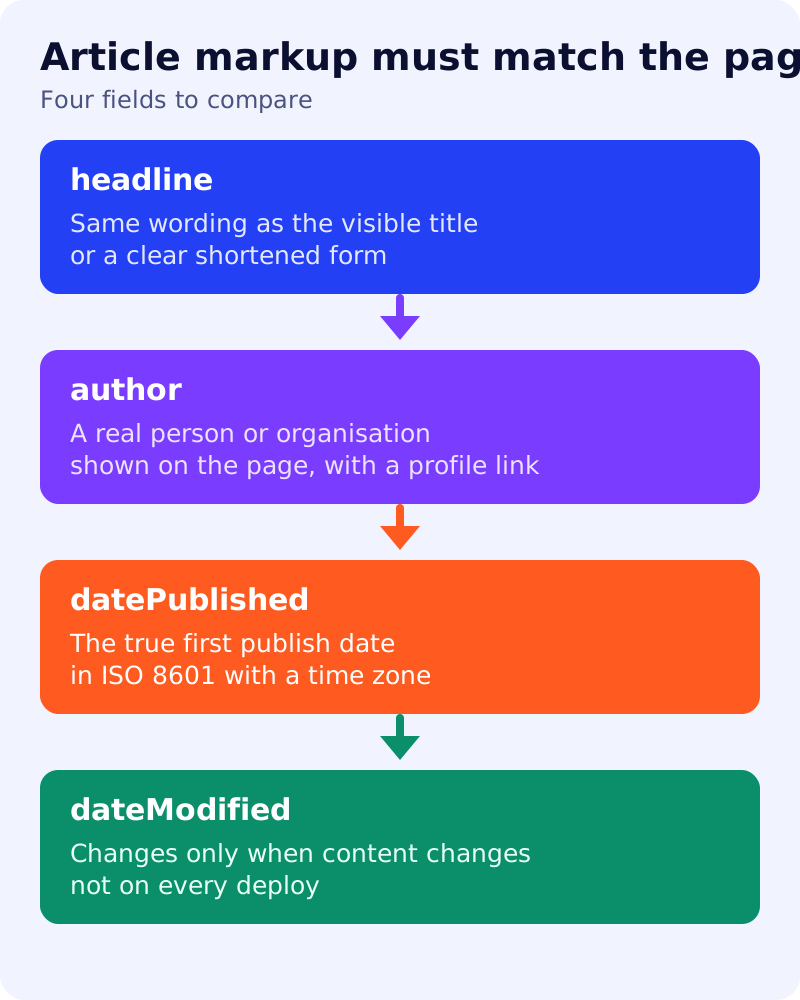
Checklist, property by property
| Property | What Google’s documentation says | Our check |
|---|---|---|
| headline | The article title; concise, as long titles may be truncated | Matches the visible title or a clear short form |
| author | Person or Organization; include every author shown on the page | Names on the page equal names in markup |
| author.name | Only the name; no job title, honorific or publisher | No “Dr.” or “CEO” in the name field |
| author.url | A page that uniquely identifies the author, or use sameAs | Link resolves and describes that person |
| datePublished | When first published, ISO 8601, with time zone recommended | Equals the date readers see |
| dateModified | When last modified, ISO 8601, with time zone recommended | Changes only with real edits |
| image | Relevant to the article, not a logo | Same image readers can see |
Multiple authors
List each author as its own object. Google says not to merge names into one field.
An example
{
  "@context": "https://schema.org",
  "@type": "BlogPosting",
  "headline": "Article schema that matches the page",
  "datePublished": "2026-11-05T15:00:00+05:30",
  "dateModified": "2026-11-05T15:00:00+05:30",
  "author": [{
    "@type": "Person",
    "name": "Jane Doe",
    "url": "https://example.com/authors/jane-doe/"
  }]
}
The author and URL are placeholders. Use real ones, and keep them matching the byline.
Common mistakes
- Fake freshness. Setting dateModified to today on every deploy. Google’s helpful content page warns against changing dates to make pages look fresh when content has not changed.
- Invented authors. Google’s guidelines say not to mislead users or impersonate any person or organization. See our post on fake authorship.
- Markup for hidden content. Authors or dates that readers cannot see.
- Missing time zone. Google says that without one it defaults to Googlebot’s time zone.
- Wrong type. Use the most specific applicable type, such as BlogPosting for a blog post.
Google also says markup is not a guarantee of rich results. For AI search, it says no special schema is required; Article markup is good SEO hygiene, not an AI shortcut. See our schema decision table.
What to do
- Open a recent post and compare each visible field with its markup.
- Fix any mismatch in the template, not page by page.
- Link author names to real profile pages.
- Test with the Rich Results Test and the URL Inspection tool.
- Add breadcrumbs too, using our breadcrumb guide.