

Pricing is a common question for AI tools: how much does it cost, is there a free plan, which plan includes this. If your pricing page cannot be read, the answer comes from somewhere else, such as a review site or an old forum post. Google does not publish a rule specific to pricing pages. Its guide to generative AI search (updated 10 July 2026 as we read it) does say content must be crawlable, indexed and eligible for a snippet, and that browser agents may read pages through screenshots, the page structure and the accessibility tree. The four checks below are our view.
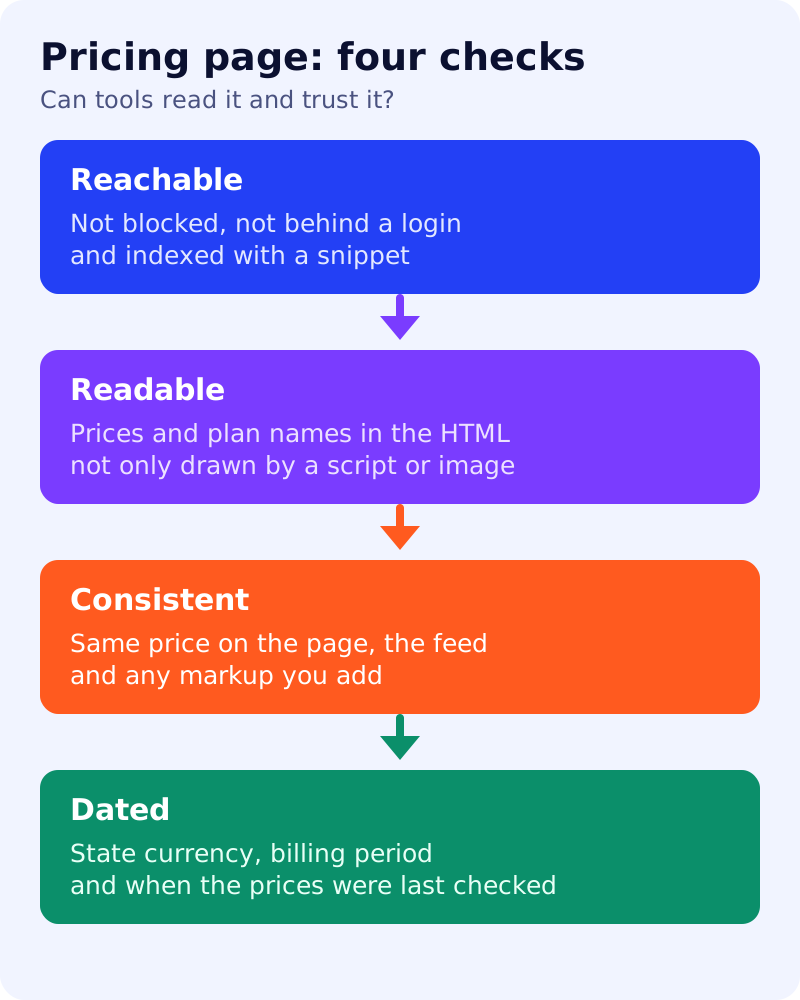
The four checks
- Reachable. Not blocked in robots.txt, not behind a login, and indexed. Check it in the URL Inspection tool.
- Readable. Plan names, prices and limits are text in the HTML. A price drawn only as an image, or loaded after a click, can be missed.
- Consistent. The same price appears on the page, in any feed and in any markup. Google’s structured data guidelines say markup must represent the visible content and must not mark up content readers cannot see.
- Dated. State the currency, the billing period and when the prices were last checked. AI answers can repeat old prices for a long time.
A five-minute test (our own)
- Open the page, view the page source and search for one price. If it is not there, the text is script-rendered.
- Turn off JavaScript in your browser and reload. Note what remains.
- Select the page text and paste it into a note. Does it make sense without the layout, with each plan next to its price?
- Ask an AI tool, “How much does [your product] cost?” and compare the answer with the page. Record any difference. This is one test, not proof, as answers vary.
Common mistakes
| Mistake | Fix |
|---|---|
| ”Contact us” for every plan | Give at least a starting price or a range, if you can |
| Prices only in a comparison image | Add the same facts as a text table |
| Annual price shown, monthly implied | State both, with the billing period |
| Old pricing on blog posts and help pages | Search your site for the old figure and update it |
| Different price in markup and on page | Make them match |
Markup
Structured data is not required for generative AI search, and Google says no special schema.org markup is needed. If you use SoftwareApplication markup, Google’s documentation lists an offer with price and either a rating or a review among the requirements for its software app result, and the guidelines forbid fake reviews. Do not add markup you cannot back up on the page.
What to do
- Run the five-minute test.
- Put every plan, price, limit and billing period in text.
- Add “Prices checked on [date]” and keep it honest.
- Update old prices elsewhere on your site.
- Retest monthly with your 20-prompt visibility test, and check crawler access with our ChatGPT crawler test. For the landing page itself, see the SaaS landing page guide.