

Rankings are easy to check. AI answers are not. They vary by tool, by wording and by who is asking, and most tools give publishers no complete report. This guide gives you a simple method you can run in an hour a month. It is our own method, built from practice, and it is a sample check, not a measurement of everything AI tools say.
What Google says about measuring
Google’s guide to generative AI features points site owners to the Generative AI performance report in Search Console to see how content performs in AI features on Google Search and Discover. It also warns to be wary of third-party tools that promise ranking success or claim to use internal Google metrics, because no third-party tool has access to Google’s internal ranking or AI systems. For what that report shows, see our guide to the Search Console report. A manual test fills the gaps for other tools such as ChatGPT and Copilot.
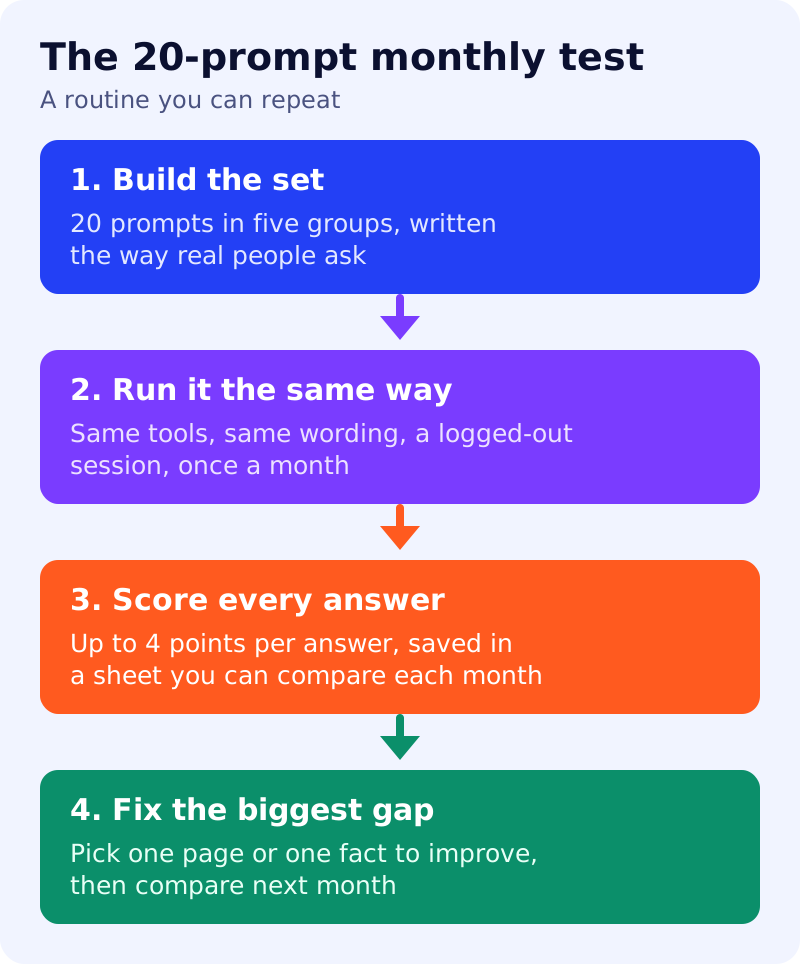
Step 1: build 20 prompts in five groups
Write each prompt the way a real person would ask. Four per group:
- Brand. “What is [your brand]?” or “Is [your brand] good for [use]?”
- Category. “What are the best [your category] for [audience]?”
- Problem. The question your best page answers, such as “How do I [task]?”
- Comparison. “[Your brand] vs [competitor]: which is better for [use]?”
- Specific facts. Questions with one correct answer on your site, such as price, location, hours or policy.
Keep the set fixed from month to month. Add new prompts only at the end, so the comparison stays fair.
Step 2: run it the same way each month
Use the same tools, the same wording and a logged-out or clean session where possible, so personal history affects the result less. Run each prompt once and save the answer text and any links. Our view: results can change from one run to the next, so treat a single month as a snapshot and look for trends over three months.
Step 3: score each answer
Give each answer up to four points:
- 1 point if your brand or site is mentioned.
- 1 point if one of your own pages is linked or named as a source.
- 1 point if what it says about you is accurate.
- 1 point if you are recommended or listed first where the prompt asks for options.
Use a sheet with these columns, saved as a table:
month | tool | prompt group | prompt | mentioned | cited | accurate | recommended | notes
Add the four scores for each tool and each group, then compare month to month. A strong brand prompt score with a weak category score means people who already know you find you, but new people do not.
Step 4: read the gaps
- Not mentioned at all: your page may not be indexed or may not answer the question directly. Check indexing, then see answer-first pages.
- Mentioned but inaccurate: the facts on your own pages may be inconsistent. See brand entity clean-up.
- Cited but not recommended: the page answers, but does not give a reason to choose you. Add first-hand evidence.
- Competitors win comparisons: build a fair, factual comparison page.
Common mistakes
- Changing prompts every month, which makes trends meaningless.
- Testing only brand prompts, which flatters you.
- Treating one answer as proof.
- Writing prompts that include your own marketing phrases.
- Paying for a tool that claims to show Google’s internal data.
What to do
- Write the 20 prompts this week, four per group.
- Run them once and fill in the sheet as your baseline.
- Pick the lowest-scoring group and improve one page for it.
- Re-run in 30 days and compare.
- Link the result to your plan in our AEO and GEO playbook.
Source: Google Search Central documentation, as linked above. The scoring method is our own.