

Google says videos can appear in several places, including the main results page, Video mode, Google Images and Discover. Getting there starts with making your videos easy to find and index. This guide follows Google’s video SEO documentation. It covers videos on your own site; YouTube is a separate platform with its own tools.
Give each video a watch page
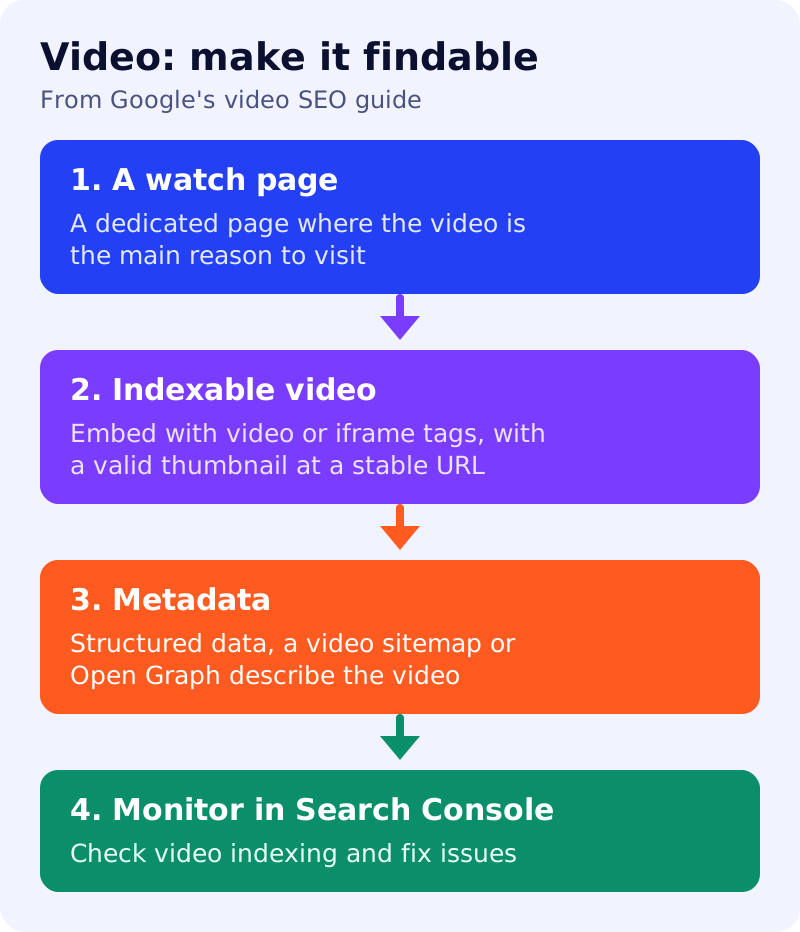
Google recommends a dedicated watch page for each video, where the video is the main reason to visit, such as a video landing page or a news video page. It says a blog post that reviews an embedded video, or a product page with a complementary video, is not a watch page. Dedicated pages make videos eligible for features such as key moments.
Make the video indexable
Google lists these requirements:
- The watch page must be indexed, and the video must be embedded on it and not hidden behind other elements.
- Use HTML elements Google can find, such as
<video>,<embed>,<iframe>or<object>. Do not rely on swiping, clicking or typing to load the video. - Provide a valid thumbnail at a stable URL. Google warns that thumbnail URLs that change too often can prevent indexing.
- Use a supported file type, and use stable video file URLs for features like previews.
- If a paywall hides the video, add paywall structured data.
Google adds that an indexed watch page does not guarantee that the video will be indexed.
Describe it
Google says it supports structured data, video sitemaps and the Open Graph protocol for video metadata. Add a clear title, description and upload date.
AI features
Google’s AI features guide says a page must be indexed and eligible for a snippet, with no special markup. Text on the watch page, such as a summary and transcript, also gives readers and crawlers something to use.
What to do
- Build one watch page per important video.
- Embed with standard tags, and check the rendered HTML in the URL Inspection tool.
- Use a stable thumbnail URL.
- Add video markup or a sitemap.
- Add a written summary and key points.
- Monitor video indexing in Search Console.
Sources: Google Search Central documentation, as linked above.