

If ChatGPT cannot reach your pages, it cannot use them in search answers. The first step is knowing which of OpenAI’s user agents does what. We could not open OpenAI’s documentation from our systems, so this guide uses search summaries of the page and of two third-party write-ups. Treat the details as reported and check the OpenAI page before you edit anything.
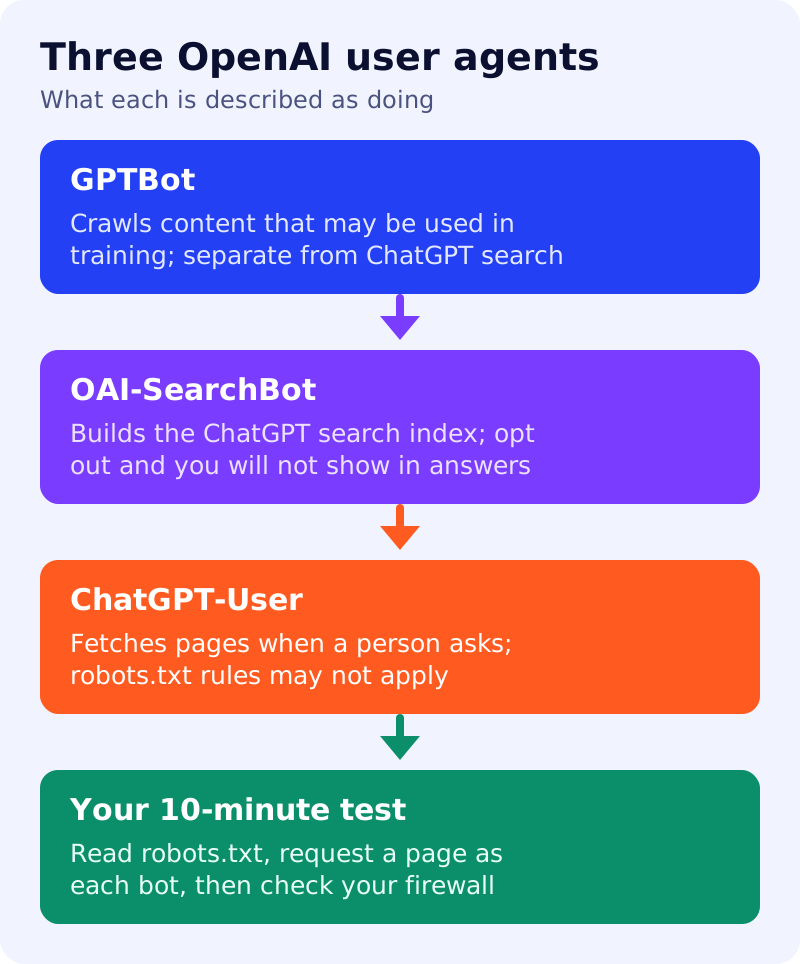
What each agent is described as doing
- GPTBot crawls content that may be used in training. Reports say blocking it is independent of search visibility.
- OAI-SearchBot is used for ChatGPT search. Reports say sites that opt out will not appear in ChatGPT search answers, though they may still appear as navigational links.
- ChatGPT-User fetches pages when a person asks ChatGPT to. It is described as not crawling automatically. The documentation reportedly says robots.txt rules may not apply to it.
One third party reads an older revision as saying ChatGPT-User ignores robots.txt. The current wording, as summarised, is softer. We rely on the official wording.
Decision table
This table is our own reading, not OpenAI’s.
| Your goal | GPTBot | OAI-SearchBot |
|---|---|---|
| Appear in ChatGPT search and allow training | Allow | Allow |
| Appear in ChatGPT search, no training | Disallow | Allow |
| Stay out of both | Disallow | Disallow |
Reports of the upcoming shared opt-out are covered in our news post. It is not live yet.
A sample robots.txt
User-agent: GPTBot
Disallow: /

User-agent: OAI-SearchBot
Allow: /
This blocks training and allows search. Adjust it to your table row.
The 10-minute test
- Read robots.txt. Open yourdomain.com/robots.txt. Look for the two agent names and for a wildcard
User-agent: *rule that blocks everything. - Request a page as each agent. Use a command-line tool to fetch an important page with each name as the user agent string. You want a normal 200 response, not a block page or a challenge. This tests your server’s response to the name only, not the real crawler.
- Check your firewall. Look at your CDN or firewall bot rules. If you filter by IP address, use the provider’s published ranges.
- Check the page itself. It should be indexable, load without a login and show its main text without scripts, as in our JavaScript SEO check.
- Wait and re-test. One source suggests about 24 hours for OpenAI to reflect a robots.txt change. We have not verified this.
What to do
- Pick your row in the decision table and write it down.
- Run the ten-minute test on your five most important pages.
- Compare with our guide to blocking AI bots in robots.txt.
- Repeat the check after any site, CDN or firewall change.
- Add the result to your monthly 20-prompt AI visibility test.