

Search Console and AI visibility tools tell you what happened after a crawl. Server logs tell you whether the crawl happened at all. If you are trying to appear in Google, Bing or AI answers, a week of logs answers a simple question: which bots reached which pages, and what did your server say back? This is a method you can run in ten minutes. The verification steps come from Google’s documentation, which we read in full (last updated 20 March 2026, as we saw it). The tables and thresholds are our own.
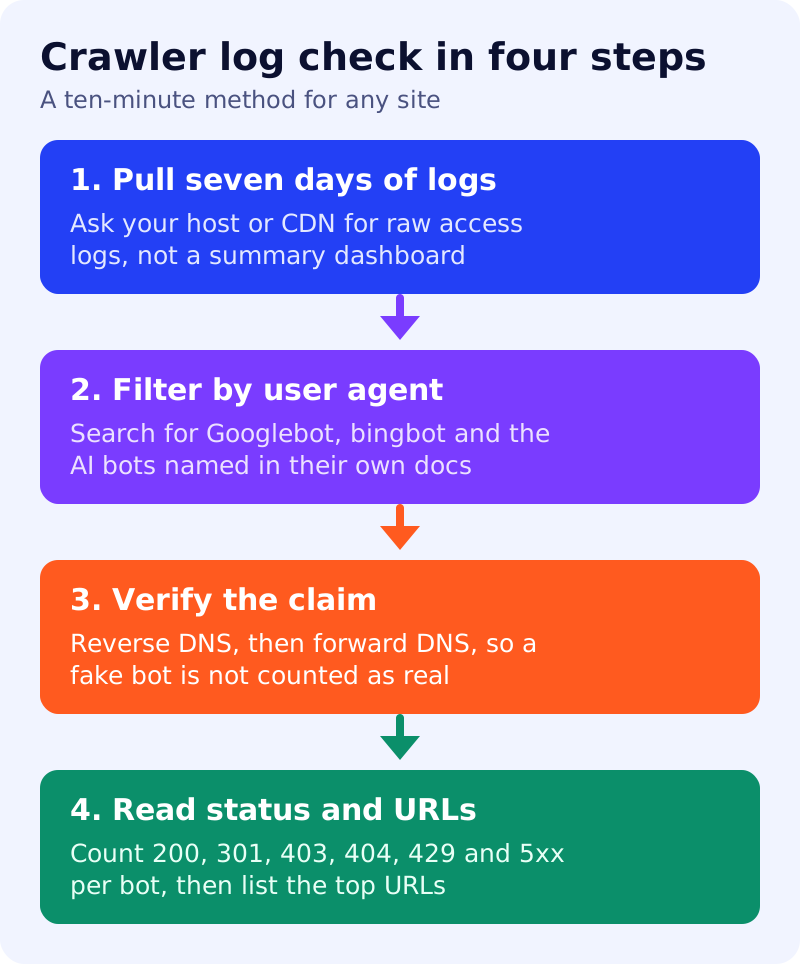
Step 1: pull seven days of raw logs
Ask your host or CDN for raw access logs. A dashboard summary is not enough, because you need the user agent, the URL, the status code and the visitor’s IP address on each line.
Step 2: filter by user agent
Search the logs for the crawler names you care about: Googlebot, bingbot and any AI crawler named in its owner’s documentation, such as the OpenAI names in our ChatGPT access test. Count requests per bot. On a standard combined log, a command such as grep -i "Googlebot" access.log | wc -l gives a first count. Formats differ, so adapt it to your file.
Step 3: verify the claim
A user agent is only a name. Anyone can send it. Google says you can verify a request really is from Google, and that this matters if spammers claim to be Google. Its manual method has two steps:
- Run a reverse DNS lookup on the IP address from your logs, and check that the domain is googlebot.com, google.com or googleusercontent.com.
- Run a forward DNS lookup on that domain and check it returns the original IP address.
Google also publishes IP range lists in JSON files for automated matching. It describes three types of requester. Common crawlers such as Googlebot always respect robots.txt for automatic crawls. Special-case crawlers may or may not respect it. User-triggered fetchers ignore robots.txt because a person asked for the fetch. For other companies’ bots, use their own documentation. We have not verified their methods.
Step 4: read status codes and top URLs
For each verified bot, count status codes and list the ten most requested URLs.
| What you see | What it may mean | Our suggested action |
|---|---|---|
| A bot never appears | Not discovered, blocked, or not interested | Check robots.txt, sitemap and firewall |
| Many 403 or 429 for a real bot | Firewall or rate limits are blocking it | Allow verified requests |
| Many 404 | Old links or deleted pages | Fix or redirect, per our redirect guide |
| Many 301 chains | Wasted requests | Link straight to final URLs |
| 5xx spikes | Server errors at crawl time | Ask your host, check capacity |
| Claimed Googlebot fails DNS check | A fake bot | Consider blocking by IP |
| Top URLs are junk parameters | Crawl waste | Review parameters and canonicals |
Limits
Logs show requests, not rankings or citations. A crawl does not guarantee indexing or an AI citation. Treat counts as directional.
What to do
- Get a week of raw logs this week and keep a monthly copy.
- Run the user agent filter for Googlebot, bingbot and each AI bot you care about.
- Verify a sample of Googlebot requests with the two DNS steps.
- Fix the top two problems from the table.
- Compare with your robots.txt using our starter robots.txt guide, then recheck next month.