

A robots.txt file tells crawlers which parts of a site they may fetch. For a small blog it can be very short, and a mistake in it can block your whole site. This guide follows Google’s documentation on creating the file, last updated in November 2025.
A starter file
This example is ours, built from the rules Google documents. Replace the address with your own.
User-agent: *
Allow: /

Sitemap: https://www.example.com/sitemap.xml
Google notes that unless you specify otherwise, all files are implicitly allowed for crawling, so the Allow: / line is optional. The sitemap line is useful because, as Google puts it, sitemaps indicate which content Google should crawl, as opposed to which content it can or cannot crawl.
What each part means
- User-agent names the crawler a group applies to. An asterisk matches all crawlers except the various AdsBot crawlers, which must be named explicitly.
- Disallow lists a path the crawler should not fetch. A directory path should start with
/and end with/. - Allow overrides a disallow for a subdirectory or page inside a blocked directory.
- Sitemap gives the full address of your sitemap. It must be a fully qualified URL, and Google does not check http, https or www alternates.
Rules are case-sensitive, and the # character starts a comment. Each group begins with a user-agent line, and a crawler uses the first, most specific group that matches it.
Format and location rules
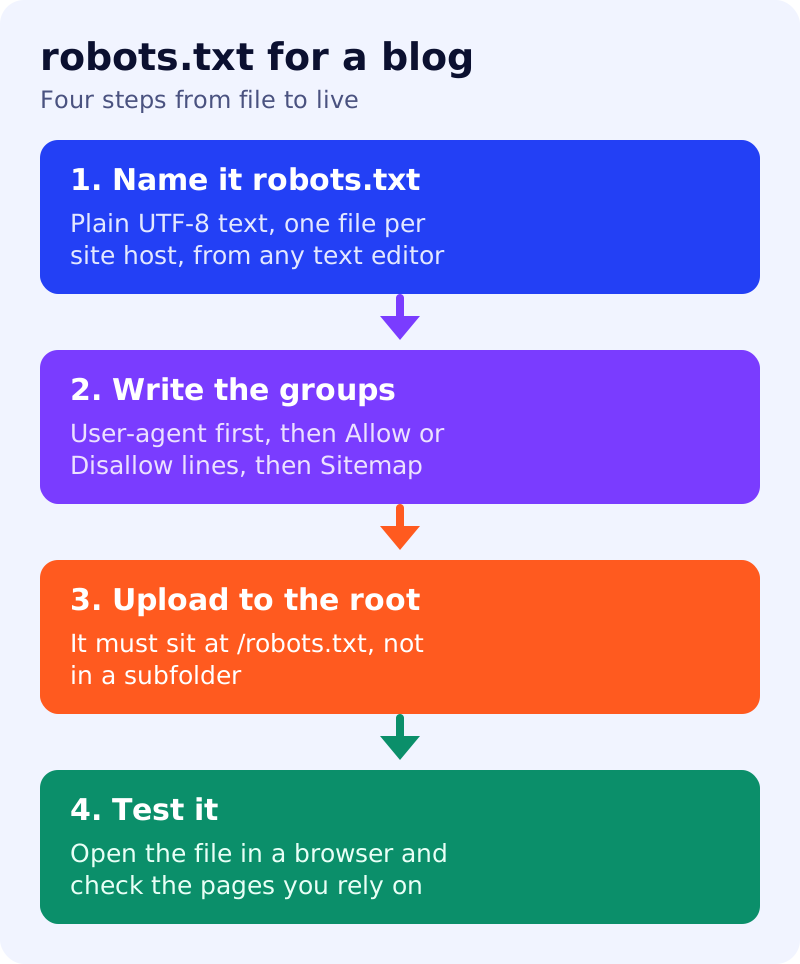
Google lists several requirements. The file must be named robots.txt, and a site can have only one. It must sit at the root of the host it applies to, so https://www.example.com/robots.txt works and a subfolder does not. A file on one host does not apply to subdomains or to other protocols or ports. It must be UTF-8 text, so use a plain text editor, not a word processor, which can add characters such as curly quotes. If your host does not let you edit the file, Google suggests meta tags as an alternative blocking method.
Check before you save
The most damaging line is Disallow: / under User-agent: *, which blocks everything. Read your file aloud as a set of sentences: “this crawler may not fetch this path”. Then open /robots.txt in a browser after uploading, and confirm the pages you depend on are not blocked. Remember that blocking a URL in robots.txt does not reliably keep it out of results, as explained in noindex vs robots.txt.
What to do
- Start with the short file above, adding your own sitemap address.
- Add a Disallow line only for a reason, such as internal search result pages.
- Do not use robots.txt to hide pages from results. Use noindex instead.
- Check the file after every site change, since a rebuild can overwrite it.
- Know the failure modes. See what happens when robots.txt cannot be reached.
AI crawlers use their own user-agent names, which is covered in blocking AI bots in robots.txt.
Source: Google Search Central documentation, as linked above.