

A drop in organic traffic is stressful, and the cause is not always obvious. Google’s documentation, last updated in December 2025, explains how to investigate it using the Search Console Performance report and Google Trends. This post turns that guide into a routine you can run in about half an hour.
Step 1: rule out data issues and updates
Google advises checking the Search Console Data Anomalies page first, since a drop may come from a change in data processing or a logging error. Then check Google’s list of ranking updates. Google says that if a drop follows an algorithmic update there may be nothing fundamentally wrong with your content, and that core updates and smaller updates can change how some pages perform.
Step 2: read the Performance chart
Google calls the main chart the best way to see what happened. Its suggestions:
- Set the date range to 16 months, so a yearly seasonal dip is visible.
- Compare periods. Use the Compare tab for the last three months against the previous period or the same period last year.
- Split the data by query, page, country, device and search appearance, and view web, image, video and news separately.
- Check average position, though Google says not to focus on absolute position, because impressions and clicks are the measure of success.
- Sort pages by clicks difference to see whether the loss is site-wide, a group of pages, or one key page.
Google also separates two patterns. If impressions and clicks both fall, look at the common causes. If impressions hold but clicks fall, your title and snippet may not be convincing, or other results may be more appealing. See how Google chooses your title link.
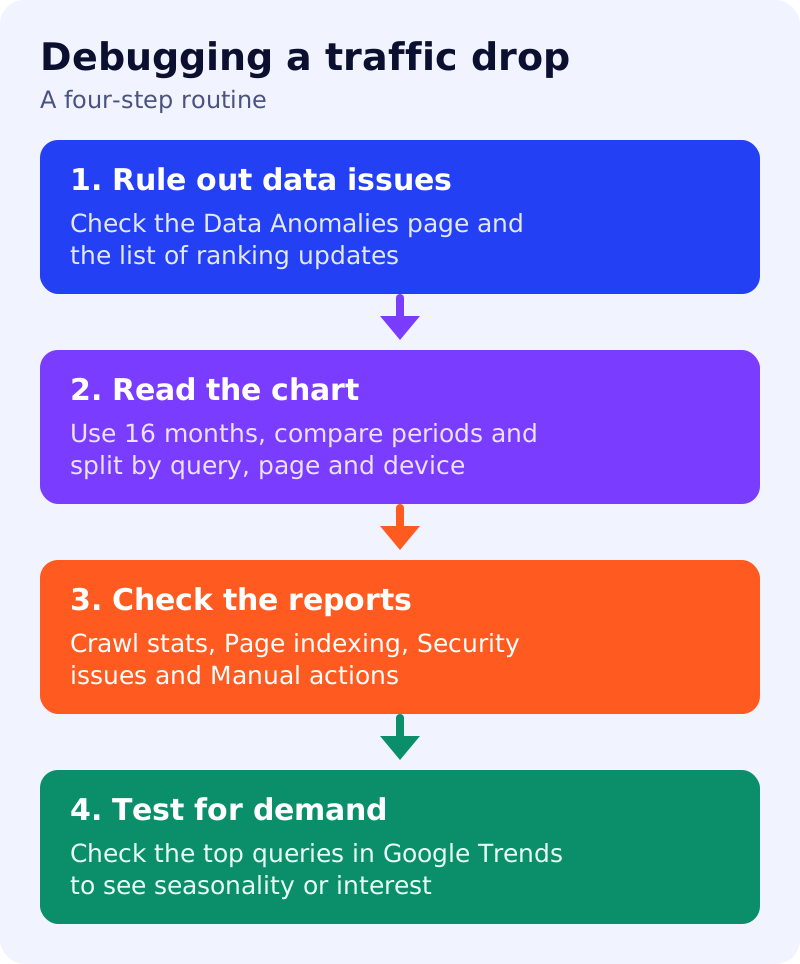
Step 3: check the reports
Google links each cause to a report:
- Technical issues such as server errors, robots.txt fetching or a misplaced noindex tag: use the Crawl stats and Page indexing reports. A noindex tag causes a slower drop, because Google must recrawl the page. See noindex vs robots.txt.
- Security issues such as malware or phishing: use the Security Issues report. Google may warn users before they reach the site.
- Spam issues: check the Manual Actions report and review the spam policies.
- Site moves: URL changes cause fluctuations while Google recrawls, and a medium-sized site can take a few weeks.
Step 4: test for demand
Pick your top queries that lost clicks and check them in Google Trends. If interest fell across the web, the cause is seasonality or changing interest, not your site.
A small drop versus a large one
Google distinguishes a small drop in position, such as position 2 to 4, from a large drop out of the top results for many terms, such as the top 10 to position 29. For a small drop, it recommends avoiding radical changes to a page that already performs well, since positions move and may recover. For a large drop, assess the whole site for helpful, reliable, people-first content. Google says changes can take days or months to have an effect, and there is no guarantee of recovery.
What to do
- Record the date the drop began and match it to ranking updates and site changes.
- Compare 16 months and the same period last year.
- Find the pattern: site-wide, section or single page.
- Open the matching Search Console report before changing any content.
- Wait and re-measure after a few weeks.
For a related case, see what happened when a hacked site lost traffic.
Source: Google Search Central documentation, as linked above.