

The title of a result in Google Search is called a title link. Google’s documentation says it is often the main thing people use to decide which result to click. It also says Google does not simply copy your <title> tag. This guide follows that documentation, which shows a last-updated date of December 2025.
Where Google gets the title from
Google says title link generation is completely automated and uses both your page and references to it on the web. The sources it lists are:
- the
<title>element - the main visual title shown on the page
- heading elements such as
<h1> og:titlemeta tags- other large and prominent text
- anchor text on the page, and text in links pointing to the page
- WebSite structured data
Google adds that it has to recrawl a page to notice changes to these sources, which may take a few days to a few weeks. For more on og:title, see Google adds og:title to title link sources.
Four problems Google may rewrite
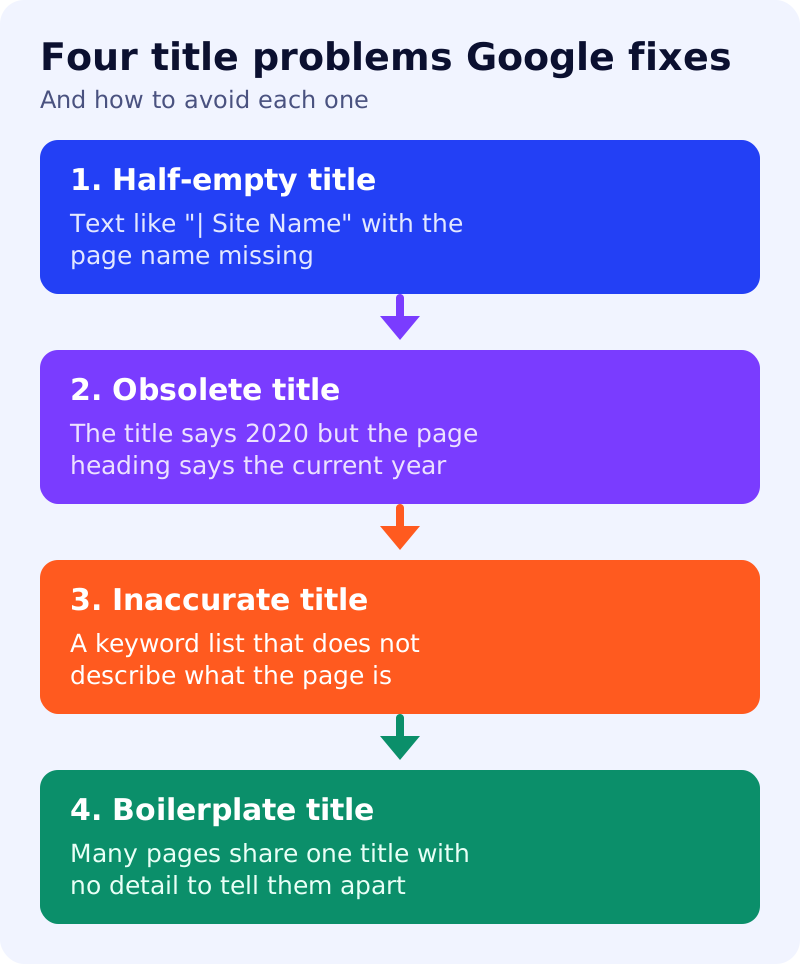
Google lists common issues where it may build a better title from other sources:
- Half-empty titles, such as a title that is only ”| Site Name”.
- Obsolete titles, where the title says an old year but the visible heading is current.
- Inaccurate titles, such as a list of keywords that does not describe the page.
- Micro-boilerplate, where many pages share almost the same title and cannot be told apart.
Best practices, in short
Google advises descriptive and concise titles, avoiding vague words such as “Home”. There is no length limit, but titles are truncated to fit the device width. It warns against keyword stuffing and boilerplate, and suggests adding the site name briefly at the start or end, separated by a hyphen, colon or pipe. It also advises making the main title the most prominent text on the page, for example by using the first visible <h1>, and writing the title in the same language and script as the page.
One caution from the same page: blocking a page in robots.txt does not always stop it being indexed. If Google cannot read the page, it may rely on anchor text from other sites for the title. To keep a page out of the index, Google says to use noindex.
A five-minute title audit
Pick ten important pages and compare three things: the <title>, the first <h1> and how the page appears in Google. If the search result shows different text from your title, check for one of the four problems above before assuming Google is wrong. Google also says it cannot manually change title links for individual sites.
What to do
- Give every page a unique title that names what is on that page.
- Match the title and the main heading, and update the year or season when the content changes.
- Remove keyword lists and repeated boilerplate.
- Put the site name last, with one separator.
- Re-check after a few weeks, since Google must recrawl before changes show.
Related reading: how to optimize a product page and how to write answer-first pages.
Source: Google Search Central documentation, as linked above.