

If a page exists in several languages or for several regions, Google recommends telling it about each version. Doing so helps Search point people to the most appropriate one. Google’s documentation, last updated in September 2026, explains how. This guide keeps to the essentials.
When to use it
Google lists three situations where indicating alternate pages is recommended: you keep the main content in one language and translate only the template, such as navigation and footer; you have small regional variations in one language, for example English for the US, UK and Ireland; or your content is fully translated into several languages. Google adds that localized versions are only treated as duplicates if the main content remains untranslated. Even without action, Google may find alternate versions itself, but it is usually best to state them.
What hreflang does and does not do
hreflang tells Google that pages are localized variations of the same content. Google says it does not use hreflang or the HTML lang attribute to detect the language of a page. It uses its own algorithms for that. The language subdomain in a URL, such as de.example.com, also does not set the target audience, so you must map it explicitly.
The rules that apply to every method
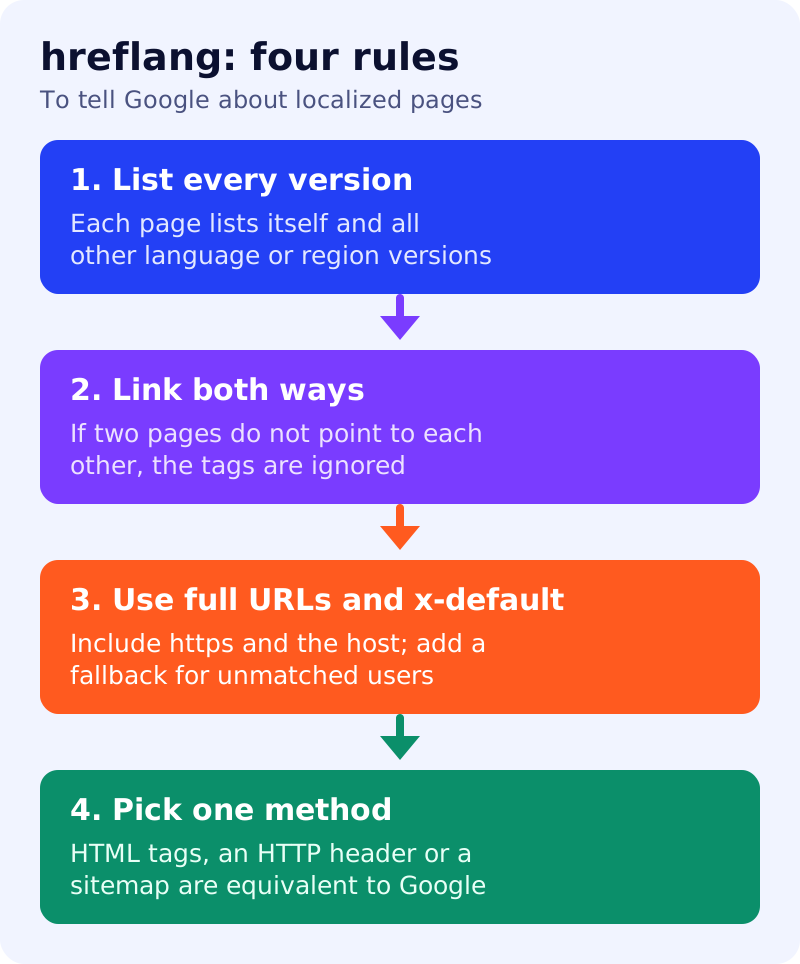
- List every version, including the page itself. The set of links is identical on each version.
- Link both ways. If two pages do not point to each other, the tags are ignored. This stops a third party from naming itself as your alternate.
- Use fully qualified URLs, including http or https, not
/fooor//example.com/foo. Alternates can be on different domains. - Add a catchall. If you have
en-IE,en-CAanden-AUpages, also provide a genericenpage for everyone else. - Use x-default as a fallback for unmatched languages, especially on a language selector page.
If a full set of two-way links is hard to maintain, Google says you can omit some languages on some pages, but newly added versions should always link both ways with the original or dominant language.
Three equivalent methods
Google says HTML, HTTP headers and sitemaps are equivalent, and that using all three brings no benefit and is harder to manage. Pick one.
HTML. Put one link element per version, including the page itself, in the head:
<link rel="alternate" hreflang="en-GB" href="https://example.com/uk/page/" />
<link rel="alternate" hreflang="en-US" href="https://example.com/us/page/" />
<link rel="alternate" hreflang="de" href="https://example.com/de/page/" />
<link rel="alternate" hreflang="x-default" href="https://example.com/" />
The URLs are ours; the pattern follows Google’s example. The tags must sit inside a well-formed head.
HTTP header. A Link: header carries the same set and suits non-HTML files such as PDFs.
Sitemap. Each url entry lists every variant as xhtml:link children, using the xhtml namespace. See XML sitemaps for a blog. These child entries do not count toward the sitemap URL limit.
Combine with canonicals carefully
If you use hreflang, the canonical page for each version should be in the same language, or the best substitute. See canonical URLs for a blog.
What to do
- List your language and region versions and their final URLs.
- Choose one method, usually HTML tags or the sitemap.
- Add the full set to every version, including itself.
- Add x-default for a selector or fallback page.
- Spot-check two pages to confirm they point to each other.
Source: Google Search Central documentation, as linked above.