

Two small details shape how your site looks in Google results: the favicon next to the result and the site name above the title. Both are read from the home page. This checklist follows Google’s two documentation pages. The favicon page shows a last-updated date of 27 October 2026; we have not compared it line by line with the earlier version, so check the page itself for changes.
The favicon
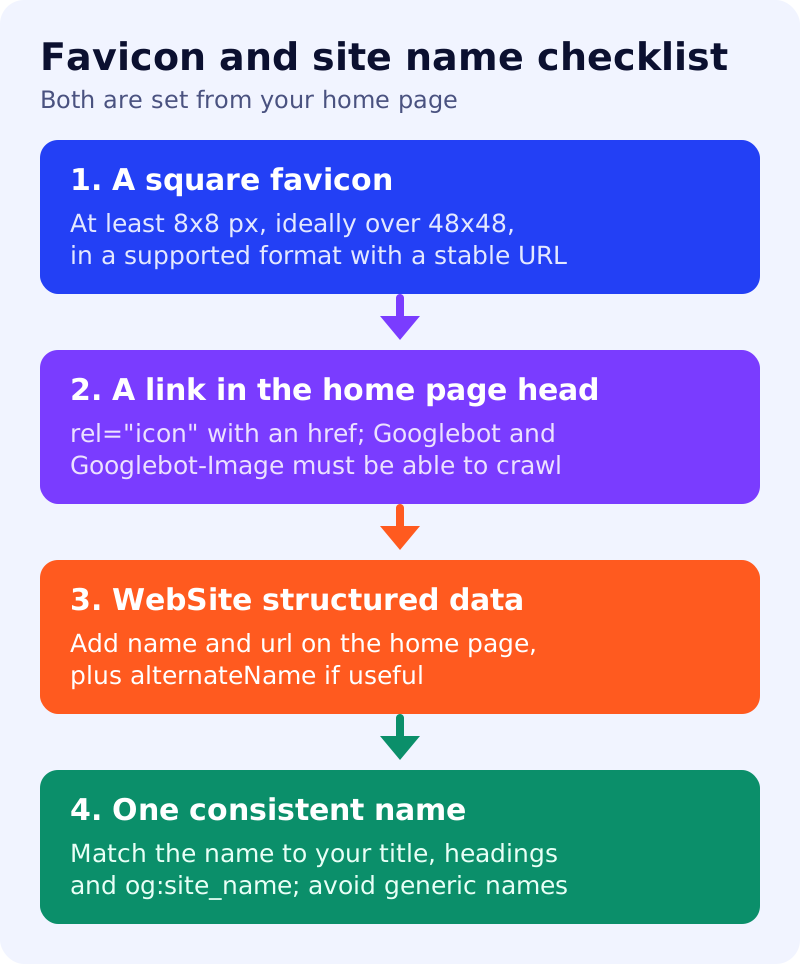
Create the file. Google requires a square image (1:1 ratio) of at least 8x8 px, and recommends larger than 48x48 px so it looks good on different surfaces. Supported formats are BMP, GIF, ICO, PNG, JPEG, PPM and TIFF. The favicon should be visually representative of the brand, and its URL should be stable, not changed often. Google replaces inappropriate icons, such as pornographic or hate imagery, with a default icon.
Link it from the home page. Add this to the head of the home page:
<link rel="icon" href="/path/to/favicon.ico">
Google also accepts shortcut icon, apple-touch-icon and apple-touch-icon-precomposed. The URL can be relative or absolute and can sit on a CDN.
Let Google crawl it. Googlebot must crawl the home page (and follow redirects to the page with the tag), and Googlebot-Image must crawl the favicon file. Neither may be blocked by robots.txt. See robots.txt for a blog.
One per hostname. Google supports one favicon per hostname. A domain or subdomain home page works, such as example.com or news.example.com. A subdirectory such as example.com/news does not get its own. Even with all guidelines met, a favicon is not guaranteed.
The site name
The site name is the name of the whole site, shown in results, and it is separate from the per-page title link. Google creates it automatically from the home page and references to it on the web. To state a preference, add WebSite structured data to the home page. Google also considers og:site_name, the title element, headings and other home page text, but says structured data matters most.
Choose well. Use a unique, concise, commonly recognised name, such as “Google” rather than “Google, Inc”. Generic names like “Best Dentists In Iowa” are unlikely to be selected unless they are well-recognised brands. Keep the name consistent across the home page.
Add the markup. Required properties are name and url (the canonical home page). alternateName is recommended for an acronym or shorter version, and you can list several in order of preference:
{
  "@context": "https://schema.org",
  "@type": "WebSite",
  "name": "Example Company",
  "alternateName": "EC",
  "url": "https://example.com/"
}
Technical rules. Google supports one site name per domain or subdomain, not per subdirectory. The markup belongs on the home page only, which must be crawlable. If you have duplicate home pages, such as http and https or www and non-www, use the same markup on all of them. If you already have WebSite markup, nest the name properties in the same node. Site names are not supported in the Rich Results Test, so use the URL Inspection tool.
If the name is not selected
Google says it may use other sources, or show the domain name, if it is less confident in the name you provided. Check that the markup has the right name and no errors, and add an alternate name. Allow days to weeks for recrawling. For how titles are chosen, see how Google chooses your title link.
What to do
- Open your home page source and confirm a favicon link tag exists.
- Check the file is square, at least 48x48 px, and not blocked.
- Add WebSite markup with
name,urland, if useful,alternateName. - Align your title, headings and og:site_name with that name.
- Request indexing of the home page and check again in a few weeks.
Sources: Google Search Central documentation, as linked above.