

When a page moves, the type of redirect you choose tells Google what to show in results. Google’s documentation, last updated in April 2026, sets out the types and when each fits. This guide turns that into a short decision list. For wider background on the SEO effect, see our complete guide to 301 redirects.
The rule Google gives
Google says its choice of what to show depends on whether the redirect is permanent or temporary. Permanent redirects show the new redirect target in search results. Temporary redirects show the source page. For permanent redirects, the indexing pipeline treats the redirect as a signal that the target should be canonical. For temporary ones it does not, although the target may still be indexed if other canonicalization signals are present.
Decision list
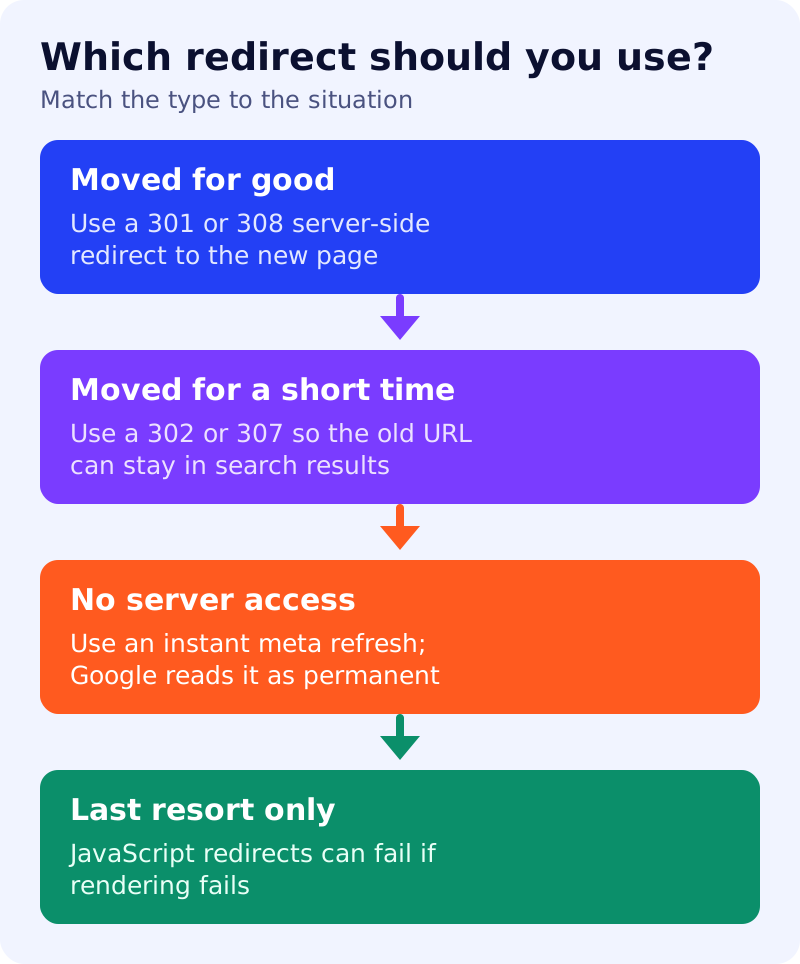
The page has moved for good. Use a permanent server-side redirect, HTTP 301 or 308. Google recommends this whenever possible when you want to change the URL shown in results, and says to use permanent redirects when you are sure the redirect will not be reverted.
The page is unavailable for a short time. Use a temporary server-side redirect, HTTP 302, 303 or 307. Google’s example is a service that is temporarily down: send users to an explanation page without disturbing the original URL in search results.
You cannot change the server. A meta refresh may be viable. Google distinguishes two kinds. An instant meta refresh, set to 0 seconds, is read as permanent. A delayed one, set to more than 0 seconds, is read as temporary.
Nothing else is possible. A JavaScript redirect, set with the location property, works only if Google renders the page. Google says it renders every crawled URL where it can, but rendering may fail, in which case Google might never see the redirect. Use it only if server-side and meta refresh options are impossible.
Google also lists crypto redirects as a permanent type, and advises not relying on them unless you have no other choice.
Common situations
Google names four common reasons to redirect: moving to a new domain, having several URLs for the same page, merging two sites, and removing a page that has a replacement. In the second case, pick one preferred (canonical) address and redirect the others to it, as covered in our canonical URL guide.
How it is set up
Server-side redirects need access to server configuration or scripts. Google’s page gives examples for Apache, NGINX and PHP, such as a Redirect permanent rule in Apache or return 301 in NGINX. On hosted platforms such as Blogger or Shopify, built-in redirect tools may already exist, so check the platform’s help pages first.
What to do
- Decide whether the move is permanent. If you are unsure, do not use a permanent redirect.
- Use 301 or 308 on the server for pages that moved for good.
- Redirect each old URL to its closest replacement, not always to the home page.
- Avoid JavaScript redirects unless there is no alternative.
- Test a few old URLs in a browser and in Search Console’s URL Inspection tool after the change.
Source: Google Search Central documentation, as linked above.