

A sitemap tells search engines which URLs you would like them to know about. For a blog it is a small file that is easy to get right and easy to get subtly wrong. This guide follows Google’s documentation on building and submitting sitemaps, last updated in July 2026.
Choose a format
Google supports XML sitemaps, RSS, mRSS and Atom 1.0 feeds, and plain text sitemaps, and says it has no preference. XML is the most versatile and can carry extra data about images, video, news and localized versions. Feeds are often the easiest to provide because most CMSes create them, but Google notes a feed only covers recent URLs. A text sitemap simply lists one URL per line and can only include HTML and other indexable text pages.
For most blogs, a CMS or site generator produces an XML sitemap automatically, and Google notes that for more than a few dozen URLs it is best to have the website software generate the file.
What to list
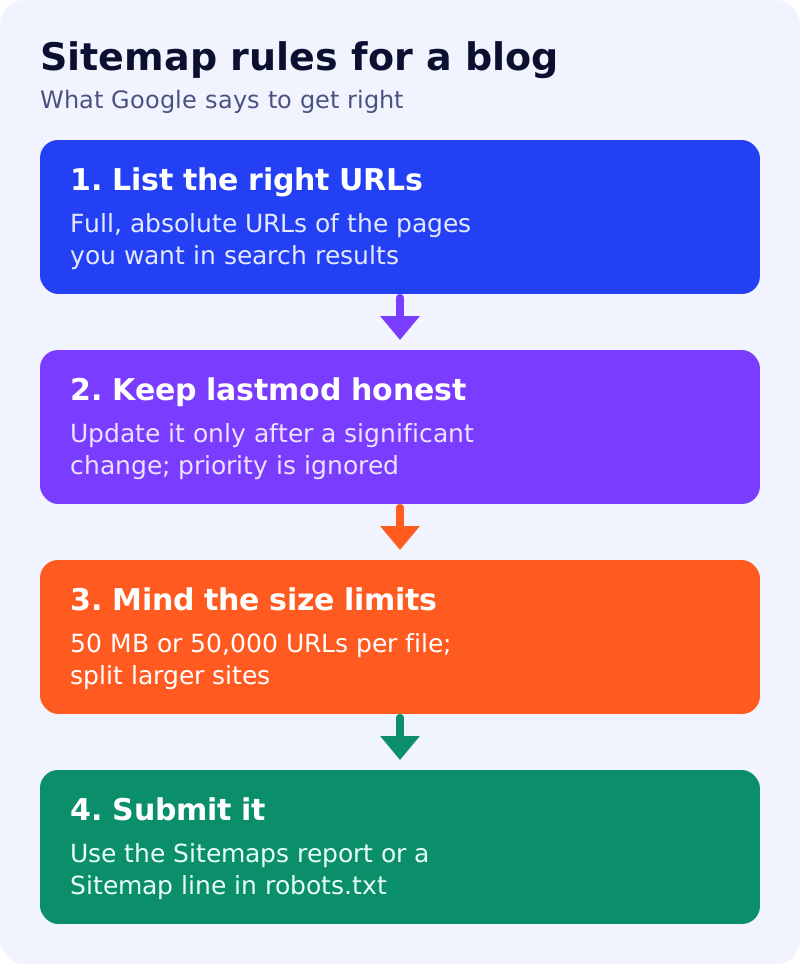
Google says that in a sitemap you are telling search engines which URLs you prefer to show in results, meaning the canonical URLs. If the same content is available at several addresses, list only the preferred one. Use fully qualified, absolute URLs, because Google tries to crawl them exactly as written. A page such as /mypage.html should be written as https://www.example.com/mypage.html.
A basic entry looks like this:
<url>
  <loc>https://www.example.com/post/</loc>
  <lastmod>2026-10-29</lastmod>
</url>
Keep lastmod honest
Google ignores the priority and changefreq values. It uses lastmod only if it is consistently and verifiably accurate, for example when it matches the page’s real last modification. A significant update, such as a change to main content, structured data or links, counts. Changing a copyright year does not. A site that stamps every page with today’s date on each build gives Google little reason to trust the field.
Size limits and placement
Each sitemap file is limited to 50 MB uncompressed or 50,000 URLs, in all formats. Larger sites split the list across several files and may submit a sitemap index. The file must be UTF-8, and Google recommends hosting it at the site root, since a sitemap affects only files under its own parent directory unless submitted through Search Console.
Submit it
Google states that submitting a sitemap is merely a hint and does not guarantee it will be downloaded or used for crawling. The options are:
- The Sitemaps report in Search Console, which shows when Googlebot accessed the file and any processing errors.
- The Search Console API, for programmatic submission.
- A
Sitemap:line in robots.txt, which Google finds the next time it crawls that file. See our robots.txt starter file. - WebSub for Atom or RSS feeds.
What to do
- Find your sitemap address, usually
/sitemap.xml, and open it in a browser. - Check that every listed URL is one you want indexed. Pages with a noindex rule do not belong there; see noindex vs robots.txt.
- Confirm lastmod changes only when content does.
- Submit it in Search Console and add a Sitemap line to robots.txt.
- Read the Sitemaps report after a few days for errors.
A sitemap does not replace good internal links. If new posts are slow to appear, see how to get Google to index your site faster.
Source: Google Search Central documentation, as linked above.