

Many site owners block a page in robots.txt to hide it from Google, then find it still appears in results. Google’s documentation explains why, and the fix is simple once the two tools are separated. The page was last updated in December 2025.
What noindex does
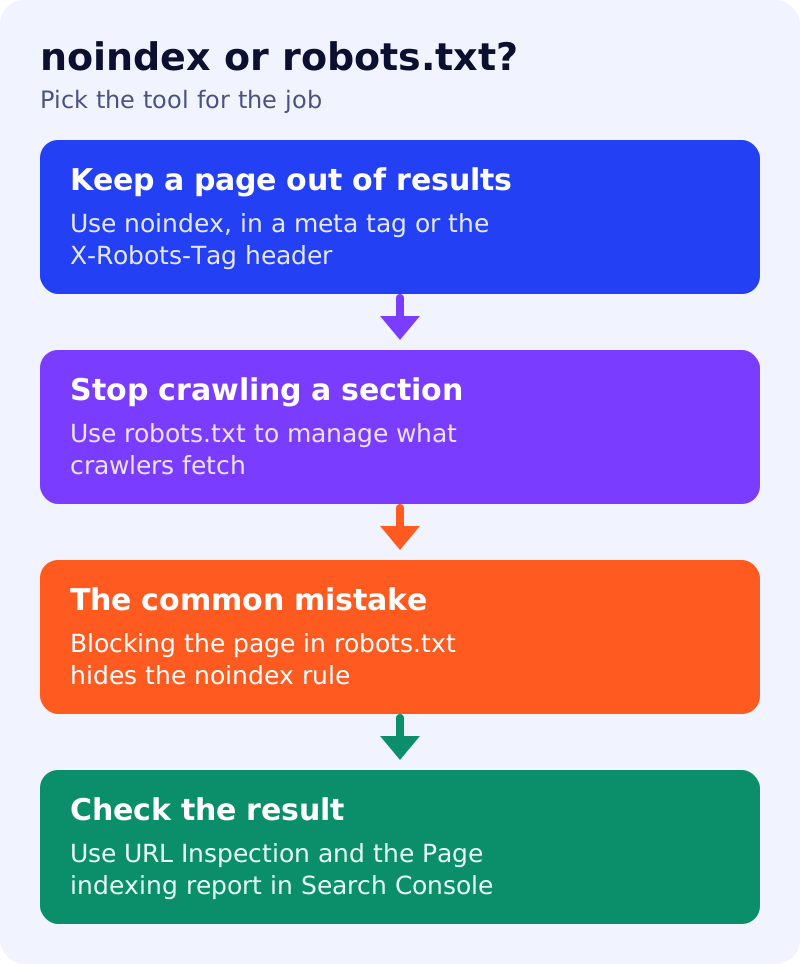
Google describes noindex as a rule, set with a meta tag or an HTTP response header, that prevents content from being indexed. When Googlebot crawls the page and extracts the rule, Google drops the page entirely from Search results, whether or not other sites link to it. Google also says specifying noindex inside the robots.txt file is not supported.
There are two ways to apply it:
- A meta tag in the page head:
<meta name="robots" content="noindex">. To target only Google, usegooglebotinstead ofrobots. - An
X-Robots-Tag: noindexHTTP header, which also works for non-HTML files such as PDFs and images.
The common mistake
Google’s note is direct: for noindex to work, the page must not be blocked by robots.txt and must be otherwise accessible to the crawler. If it is blocked, the crawler never sees the rule, and the page can still appear in results, for example when other pages link to it.
In plain terms, robots.txt says “do not fetch this page” and noindex says “do not show this page”. If you forbid the fetch, Google cannot read the instruction not to show it.
If the page is still showing
Google’s debugging advice is to check for these causes:
- It has not been recrawled. Google must crawl the page to see the rule, and for less important pages that can take months. You can request a recrawl with the URL Inspection tool, or use the removals tool for urgent cases.
- robots.txt is blocking it. Unblock the URL so the rule can be read.
- The rule is not visible. Use URL Inspection to view the HTML Googlebot received.
The Page indexing report in Search Console also lists pages where Googlebot found a noindex rule. Other search engines may treat the rule differently, so a page might still appear elsewhere.
What to do
- Pick noindex for pages you want out of results, such as thank-you pages or internal search results.
- Leave those pages crawlable. Do not also disallow them in robots.txt.
- Use robots.txt for crawl control, and see what happens when robots.txt cannot be reached.
- Verify with URL Inspection and the Page indexing report.
- Remember title links: a blocked page may get its title from anchor text, as noted in our title link guide.
For AI crawlers, a separate set of controls applies, covered in blocking AI bots in robots.txt.
Source: Google Search Central documentation, as linked above.