

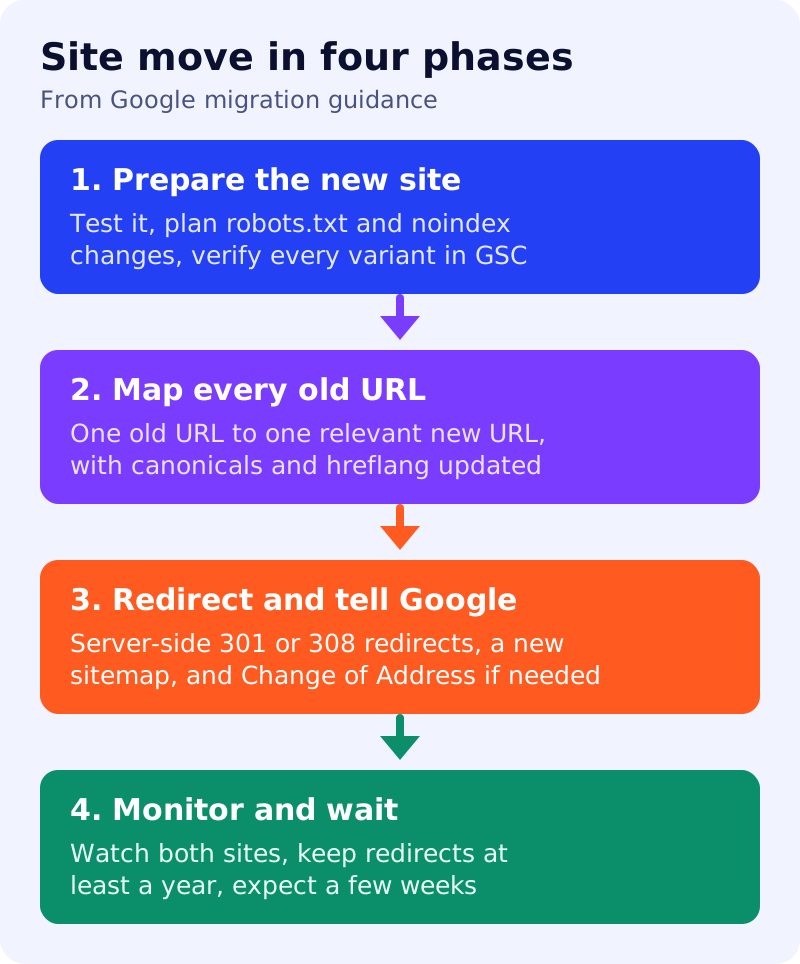
A site move is the riskiest SEO project most owners will run. Google’s guide to site moves covers changes where URLs change: HTTP to HTTPS, a new domain name or merged domains, and new URL paths. It says to expect some temporary ranking fluctuation. This checklist follows that guide, which we read in full, and arranges it in four phases. The phase structure and the mistakes list are our own.
Ground rules from Google
- Change one thing at a time. If you want a new domain, a new CMS and a new layout, do them one after another.
- Time the move for lower traffic if your traffic is seasonal.
- Do not worry about link credit. Google says 301 and other permanent redirects do not cause a loss in PageRank.
- Expect weeks. For medium sites, Google says it can take a few weeks or more before new URLs largely replace old ones, longer for large sites.
- Small and medium sites should usually move all URLs together. Large sites can move in sections.
Phase 1: prepare the new site
| Task | Why |
|---|---|
| Test the new site fully | Find problems before traffic arrives |
| Move images, downloads, CSS and JavaScript too | They may carry traffic and links |
| Set up the new robots.txt, and list any noindex rules to remove at launch | Sites often stay blocked after launch |
| Return 404 or 410 for content you are not moving | Gives a clear signal |
| Verify every variant of old and new sites in Search Console | Includes www, non-www, HTTP and HTTPS |
| Check Search Console settings and verification tokens | Verification can break on the new site |
| Check the capacity of your server | Google may crawl more heavily after a move |
If you bought a domain, Google says to check it for manual actions and leftover URL removals.
Phase 2: map every old URL
List your important URLs from sitemaps, analytics, server logs and Search Console’s links data. Map each old URL to its new equivalent. On the new pages, use self-referencing canonical tags, update hreflang to new URLs, and change internal links. Save the new sitemap and a list of sites that link to you.
Phase 3: redirect and tell Google
Google recommends server-side permanent redirects such as 301 or 308. Avoid chains. Google says Googlebot can follow up to 10 hops, but it advises redirecting straight to the final URL, and keeping any chain ideally to three or fewer. Do not redirect many old URLs to one irrelevant page such as the home page, because it may be treated as a soft 404. Then:
- Check canonical tags and robots meta rules on the new site.
- Test redirects with the URL Inspection tool or scripts.
- For a domain or subdomain change, submit a Change of Address for the old site, for all verified variants. Google says you do not need it for HTTP to HTTPS, www changes or path changes on the same domain.
- Submit the new sitemap.
See our guide to which redirect to use, canonical URLs and hreflang.
Phase 4: monitor and wait
Watch traffic and crawling on both sites. In the Sitemaps report, indexed pages for the old sitemap should fall while the new sitemap rises. Update links on your profiles and ad campaigns, and ask sites that link to you to update theirs. Google says to keep redirects for as long as possible, generally at least one year.
Common mistakes (our list)
Leaving noindex or a blocking robots.txt on the new site; forgetting images; redirecting everything to the home page; moving several things at once; and removing redirects after a few weeks.
What to do
- Write a one-page plan with the four phases and a named owner for each.
- Build the URL map before touching the server.
- After launch, check your robots.txt and sitemaps first.
- Review traffic changes with our traffic drop routine.