

“Crawl budget” is one of the most overused terms in SEO. Google’s own guide opens by saying that if your site does not have a large number of rapidly changing pages, or if pages are crawled the same day they are published, you do not need to read it. For those sites, it says, an up-to-date sitemap and a regular look at the Page Indexing report are adequate. This post summarises the guide (read in full) and adds a decision table and checklist of our own.
Who the guide is for
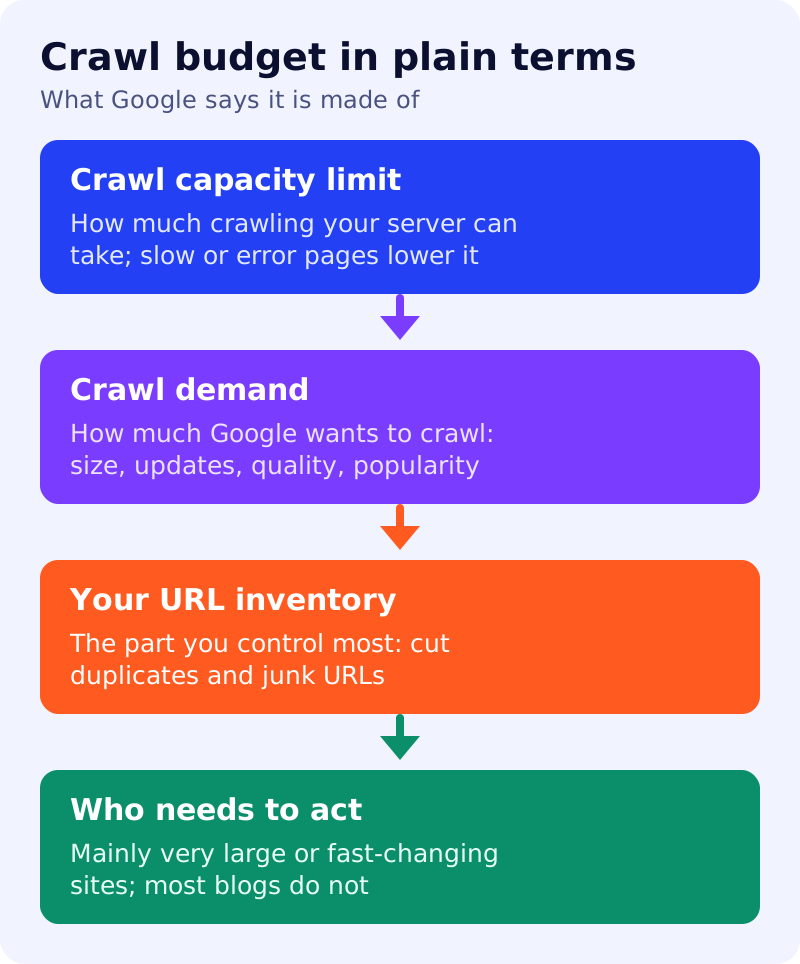
Google names three groups: sites with 1 million or more unique pages that change about weekly; sites with 10,000 or more unique pages that change daily; and sites where a large share of URLs are marked Discovered, currently not indexed in Search Console. It adds that the numbers are rough and not exact thresholds.
| Your situation | Our reading |
|---|---|
| A blog or small business site with a few hundred pages | Not a priority; fix quality, links and indexing first |
| A shop with 10,000 or more products that change daily | Read the guide and act |
| Search Console shows many Discovered, currently not indexed URLs | Investigate, but also check content quality |
| New pages are crawled the same day | Not a problem |
What crawl budget is
Google says a site’s crawl budget is the set of URLs it can and wants to crawl, shaped by two things. Crawl capacity limit is how much crawling your server can take without strain. It rises when the site responds consistently, and falls when the site slows or returns 5xx errors or 429 rate-limiting responses. Crawl demand is how much Google wants to crawl, based on site size, update frequency, page quality and relevance. Google adds that a crawled page is not always indexed.
The factor owners can influence most is what Google calls perceived inventory: if many known URLs are duplicates or unimportant, crawling time is wasted.
A waste checklist
This is our checklist, built from Google’s best practices.
- Duplicates. Consolidate them, using our canonical URL guide.
- Unimportant URL variants. Google says to block pages you never want crawled, such as differently sorted versions, with robots.txt. It says not to use noindex for this, because Google still requests the page before dropping it. See noindex versus robots.txt.
- Removed pages. Return 404 or 410. Google says blocked URLs stay in the crawl queue longer.
- Soft 404s. Find them in the Page Indexing report and fix them.
- Sitemap. Keep it current and include lastmod for updated content.
- Redirect chains. Avoid long chains.
- Speed. Faster responses can let Google read more. Google also suggests supporting 304 Not Modified responses.
Google says robots.txt should not be used to temporarily shift crawl budget, because freed capacity moves to other pages only if Google is already at your capacity limit.
How to get more
Google gives two routes: add server resources if you see Hostload exceeded in the URL Inspection tool, and improve content quality for the product you target.
What to do
- Place your site in the decision table.
- If it is small, spend the time elsewhere, starting with our ten-minute server log method to confirm crawling is healthy.
- If it is large, run the waste checklist and review Search Console’s crawl reports.
- Read our explainer on whether removing old articles helps crawl budget.