
We wrote about the 2021 page experience update when it was announced, and the terms have since changed. This post reflects Google’s page “Understanding page experience in Google Search results”, last updated 22 September 2026 as we read it.
What Google says
Google’s core ranking systems look to reward content that provides a good page experience. It tells site owners not to focus on one or two aspects but to check the overall experience. Its FAQ is direct on three points:
- There is no single “page experience signal”.
- Core Web Vitals are used by its ranking systems.
- Beyond Core Web Vitals, other aspects do not directly help a site rank higher, but make it more satisfying to use, which aligns with what ranking systems seek to reward.
Google also says good scores in reports do not guarantee top rankings, that trying for a perfect score just for SEO may not be the best use of time, and that systems generally evaluate content page by page, with some site-wide assessments. It adds that for many queries there is a lot of helpful content, and a great page experience can contribute to success in those cases.
The six questions
- Do your pages have good Core Web Vitals?
- Are they served in a secure fashion?
- Does the content display well on mobile?
- Does it avoid an excessive amount of ads that distract from the main content?
- Do the pages avoid intrusive interstitials?
- Can visitors easily tell the main content from the rest of the page?
What to fix first (our order)
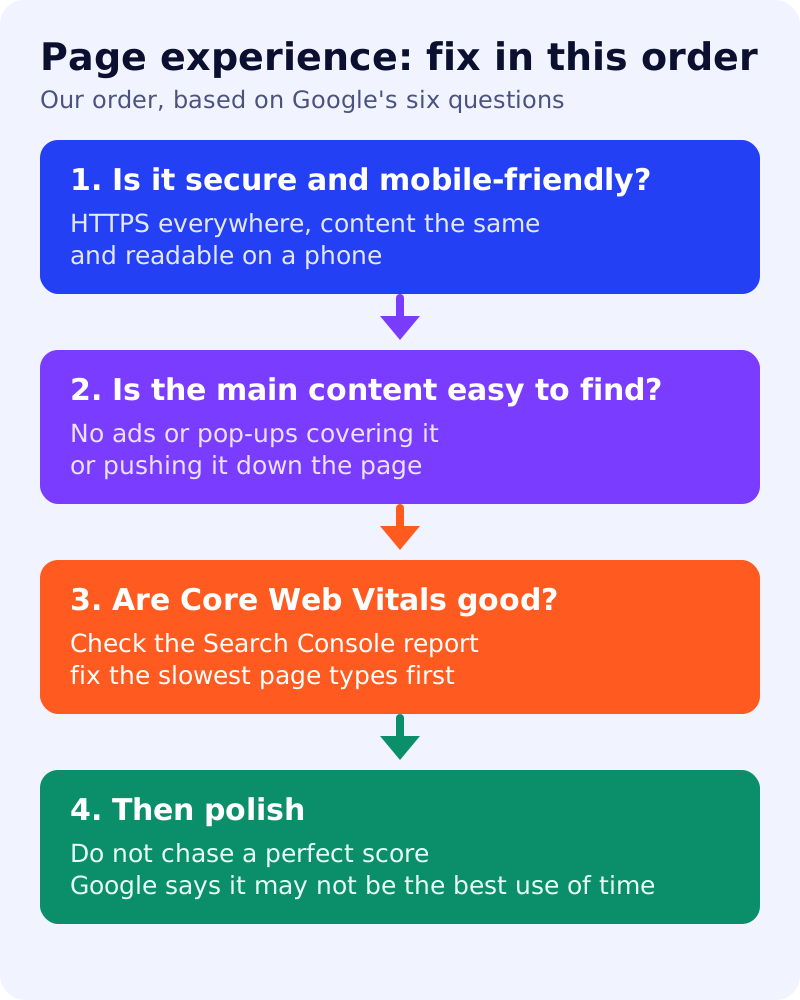
Google does not rank these questions. The order below is our judgement: cheapest and most visible first.
| Order | Check | Why first |
|---|---|---|
| 1 | HTTPS and mobile display | Binary, fast to confirm. Use the Search Console HTTPS report and test pages on a phone |
| 2 | Ads and pop-ups over the content | Visible to any reader in one visit; remove what covers or pushes down the main content |
| 3 | Core Web Vitals | Needs data and developer time; start with the page types that have the most traffic in the Search Console report |
| 4 | Polish | Chase the remaining gains only when the above is done |
A ten-minute self-check
- Open your five top pages on a phone, on mobile data.
- Note anything that covers the text, shifts as it loads, or takes long to show the first screen.
- Open the Core Web Vitals report in Search Console and note groups marked poor.
- Check the HTTPS report for non-secure pages.
- Write down the three worst problems and who owns each fix.
What not to do
Do not treat a Lighthouse score as the goal. Do not remove all ads if they are not interfering; Google’s question is about an excessive amount that distracts from the main content. Do not expect a ranking jump from fixing experience on thin content: Google says it always seeks to show the most relevant content, even if page experience is sub-par.
What to do
- Run the self-check above.
- Fix covering pop-ups and ads first.
- Open the Core Web Vitals report and pick one page group.
- Recheck in 28 days; field data takes time to update (our observation, not Google’s statement).
- Related reading: Core Web Vitals as a ranking factor, our mobile-first indexing checklist and the older 2021 explainer.