

Schema is the most oversold part of AEO. Some sellers promise that the right markup makes AI tools cite you. Google’s guide to generative AI features says otherwise, and its structured data rules tell you what to do instead. This guide separates the two and ends with a ten-point audit.
What Google says about schema and AI
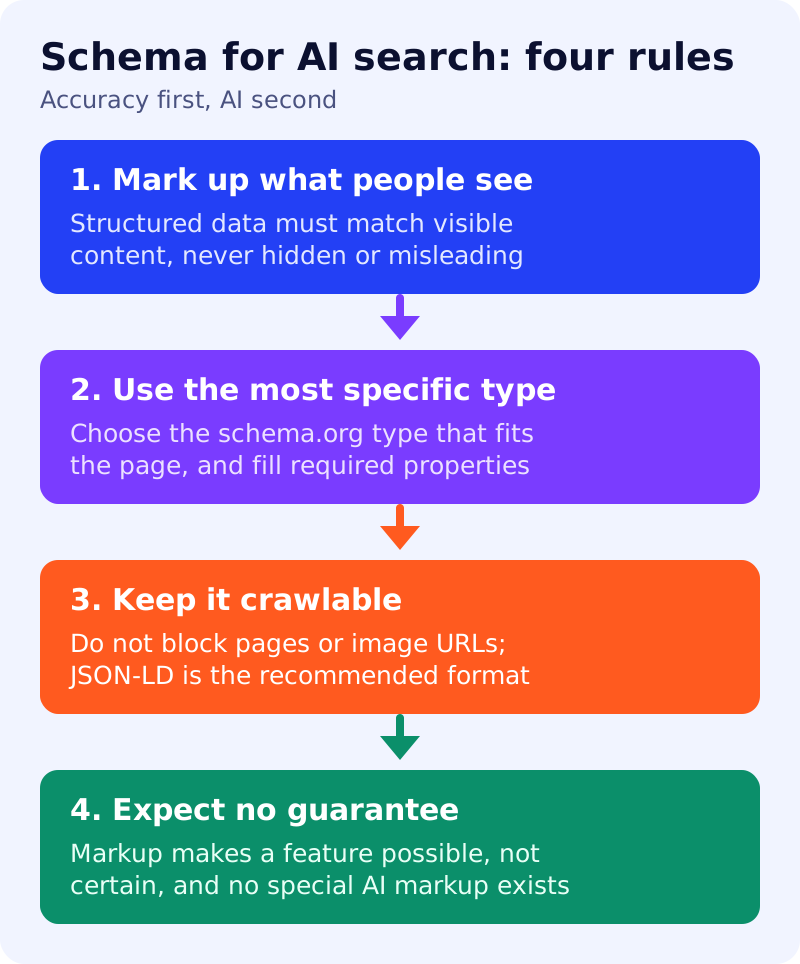
Google says structured data is not required for generative AI search, and that there is no special schema.org markup you need to add. It still recommends continuing to use structured data as part of an overall SEO strategy, because it helps with eligibility for rich results on Google Search. It lists over-focusing on structured data among the things you can ignore. Our related explainer is is schema useful for LLMs?.
The rules Google sets
From Google’s general structured data guidelines, last updated in July 2026:
- Markup must be a true representation of the page content. Google’s examples of irrelevant data are a live-streaming site labelling broadcasts as local events, and a woodworking site labelling instructions as recipes.
- Do not mark up content that is not visible to readers, and do not mark up fake reviews or misleading content.
- Use JSON-LD (recommended), Microdata or RDFa, and do not block marked-up pages with robots.txt or noindex.
- Specify all required properties for the feature. Items missing them are not eligible for rich results.
- Use the most specific schema.org type that applies.
- Put the markup on the page it describes, and the same markup on duplicate pages, not only the canonical.
- Image URLs in markup must be crawlable and indexable.
- Google does not guarantee that structured data will show up, even if the Rich Results Test passes. A structured data manual action removes rich result eligibility but does not affect how the page ranks in web search.
Decision table by page type
This table is our own guidance. It maps page types to the structured data features Google documents. Check each feature’s guide for the required properties.
| Page type | Consider | Note |
|---|---|---|
| Blog post or news article | Article, Breadcrumb | Author and dates must match the visible byline. |
| Product page | Product snippet or Merchant listing | Add review markup only for genuine reviews. |
| Local business | Local business | Keep it consistent with your Business Profile. |
| Recipe | Recipe, Video | Link the video to the recipe with an @id. |
| Event | Event | Remove or update it once the date passes. |
| Job listing | Job posting | Follow the job posting content policies. |
| Course | Course list | Only for pages that describe courses. |
| Forum or Q&A | Discussion forum, Q&A | Use only where users genuinely ask and answer. |
| App page | Software app | Match the store listing. |
| Home page | Organization, site name | See favicons and site names. |
For breadcrumbs, see our breadcrumb guide. For shops, see AEO for e-commerce.
A ten-point audit
- List your top ten pages and their page types.
- For each, note which markup is present.
- Check each marked-up fact appears on the visible page.
- Remove markup for anything hidden or out of date.
- Confirm required properties are present.
- Confirm the type is the most specific available.
- Test with the Rich Results Test and the URL Inspection tool.
- Check images in markup are crawlable.
- Check duplicates carry the same markup.
- Review the Search Console rich result reports after each template change.
What to do
- Run the audit on ten pages this week.
- Delete markup you cannot defend as visible and accurate.
- Stop buying “AI schema” that claims to guarantee citations.
- Put effort into the content itself. See our AEO and GEO playbook.
Sources: Google Search Central documentation, as linked above. The page-type table and audit are our own guidance.