

New SEO and AEO hires are handed a dozen guides and a login. A short, accurate starting point helps more. Google’s Search Essentials (last updated 10 December 2025 as we read it) is the shortest one it publishes, and this post turns it into a first-week plan.
Best for: team leads onboarding SEO, AEO and content staff, and agencies training clients.
What Google says
- Search Essentials make up the core parts of what makes web content, whether pages, images, videos or other public material, eligible to appear and perform well in Search.
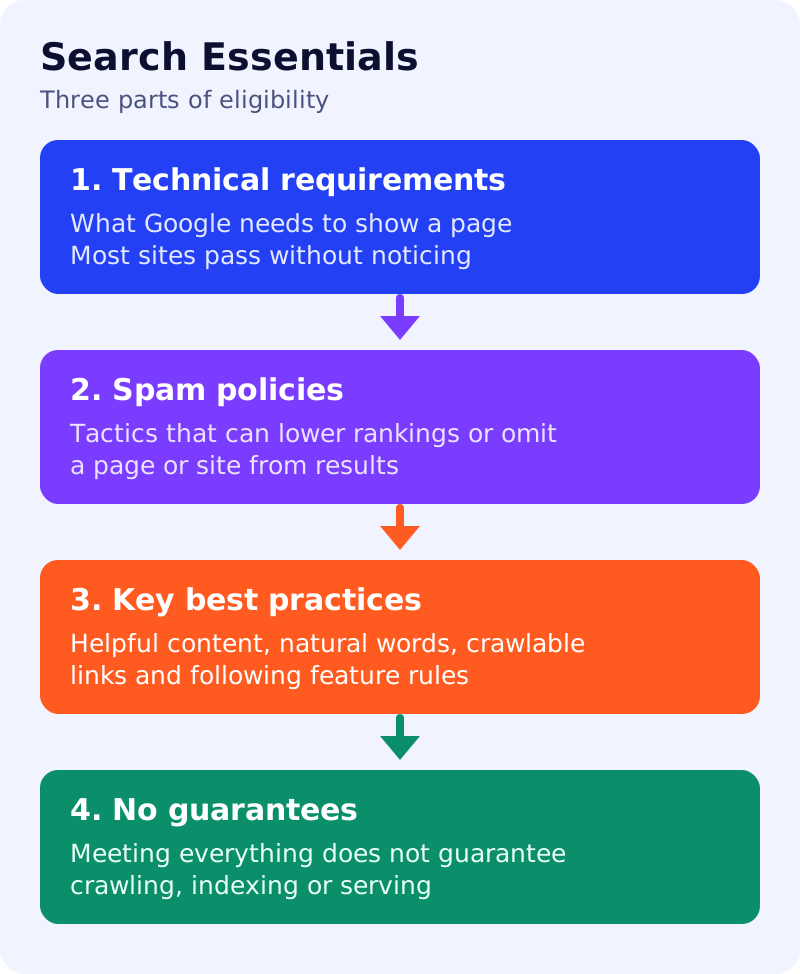
- There are three parts. Technical requirements cover what Google needs from a page to show it. Spam policies describe behaviours and tactics that can lead to lower ranking or omission. Key best practices are the main things that can help improve how a site appears.
- It costs nothing to appear in Google Search results, whatever anyone claims.
- Meeting all requirements and best practices does not mean Google will crawl, index or serve a page.
- Technical requirements are the bare minimum, and most sites pass them without realising it.
- Key best practices include creating helpful, reliable, people-first content, using words people would use in prominent places such as titles, headings, alt text and link text, making links crawlable, telling people about your site, and following the specific best practices for images, video, structured data and JavaScript. You can enable features that make sense for your site, and use appropriate controls for content that should not be found in Search.
First-week plan (our design)
| Day | Focus | Read or do | Owner | Done when |
|---|---|---|---|---|
| 1 | Orientation | Read Search Essentials and how Search works | New hire, lead | Can explain the three parts in plain words |
| 2 | Technical requirements | Inspect five key URLs in URL Inspection | New hire | A note on each: indexed, crawlable, status code |
| 3 | Spam policies | Read the spam policy self-audit | New hire | A list of risks found, or none |
| 4 | Best practices | Review one article against the Who, How and Why worksheet | New hire, editor | A scored worksheet |
| 5 | AI features | Read the AI features checklist | New hire | A three-line summary of what is required |
What to do: step by step
| Step | Owner | Time | How to check | Done when |
|---|---|---|---|---|
| 1. Give access | Team lead | 1 hour | Search Console, analytics and the CMS | Logins work |
| 2. Assign the reading | Team lead | 30 min | A shared list with dates | The new hire has the plan |
| 3. Run the Day 2 exercise together | Team lead | 1 hour | Review the notes, correct misunderstandings | Notes are accurate |
| 4. Pair on a real fix | Team lead, new hire | 2 hours | One small issue from the backlog | A fix shipped or planned |
| 5. Hold a Friday recap | Team lead | 30 min | New hire explains what is and is not guaranteed | Understands “eligible, not guaranteed” |
Common mistakes
- Teaching tactics before the three parts, so the hire cannot judge advice from vendors.
- Skipping the spam policies until a problem appears.
- Promising results. Google says no one can pay for crawling or ranking.
Related: the AEO and GEO playbook and the SEO starter guide in ten steps. Results are not guaranteed.