

A jacket in four sizes and three colours is one product to a shopper and twelve to a catalogue. Google’s variant documentation (last updated 8 September 2026 as we read it) shows how to tell it which is which.
Best for: ecommerce teams with apparel, shoes, furniture, electronics, luggage or any product sold in variations.
What Google says
- Use the
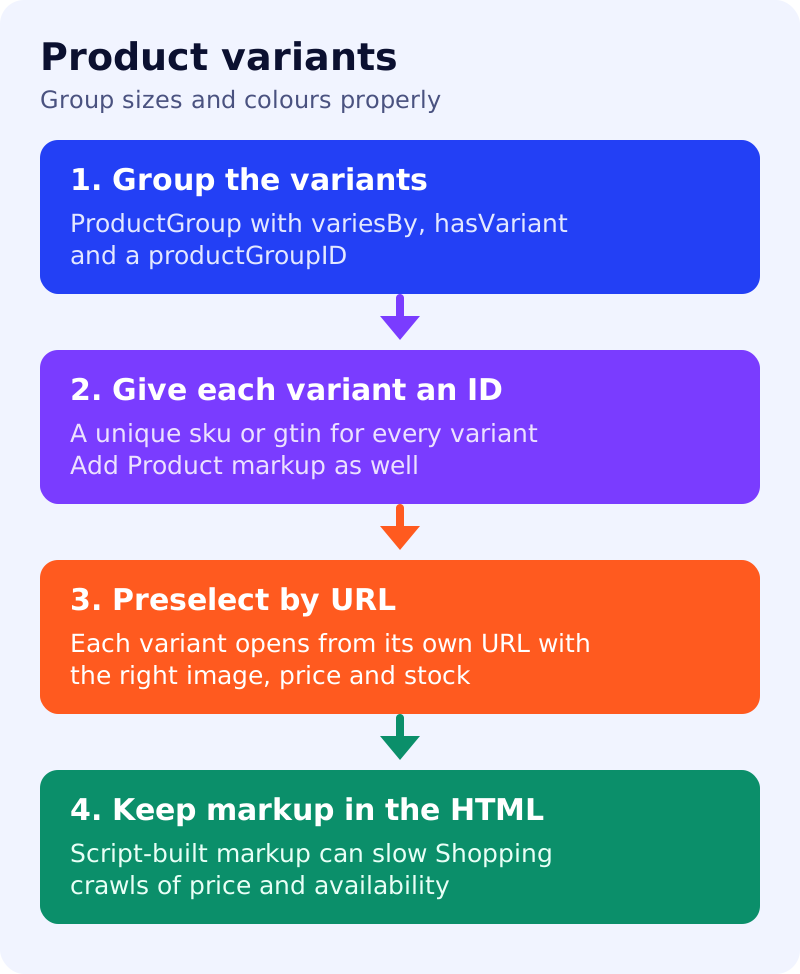
ProductGroupclass withvariesBy,hasVariantandproductGroupIDto group variants, in addition toProductstructured data. This also makes products eligible for variant information in merchant listing experiences. ProductGroupcan hold properties common to all variants, such as brand and review information, plus the variant-determining properties, which reduces duplication.variesBynames the aspects that differ, such as size or colour, using full schema.org URLs.hasVariantnests the variant products.productGroupIDis the parent identifier, also called the parent SKU. Variants can alternatively carryinProductGroupWithID.- Each variant must have a unique ID in its markup, for example
skuorgtin. Each product group must have a unique ID. - Add
Productmarkup that meets the merchant listing or product snippet requirements as well. - Single-page sites: there must be one canonical URL for the whole
ProductGroup, typically the base page with no variant preselected. Multi-page sites: there is no single canonical, and each page needs full, self-contained markup for its own entities. - Each variant must be preselectable through a distinct URL, for example with query parameters. That includes showing the right image, price and availability and letting the user add that variant to the cart.
- Put
Productmarkup in the initial HTML for best results. Script-generated markup can make Shopping crawls less frequent and less reliable, which matters for price and availability, so make sure your server can handle the extra crawl traffic.
What to do: step by step
| Step | Owner | Time | How to check | Done when |
|---|---|---|---|---|
| 1. Choose single-page or multi-page | Ecommerce, developer | 30 min | Do variants share a page or have their own pages? | One model documented |
| 2. List variant attributes | Merchandiser | 1 hour | Size, colour, material or pattern per product | A table per category |
| 3. Fix identifiers | Data team | 2 hours | Unique sku or gtin per variant, one parent ID per group | No duplicate IDs |
4. Build ProductGroup markup | Developer | 3 hours | variesBy, hasVariant, productGroupID | Validates on five sample products |
| 5. Test variant URLs | Developer, QA | 1 hour | Open each variant URL cold | Right image, price and stock appear |
| 6. Check the canonical | SEO | 30 min | Single-page: one base canonical. Multi-page: each page canonical to itself | Rules match the model |
| 7. Check initial HTML | Developer | 20 min | View source | Product markup present without scripts |
Common mistakes
- Reusing one
skufor every colour. - A variant URL that opens the default option, with the wrong price or image.
- Pointing every variant canonical at one page on a multi-page site.
- Building markup only with a script and ignoring crawl load.
Related: product data scorecard, canonical URLs and faceted navigation. Results are not guaranteed.