

A shop with colour, size, brand and price filters can produce millions of URLs from a few hundred products. Google’s guide, updated 18 December 2025 as we read it, says this can harm a site in two ways: overcrawling, because crawlers cannot tell the URLs are useless until they fetch them, and slower discovery of new, useful URLs. We covered the topic in an older post; this version follows the current page and adds a decision method.
The decision, per filter (our own)
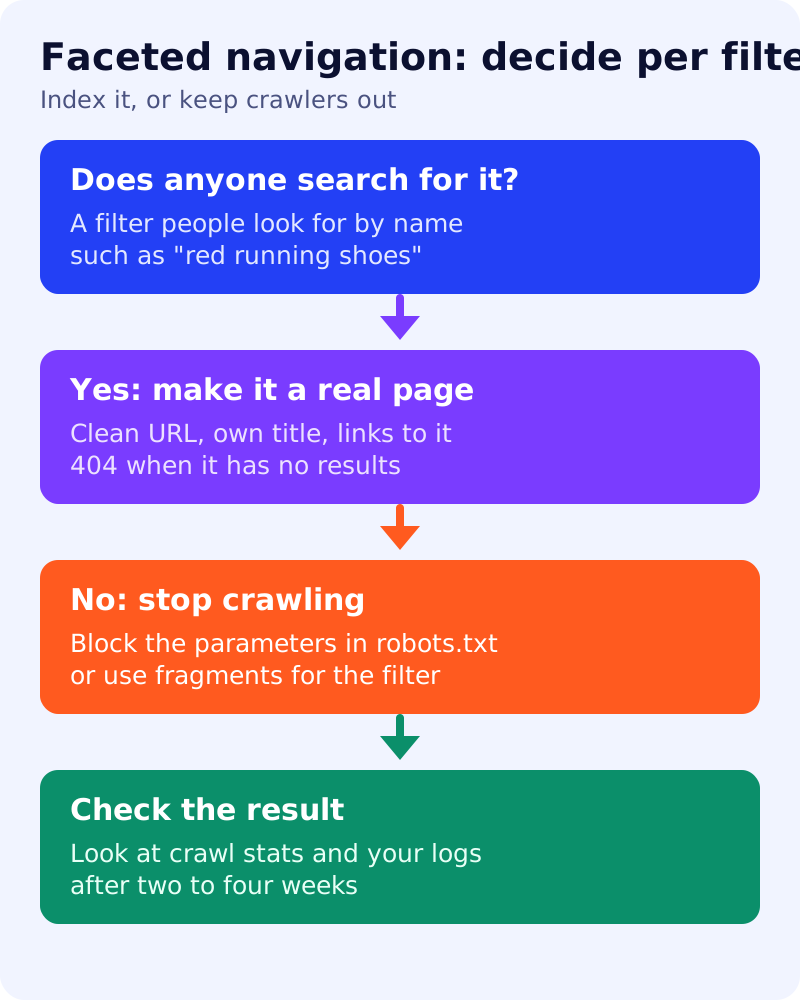
Google gives two paths: prevent crawling of facet URLs you do not need indexed, or make the ones you need follow its best practices. For each filter, ask whether people search for that combination by name.
| Filter or combination | Example | Path |
|---|---|---|
| Searched for by name | ”red running shoes” | Make it a real page (path B) |
| Used by shoppers but not searched | price sort, size 9 | Stop crawling (path A) |
| Nonsense or duplicate combination | colour=red&colour=blue | Stop crawling and return 404 |
Path A: stop crawling
Google’s first recommendation is to disallow the parameters in robots.txt and allow only item pages plus a dedicated listing page. Its example:
user-agent: Googlebot
disallow: /*?*products=
disallow: /*?*color=
disallow: /*?*size=
allow: /*?products=all$
Test your own patterns carefully before you ship; a wrong rule can block real pages. Google also notes that filters kept in URL fragments (after the #) have no effect on crawling, since it generally does not support fragments for crawling and indexing. It says rel=“canonical” and rel=“nofollow” can help but are generally less effective in the long term, and that nofollow only works if every anchor to the URL carries it.
Path B: keep facet URLs you want indexed
Google warns that crawling these URLs costs servers resources and may slow discovery of new URLs. Its practices:
- Use the standard ’&’ as the parameter separator. Commas, semicolons and brackets are hard for crawlers to detect as separators.
- If filters are in the path, such as /products/fish/green/tiny, keep the filter order fixed and allow no duplicate filters.
- Return a 404 status for combinations with no results, for duplicate filters, for nonsensical combinations and for nonexistent pagination. Do not redirect to a generic error page.
Google adds that on a single-page app the 404 may not be possible, and refers to its guidance for such apps.
A ten-minute check
- Search your server logs for Googlebot requests that contain ”?” and count them against requests to plain product URLs. Our log method explains how.
- Open the Crawl stats report in Search Console and note which URL types dominate.
- Try a filter combination with no results. Is the status 404?
- Look at your robots.txt for filter parameters.
What we could not confirm
We have not measured how much crawling any particular site wastes; that depends on the site. See our crawl budget decision table to judge whether it matters for you.
What to do
- List every filter and sort parameter on your site.
- Mark each one searched-for or not.
- Block the rest in robots.txt after testing, and fix the 404 behaviour.
- Give searched-for combinations a clean, canonical URL and a unique title.
- Recheck logs and Crawl stats after two to four weeks. See also robots.txt for a blog and canonical URLs.