

Our earlier Discover checklist for blogs covers images, headlines and measurement. This post is narrower: a yes or no test for one page, based on Google’s “Discover and your website” page (updated 9 March 2026 as we read it).
What Google says
Content is automatically eligible if it is indexed by Google and meets Discover’s content policies. No special tags or structured data are required. Being eligible is not a guarantee of appearing. Discover may also filter out content unsuited to an interest-based feed, and Google’s examples are job applications, petitions, forms, code repositories and satirical content without context.
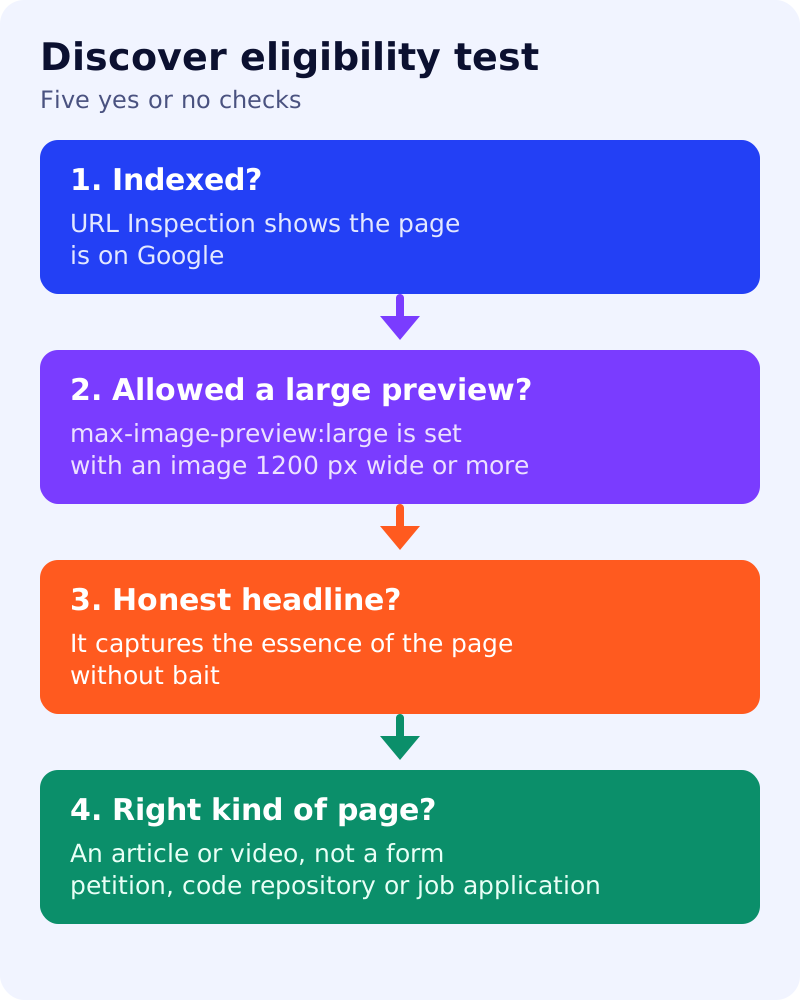
The test
| # | Check | How | Pass |
|---|---|---|---|
| 1 | Indexed | URL Inspection in Search Console | The page is on Google |
| 2 | Policy | Manual actions and Security issues in Search Console | No Discover manual action |
| 3 | Page type | Read the page | An article, guide or video page, not a form, petition, code repository or job application |
| 4 | Image | Check the og:image or schema image | At least 1200 px wide, over 300,000 pixels, relevant, not a logo or text-heavy |
| 5 | Preview setting | View source and look at the robots meta tag | max-image-preview:large is set, or the page uses AMP, which Google lists as the way to enable large images |
| 6 | Headline | Read title and preview text | Captures the essence of the page, no bait, no withheld key facts |
| 7 | Page experience | Open on a phone | Main content is easy to reach |
Google recommends 16:9 images and says it tries to crop automatically. If you crop yourself, keep the important details in the version you specify.
Scoring (our own)
Seven passes means the page meets the documented conditions. One or more fails: fix those first. A pass on all seven does not mean the page will be shown. Google describes Discover traffic as less predictable than search traffic and as supplemental to it. Our diagnosis of rising and falling Discover traffic explains why.
What the test cannot tell you
- Whether the page matches the interests of any reader. Discover shows content based on people’s activity.
- Whether the content is timely or has a unique angle. Google’s advice includes timely content that tells a story well or gives unique insights, and that is a judgement, not a check.
- How many people will see it. Use the Discover performance report in Search Console, which Google says appears once your content has shown in Discover and meets a minimum impression threshold.
What to do
- Run the seven checks on your three most recent posts.
- Fix failures in your template: image size, robots meta tag, headline pattern.
- Rewrite any bait headline using our before and after examples.
- Check the Discover report after a few weeks, if your content has appeared.
- For news content, see how to get a news article into AI Mode, Top Stories and Discover.