

Google Discover shows people content based on their interests, even when they have not searched for it. You cannot apply for it, but you can check whether a post gives itself a fair chance. This test follows Google’s Discover documentation, which was last updated in March 2026.
Check 1: is the post eligible?
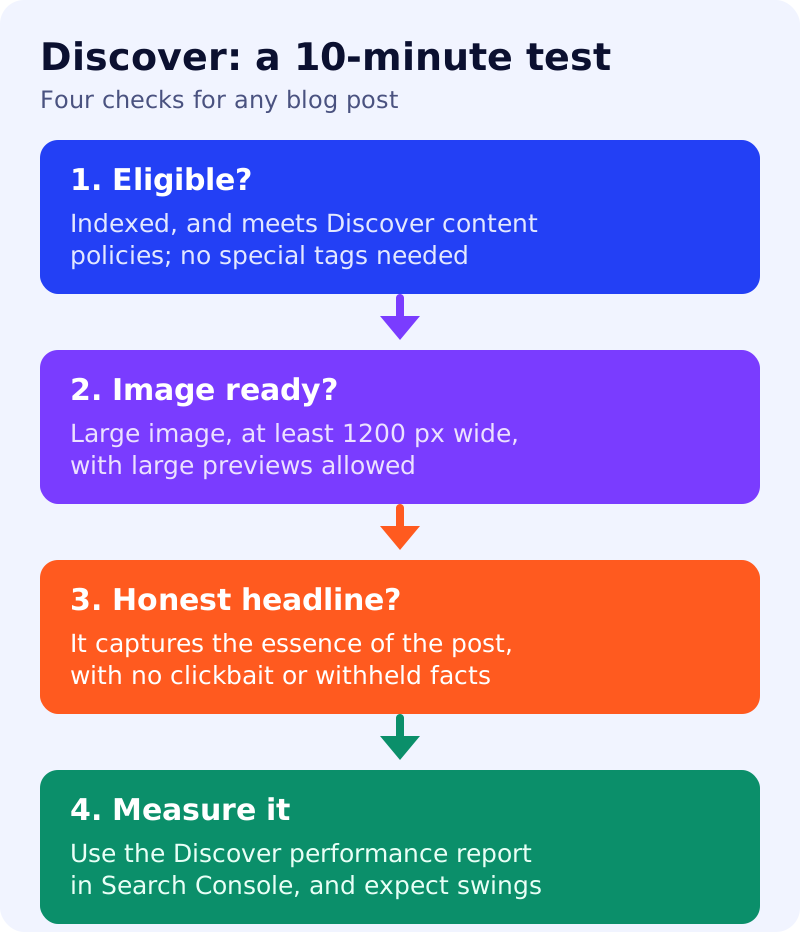
Google says content is automatically eligible for Discover if it is indexed by Google and meets Discover’s content policies, and that no special tags or structured data are required. Eligibility does not guarantee appearance. Paste the post’s address into the URL Inspection tool in Search Console and confirm the page is indexed. Google also says Discover may filter out content that is not suited to an interest feed, such as job applications, petitions, forms, code repositories or satire without context.
Check 2: is the image big enough?
Google recommends high-quality images that are relevant to the content, and says large images are more likely to generate visits. Its specifications are at least 1200 pixels wide, more than 300,000 total pixels, and a 16:9 aspect ratio. Large previews must be enabled with the max-image-preview:large setting, or by using AMP. Specify the image with schema.org markup or an og:image tag, and avoid generic images such as your logo and text-heavy images.
Check 3: is the headline honest?
Google recommends titles and headlines that capture the essence of the content. It advises avoiding clickbait (misleading or exaggerated details in the title, snippet or image, or withholding information needed to understand the content) and sensationalism that manipulates appeal. Content that is timely, tells a story well or offers unique insights is encouraged. Read your headline aloud and ask whether a reader would feel misled after clicking.
Check 4: can readers follow you?
Google’s documentation summary mentions a “Follow” feature in certain regions, which lets people get updates through RSS or Atom feeds that site owners link in the page head. If you publish a feed, link it in your template.
Measure, and expect swings
The Discover performance report in Search Console shows impressions, clicks and click-through rate for content that appeared in Discover over the last 16 months, once a minimum impression threshold is reached, and it includes Chrome traffic. Google says Discover traffic is less predictable than keyword-driven search traffic, and lists reasons it can change: shifting interests, changes in the content types shown, and Search updates. It adds that traffic changes can be unrelated to content quality or how often you publish.
What to do
- Inspect each new post for indexing in Search Console.
- Add a large, relevant image and allow large previews.
- Rewrite any headline that exaggerates or hides the point.
- Publish content with a clear point of view, not a rewrite of others. See answer-first pages.
- Check the Discover report monthly, and do not plan revenue around it.
For related reading, see how Google Discover is testing AI summaries and our take on Discover replacing publisher content.
Source: Google Search Central documentation, as linked above.