

When traffic drops and a core update was announced, the pressure to change something is high. Google’s guidance on core updates (last updated 10 December 2025 as we read it) mostly argues for patience and for the right comparison.
Best for: SEO leads who report to a manager or client after a ranking change.
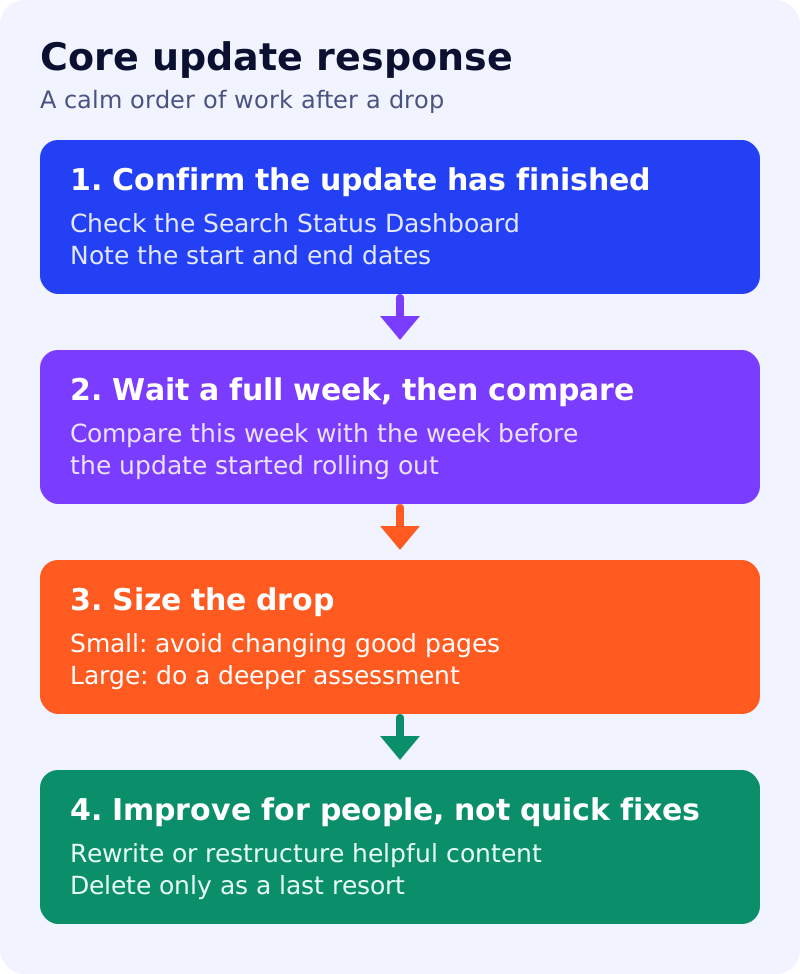
What Google says
- Core updates are significant, broad changes made several times a year. They do not target specific sites or pages.
- Most sites do not need to worry about them. A page that drops is not necessarily bad: other pages may simply now fit better.
- Confirm the update has finished in the Search Status Dashboard and note the start and end dates.
- Wait at least a full week after it completes. Then compare that week with the week before the rollout began.
- A small drop (Google’s example is position 2 to 4) needs no drastic action, and Google recommends avoiding changes to content already performing well. A large drop (position 4 to 29) calls for a deeper assessment.
- Analyse search types separately: Web, Images, Video and News.
- Avoid quick fixes. Deleting content is a last resort.
- Improvements can take a few days to several months to show, and sometimes only at the next core update.
What to do: step by step
| Step | Owner | Time | How to check | Done when |
|---|---|---|---|---|
| 1. Confirm the rollout is complete | SEO | 10 min | Search Status Dashboard | Start and end dates are written down |
| 2. Wait a full week | Everyone | 7 days | Calendar reminder | Seven days have passed |
| 3. Compare the right periods | SEO | 1 hour | Search Console: this week vs the week before the rollout | A table of top pages and queries exists |
| 4. Split by search type | SEO | 30 min | Filter Web, Images, Video, News | You know where the drop sits |
| 5. Size the drop per page | SEO | 30 min | Position change per top page | Each page is marked small or large |
| 6. Assess large drops | Content lead, outsider | 2 to 4 hours | Google’s helpful content questions | A short written verdict per page |
| 7. Improve and log | Content | Ongoing | Dated change log | Each change has a reason and a date |
Decision table for step 5
| What you see | What Google suggests |
|---|---|
| Small drop, page is good | No drastic action. Avoid editing it |
| Large, sustained drop across the site | Review the site as a whole against the self-assessment |
| Large drop on a few pages | Compare them with the pages now ranking above them |
| Whole sections made for search first | Consider removing the unhelpful content |
Common mistakes
- Judging a drop in the first days of the rollout.
- Rewriting everything at once, which hides what helped.
- Removing an element because someone said it is “bad for SEO”.
For diagnosis beyond core updates, use our traffic drop routine and the spam policy self-audit.
Results are not guaranteed.