

For Discover, the image often does more work than the headline. Google’s Discover page (last updated 9 March 2026 as we read it) says large images are more likely to generate visits from Discover, and gives specific numbers.
Best for: bloggers and publishers who want articles to be eligible for Discover with a large preview.
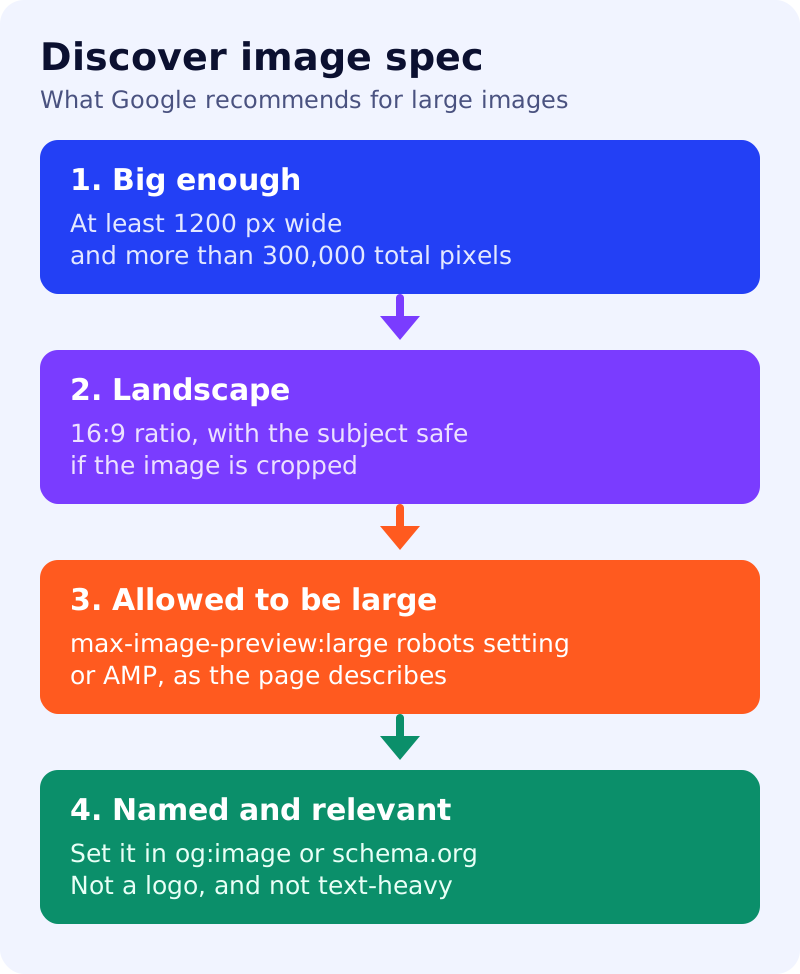
What Google says
- Content is eligible for Discover if it is indexed and meets Discover’s content policies. No special tags or structured data are required, and eligibility is not a guarantee of appearing.
- Recommended image specification: at least 1200 px wide, more than 300,000 total pixels (a 1280 x 720 image has 921,600), and a 16:9 aspect ratio.
- Large images are enabled by the
max-image-preview:largesetting, or by AMP. - Specify a large, relevant image in schema.org markup or the
og:imagemeta tag. This can influence which image is chosen. - Avoid generic images such as a site logo, and avoid text-heavy images, in that markup.
- Google tries to crop automatically. If you crop yourself, make sure the important details remain in a landscape crop.
A ten-minute image check
| Check | Pass if |
|---|---|
| Width | 1200 px or more |
| Total pixels | Width x height is above 300,000 |
| Ratio | 16:9, with the subject away from the edges |
| Robots setting | The page allows max-image-preview:large |
| Named image | og:image or schema.org points to this image |
| Content | Relevant to the article, not a logo, little overlaid text |
A worked example (made-up)
A blog uses its site logo as og:image on every article, at 600 x 315 pixels. That fails width, total pixels (189,000), and the logo guidance. The fix: a 1280 x 720 image per article with the subject centred, named in og:image, with the robots setting allowing large previews.
What to do
- Pick five recent articles and run the table above.
- Check each page source for
og:imageand the robots meta setting. - Replace logo images with article-specific ones.
- Pair this with a headline that matches the content. See Discover headlines without clickbait.
- Run our Discover eligibility test, and read why Discover traffic changes.
Discover traffic is less predictable than search traffic, and following these steps does not guarantee it.