

A job page is a short-lived page. It is useful for a few weeks and harmful if it stays live after the role is filled. Google’s JobPosting documentation (last updated 8 September 2026 as we read it) is built around that fact: it covers how to publish a job, how to keep Google informed, and how to expire it.
Best for: employers, recruiters and job-board owners who publish their own listing pages.
What Google says
- JobPosting markup makes a posting eligible for Google’s job search experience, with the employer logo, ratings and job details.
- If the same job exists under several URLs, use canonical URLs on each copy.
- For job URLs, Google recommends the Indexing API over sitemaps, because it prompts Googlebot to crawl sooner. It still recommends a sitemap for the whole site.
- Closed jobs must be expired: set
validThroughto a past date, return a 404 or 410, or remove the markup. Google warns that failing to act on expired jobs may lead to a manual action.
On AI features, Google’s generative AI guide (updated 10 July 2026) says structured data is not required and no special schema.org markup is needed. Our view: a clean job page helps AI answers for the same reason it helps Google Search. The facts are easy to read and easy to trust.
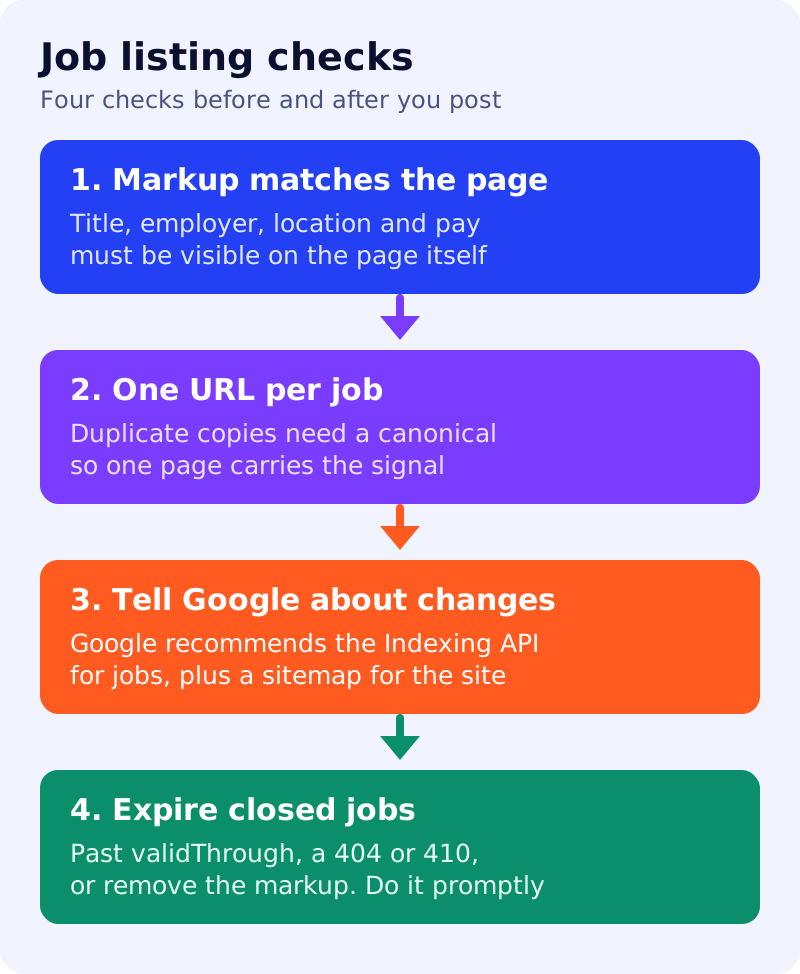
The four-check audit
| Check | How to test it | Fail looks like |
|---|---|---|
| 1. Markup matches the page | Compare title, employer, location and pay in the markup with the visible text | Pay or location in markup but not on the page |
| 2. One URL per job | Search your site for the job title | Three URLs for one role, no canonical |
| 3. Google is told | Is the Indexing API used for job URLs? Is the sitemap current? | New jobs found only after weeks |
| 4. Closed jobs expire | List jobs filled more than a week ago | Live page, markup still says open |
A worked example (made-up)
A staffing firm lists “Warehouse supervisor, Pune” at three URLs: its careers page, a city page and a campaign page. Only one has JobPosting markup, and it says remote work while the page says on-site. Result under our audit: fail checks 1 and 2. Fix: keep one page, canonical the others to it, and make the page and markup agree.
What to do
- Pick five live jobs and run the table above on each.
- Validate the markup with Google’s Rich Results Test.
- Set a weekly job: any role marked filled gets a past
validThroughor a 410. - Keep a plain-language summary of the role at the top of the page: title, employer, place, pay, how to apply.
- Read our guides on canonical URLs and structured data policies.
Results are not guaranteed. We did not test this on a live job board.