

A snippet is the description part of a search result. Many site owners write a meta description and expect it to appear every time. Google’s documentation, last updated in April 2026, says otherwise, and it also explains what makes a good description.
How Google creates snippets
Google says snippets are created automatically and primarily from the content on the page. They are designed to preview the part of the page that best relates to a person’s search, so different searches can show different snippets for the same page. Google sometimes uses the meta description element when it may give users a more accurate description than content taken from the page. It adds that it cannot manually change snippets for individual sites.
That means the meta description is a candidate, not a guarantee. Writing a good one raises the chance it is used, and the page content has to carry the answer either way.
What a good description looks like
Google’s best practices are specific:
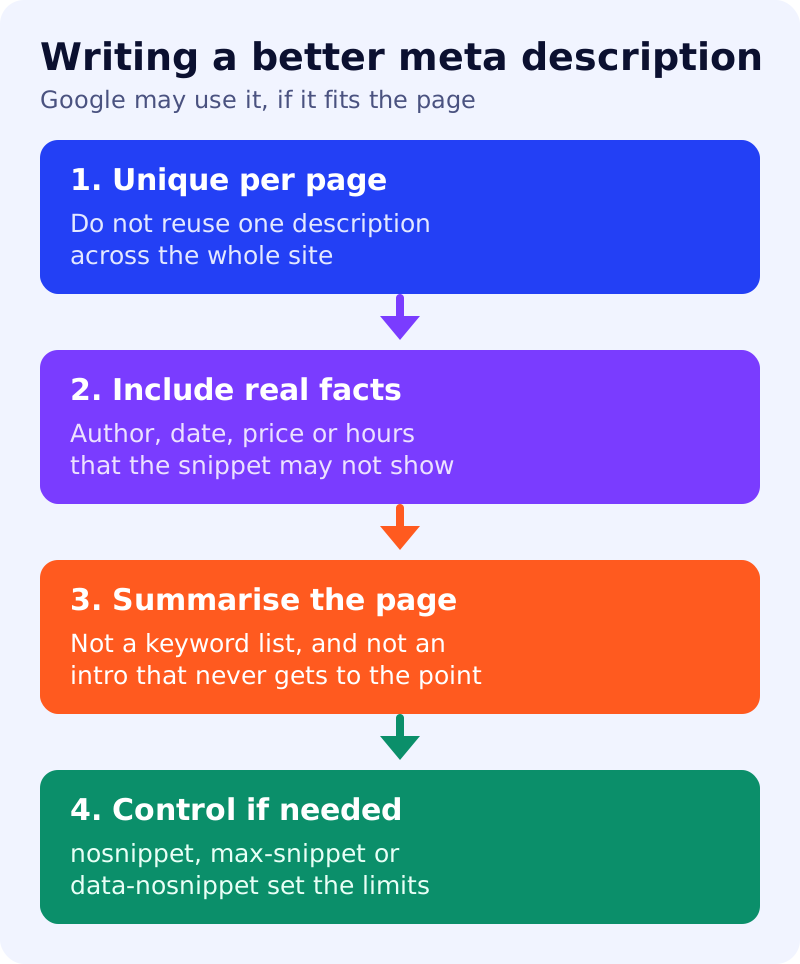
- Unique per page. Identical or similar descriptions on every page are not helpful. Use site-level descriptions on the home page and aggregation pages, and page-level descriptions elsewhere. If time is short, prioritise the home page and popular pages.
- Relevant facts. A description does not have to be a sentence. News and blog posts can list the author or publication date, and product pages can gather details such as price or manufacturer.
- Programmatic is acceptable. For large database-driven sites, Google says generating descriptions is appropriate if they are human-readable and diverse.
- Truly descriptive. Google’s examples mark a keyword list as bad, the same line on every news article as bad, and a description that summarises the whole page as better. There is no length limit, but the snippet is shortened to fit the device width.
Controlling what is shown
Google names three controls. The nosnippet meta tag prevents a snippet from being shown. The max-snippet:[number] tag sets a maximum length. The data-nosnippet attribute keeps specific parts of a page out of snippets. These limit what can appear, so use them on purpose. They are different from blocking a page from the index.
A quick test
Search for a page’s exact title in Google and read the snippet. If it shows text from the body rather than your description, compare the two. If the body text answers the query better, that is the behaviour Google describes, not an error. If the snippet looks poor, improve the opening of the page itself, as covered in answer-first pages.
What to do
- Write a description for each important page, starting with your home page and top posts.
- State what the page contains, including author, date or price where relevant.
- Remove keyword lists and repeated site-wide text.
- Keep the first paragraph of the page clear, since Google may take the snippet from it.
- Use snippet controls only when needed, and review them if traffic falls.
Related reading: how Google chooses your title link and Google’s review snippet guidance.
Source: Google Search Central documentation, as linked above.