

A single page often holds several things: a recipe, a video of that recipe, reviews and a breadcrumb trail. Google’s general guidelines cover how to mark up more than one item. This post turns that short section into a decision rule and a checklist.
Best for: developers who write JSON-LD and SEO leads who review it. Learners are welcome: each step names who does it and how to check it.
New to SEO or AEO? Structured data labels what is on a page. When a page holds several things, such as a recipe and a video of it, you also need to say how those things relate.
SEO and AEO angle: Google’s generative AI guide says structured data is not required for its AI features and that no special markup exists for them, but it is still worth getting right for rich results.
What Google says
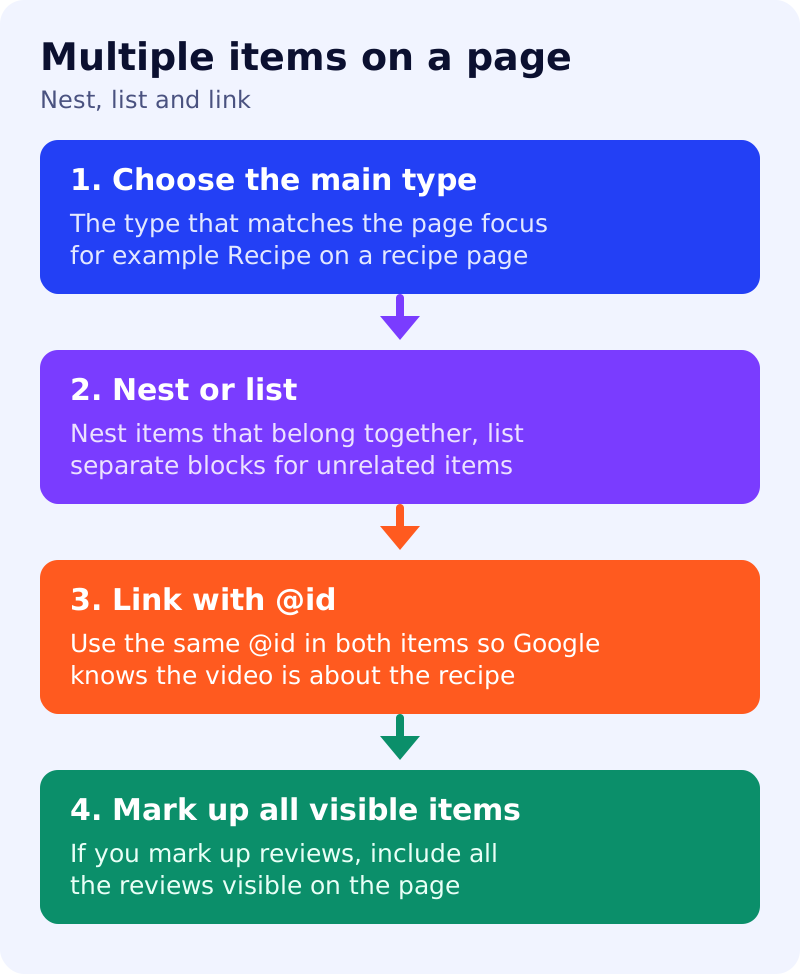
- Multiple items on a page means more than one kind of thing is on the page. Marking up all the user-visible items helps search engines understand the page and may let it appear in different search features.
- Google Search understands multiple items whether you nest them (one main item with others grouped under it) or specify them individually (separate blocks on the same page).
- Nesting is described as particularly helpful for related items, such as a recipe with a video and reviews. Individual items suit things like a recipe plus a breadcrumb list.
- If items are more helpful when linked, for example a recipe and a video, use
@idin both so Google knows the video is about that recipe. If they are not linked, Google may not know it can show the video as a Recipe rich result. - Include the main type that reflects the page’s focus. A page mainly about a recipe should have Recipe markup in addition to Video and Review markup. With only Video markup, Google would not know enough to show a recipe rich result.
- If you mark up multiple reviews, include all reviews that are visible to people on the page. Marking up only some would be misleading.
What to do: step by step
| Step | Owner | Time | How to check | Done when |
|---|---|---|---|---|
| 1. Inventory the page | SEO | 20 min | List every visible item: main item, video, reviews, breadcrumb | One list per page template |
| 2. Choose the main type | SEO | 15 min | The type that matches the page’s focus | Main type named |
| 3. Nest or list | Developer | 1 hour | Related items nested, unrelated ones separate | Rule written for each template |
| 4. Link with @id | Developer | 30 min | Same @id referenced in both items | Linked items share an @id |
| 5. Match all visible reviews | Editor | 30 min | Marked-up reviews equal reviews on the page | Counts match |
| 6. Validate and monitor | SEO | 30 min | Rich Results Test, then Search Console | A passed test and a review date |
Example (made up)
A recipe page shows the recipe, a how-to video, 12 reader reviews and a breadcrumb trail. The team nests the video and review ratings under Recipe, lists the breadcrumb as a separate item, and checks that the markup covers all 12 visible reviews. It does not promise a rich result.
Common mistakes
- Marking up only the video and skipping the main type.
- Marking up only the best reviews.
- Describing items in markup that are not on the page.
- Forgetting to link related items with an @id.
Related: general structured data guidelines as a QA checklist, breadcrumb markup and structured data before and after. Results are not guaranteed.