

Searches like “best movies of 2026” return lists, and Google has a rich result for them. Its movie carousel page says how to mark up your list pages. This post turns it into a rollout for entertainment sites and review blogs.
Best for: film sites, review blogs and streaming guides that publish ranked or themed movie lists. Learners are welcome: each step names who does it and how to check it.
New to SEO or AEO? A carousel is a row of cards you swipe through in results. The movie carousel is built from a list page that has markup for each movie.
SEO and AEO angle: Google’s generative AI guide says structured data is not required for its AI features and that no special markup exists for them, but it is still worth getting right for rich results.
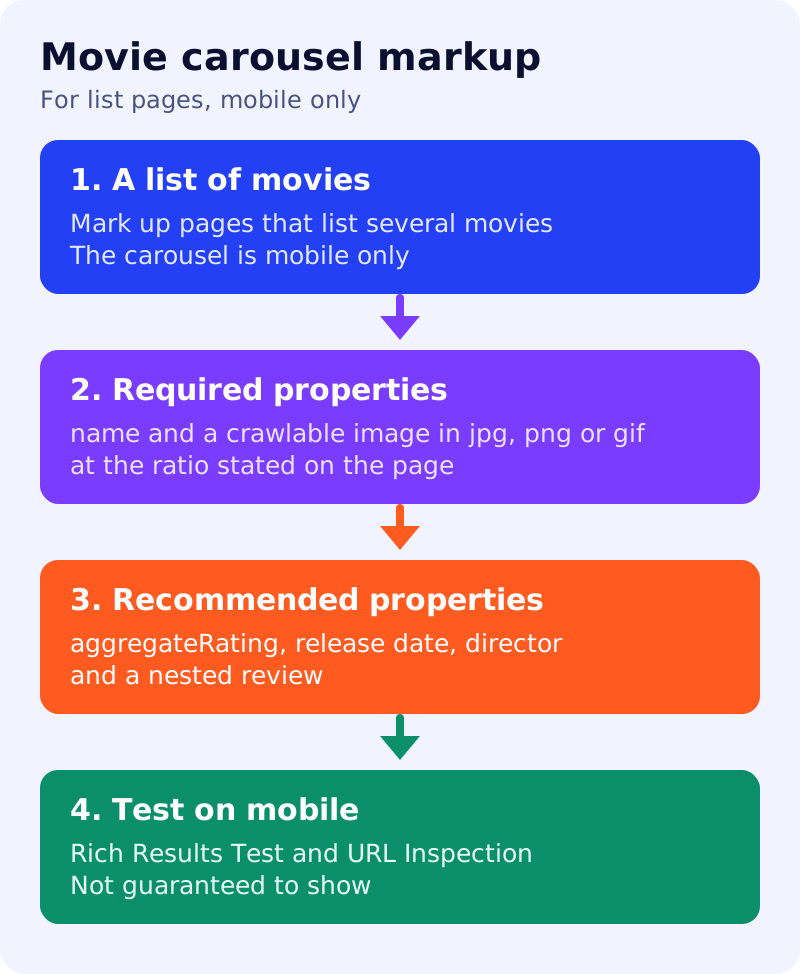
What Google says
- Mark up movie lists with structured data so users can explore movies in new ways on Google Search. You can provide details such as the title, director and an image.
- The movie carousel is only available on mobile devices.
- It is built with the Carousel markup, plus Movie properties for each item. If a list is shown from one site, see Google’s carousel guidance.
- Required for each movie:
imageandname. The image URL must be crawlable and indexable, represent the marked up content, be a .jpg, .png or .gif, and be high resolution. The page states a 6:9 aspect ratio and says images that deviate a lot from it are not eligible, while images close to it can be cropped. - Recommended:
aggregateRating,dateCreated(the release date),director(a Person) and a nestedreview, following the review snippet guidelines. - If Google detects markup that goes outside the structured data guidelines, the site may receive a manual action.
- Google does not guarantee that markup will show in search results. Test it, check it with URL Inspection and keep the page accessible.
What to do: step by step
| Step | Owner | Time | How to check | Done when |
|---|---|---|---|---|
| 1. Pick list pages | SEO | 30 min | Pages that list several movies, for example a year or genre roundup | A page list, one list per page |
| 2. Set the carousel | Developer | 1 hour | Carousel markup with one entry per movie | Entries match the visible list |
| 3. Add required properties | Developer | 1 hour | name and image for every movie | No entry without both |
| 4. Fix the images | Designer | 2 hours | Crawlable files in a supported format at the stated ratio | All images pass |
| 5. Add recommended properties | Editor | 1 hour | Release date, director and ratings from the page text | Only visible facts used |
| 6. Test on mobile | SEO | 30 min | Rich Results Test, URL Inspection, mobile view | Passed test and dated review |
Example (made up)
A review site has a “best thrillers of 2026” list with 10 movies. The team marks up each entry with name, image, release date and director, resizes every poster to the stated ratio, and checks the page on a phone. It does not promise a carousel.
Common mistakes
- Marking up movies the page does not list.
- Using images that are far from the stated ratio.
- Expecting the carousel on desktop.
- Adding ratings that are not on the page.
Related: carousel markup with ItemList, review snippet markup and general structured data guidelines. Results are not guaranteed.