

App and SaaS pages describe a product, a price and a rating, and Google has dedicated markup for that. Its software app page is short but has a few rules that are easy to miss. This post turns them into a launch checklist.
Best for: marketers and developers who run app, tool or SaaS landing pages. Learners are welcome: each step names who does it and how to check it.
New to SEO or AEO? Software app markup is code that tells Google an app’s name, price, rating and type, so it can show those details in results.
SEO and AEO angle: Google’s generative AI guide says structured data is not required for its AI features and that no special markup exists for them, but it is still worth getting right for rich results.
What Google says
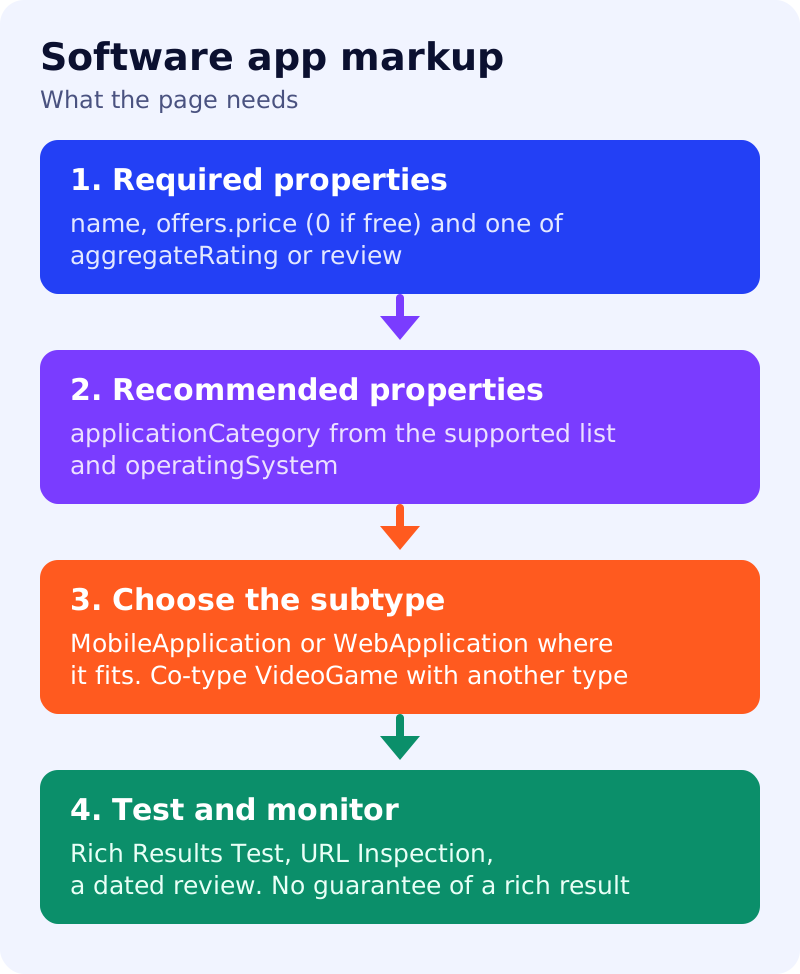
- Mark up software application information in the body of a page to better display your app details in Search results. The actual appearance may differ, and the Rich Results Test can preview most features.
- Required:
name;offers.price(set it to 0 if the app is free, and addpriceCurrencywhen the price is above 0); and one ofaggregateRatingorreview, following the review snippet guidelines. - Recommended:
applicationCategory(the value must be a supported app type, such asGameApplicationorBusinessApplication) andoperatingSystem(such as Windows 7, OSX 10.6 or Android 1.6). - For mobile and web apps, Google also supports
MobileApplicationandWebApplication. - Google does not show a rich result for software apps that only have the
VideoGametype. Co-type it with another type, for example["VideoGame", "MobileApplication"]. - Test with the Rich Results Test, deploy a few pages, check them with the URL Inspection tool, and keep the pages accessible: not blocked by robots.txt, noindex or login requirements. If you break the guidelines, Google may take a manual action.
What to do: step by step
| Step | Owner | Time | How to check | Done when |
|---|---|---|---|---|
| 1. Pick the page | Product marketer | 15 min | A page about one app, with visible price and rating | Page chosen, one app per page |
| 2. Fill required properties | Developer | 1 hour | name, offers.price and a rating or review present | All three in the markup |
| 3. Add recommended properties | Developer | 30 min | A supported applicationCategory and an operatingSystem | Both match the page text |
| 4. Choose the subtype | Developer | 20 min | MobileApplication or WebApplication where it fits; games co-typed | No page typed only as VideoGame |
| 5. Check the ratings | Editor | 30 min | Rating values come from real users and match the page | Review snippet guidelines followed |
| 6. Test and monitor | SEO | 30 min | Rich Results Test, URL Inspection, then a dated review | Test passed and review date set |
Example (made up)
A team has a free note-taking web app. The markup says WebApplication, category BusinessApplication, price 0, and an aggregate rating that matches the 4.5 stars shown on the page. A second page for a mobile puzzle game uses ["VideoGame", "MobileApplication"]. Neither page is promised a rich result.
Common mistakes
- Leaving out
offers.pricefor a free app instead of setting it to 0. - Using an invented app category.
- Marking up a rating the page does not show.
- Typing a game page only as
VideoGame.
Related: review snippet markup, general structured data guidelines and calculator or tool pages in AI search. Results are not guaranteed.