

Many pages use accordions, tabs and sliders, and teams sometimes worry that collapsed text counts as hidden text. Google’s spam policies draw the line clearly. This post turns that section into an audit for designers, developers and SEO teams.
Best for: SEO leads, front-end developers and site security reviewers. Learners are welcome: each step names who does it and how to check it.
New to SEO or AEO? Hidden text means words placed on a page so search engines see them but people do not. Google treats that as spam, but ordinary collapsible sections are fine.
SEO and AEO angle: Google’s spam policy also covers attempts to manipulate generative AI responses in Google Search, so hiding text for machines is not a shortcut there either.
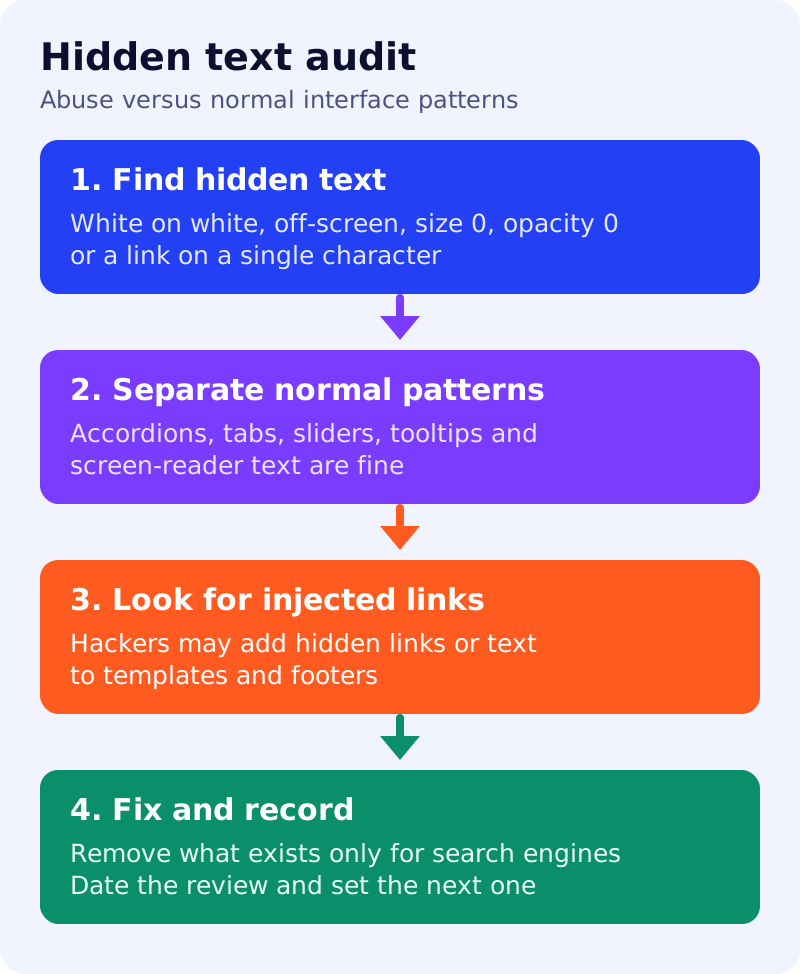
What Google says
- Hidden text or link abuse is placing content on a page in a way solely to manipulate search engines, not to be easily viewable by human visitors.
- Google’s examples: white text on a white background, text hidden behind an image, CSS that positions text off-screen, a font size or opacity set to 0, and a link hidden by linking only one small character, such as a hyphen in a paragraph.
- Google says these design elements do not violate its policies: accordion or tabbed content that toggles between hiding and showing more content, a slideshow or slider that cycles through images or text, tooltips or similar text shown on interaction, and text that is accessible only to screen readers and intended to improve the experience for those users.
- In the hacked content section, Google lists content injection as one way hackers add hidden links or hidden text using CSS or HTML, or more complex changes like cloaking. These changes can be harder for owners and users to spot.
- Sites that violate spam policies may rank lower or not appear in results at all, and Google may apply a manual action.
What to do: step by step
| Step | Owner | Time | How to check | Done when |
|---|---|---|---|---|
| 1. Search the code | Developer | 1 hour | CSS rules with off-screen positioning, zero font size or zero opacity | A list of matches with the reason for each |
| 2. Compare view and source | SEO | 1 hour | Text in the source that a visitor cannot find on the page | Every difference explained |
| 3. Sort the patterns | SEO lead | 30 min | Accordion, tab, slider, tooltip or screen-reader text counts as normal | Normal patterns marked allowed |
| 4. Look for injected links | Security | 1 hour | Unknown outbound links in templates and footers | No links you did not add |
| 5. Fix and remove | Developer | 2 hours | Hidden keyword blocks deleted or made visible | Nothing hidden solely for search engines |
| 6. Record the review | SEO | 15 min | Date, scope and owner stored | Next review date set |
Example (made up)
An audit of 50 templates finds a footer block with a 0px font size listing city names. It is deleted. The product page accordions stay, since they let visitors reveal content. A footer link with one hyphen as anchor text turns out to be injected, so the security team investigates how it was added.
Common mistakes
- Removing accordions and tabs because they feel risky.
- Hiding keywords from visitors “just in case”.
- Missing hidden links that appear only in the source after a hack.
- Treating the audit as a one-time job.
Related: spam policies self-audit, JavaScript SEO check and search traffic drop routine. Results are not guaranteed.