

Everyone types site: into Google at some point. Google’s own page on it is short and clear about what it is good for and where it misleads. This post turns it into a small set of queries with a rule for reading the results.
Best for: SEO analysts, developers and content leads who need a fast check on what Google shows for a site. Learners are welcome: each step names who does it and how to check it.
New to SEO or AEO? The site: operator is a search trick. Type site:yourdomain.com into Google to see pages Google shows for that site.
SEO and AEO angle: A page must be indexed to be eligible for Google’s AI features (generative AI guide), so checking indexing is a first step for AEO too.
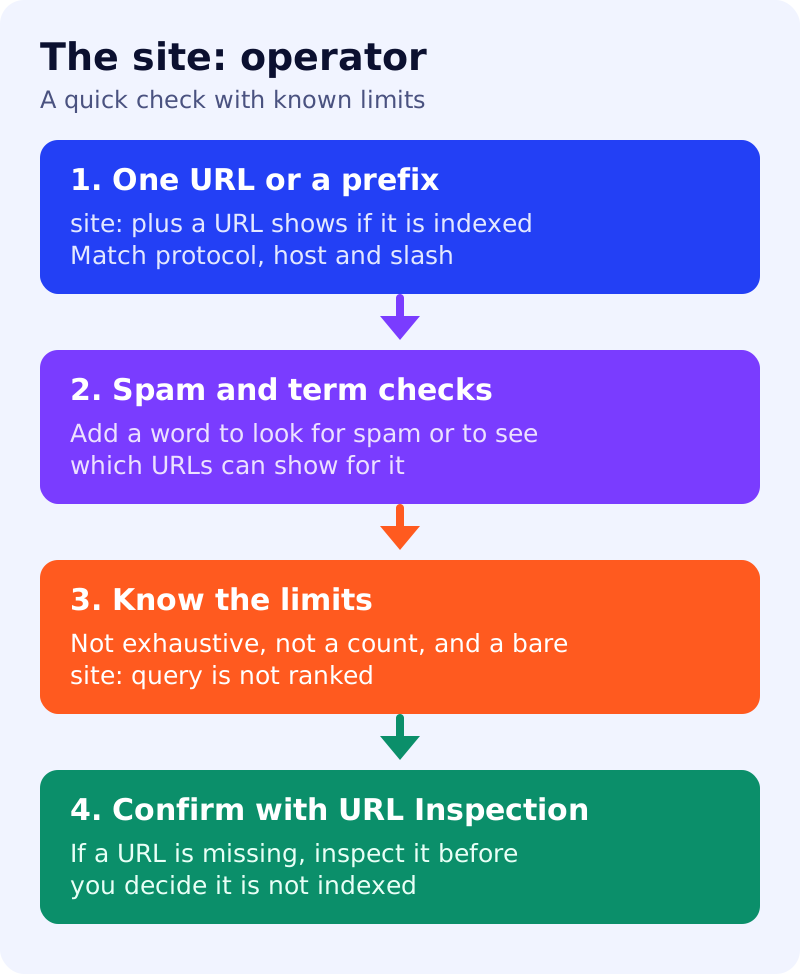
What Google says
- A
site:query asks for results from a specific domain, URL or URL prefix. If a URL is indexed it can show for relatedsite:queries, but that is not guaranteed. - If a URL does not show in a
site:query, use the URL Inspection tool to check that it can be indexed, and double-check the query:site:https://www.example.comdoes not return the same results assite:https://example.com/. - Google lists uses for site owners:
site:example.comreturns a list of indexed and serving URLs (not always exhaustive; bigger sites should not expect to see all of theirs, and a more specific prefix may yield more results);site:plus a URL can help show whether that URL is indexed and served;site:example.complus spammy terms helps identify and monitor spam problems; andsite:plus a term shows which URLs can appear for it. - Limits: the operator was designed mainly for search users. It does not necessarily return all indexed URLs under the prefix, so do not use it to count indexed pages. A
site:query without a term does not rank results, and it generally shows the shortest URL for the prefix at the top while the rest is relatively random.
What to do: step by step
| Step | Owner | Time | How to check | Done when |
|---|---|---|---|---|
| 1. Check one URL | SEO | 5 min | site: plus the full URL | It appears, or you go to step 6 |
| 2. Check a section | SEO | 10 min | site: plus a path prefix such as /blog/ | You see sample pages, not a count |
| 3. Look for spam terms | Security | 15 min | site: plus words like casino or pills | Nothing unexpected shows |
| 4. Test a term | Content | 10 min | site: plus a topic word | The expected pages show |
| 5. Match the protocol and host | SEO | 5 min | Compare http, https, www and non-www forms | The right form is used |
| 6. Confirm with URL Inspection | Developer | 10 min | Inspect any URL that did not show | Reason for absence recorded |
Example (made up)
A team publishes a new page and does not see it in a site: query. It does not conclude the page is unindexed. It runs URL Inspection, finds the page is fine, and notes the query is not exhaustive. A separate site: plus a spam word returns one hacked page, which goes to the security team.
Common mistakes
- Using the number of results as an index count.
- Mixing up the protocol or the trailing slash in the query.
- Reading the order of a bare
site:query as a ranking. - Skipping URL Inspection when a URL does not appear.
Related: how Google Search works, search traffic drop routine and hidden text and links audit. Results are not guaranteed.