

Sitelinks are the extra links that cluster under some results. Site owners often ask how to get them or remove them. Google’s page (last updated 10 December 2025 as we read it) answers both briefly.
Best for: brand SEO owners, site architects and content leads.
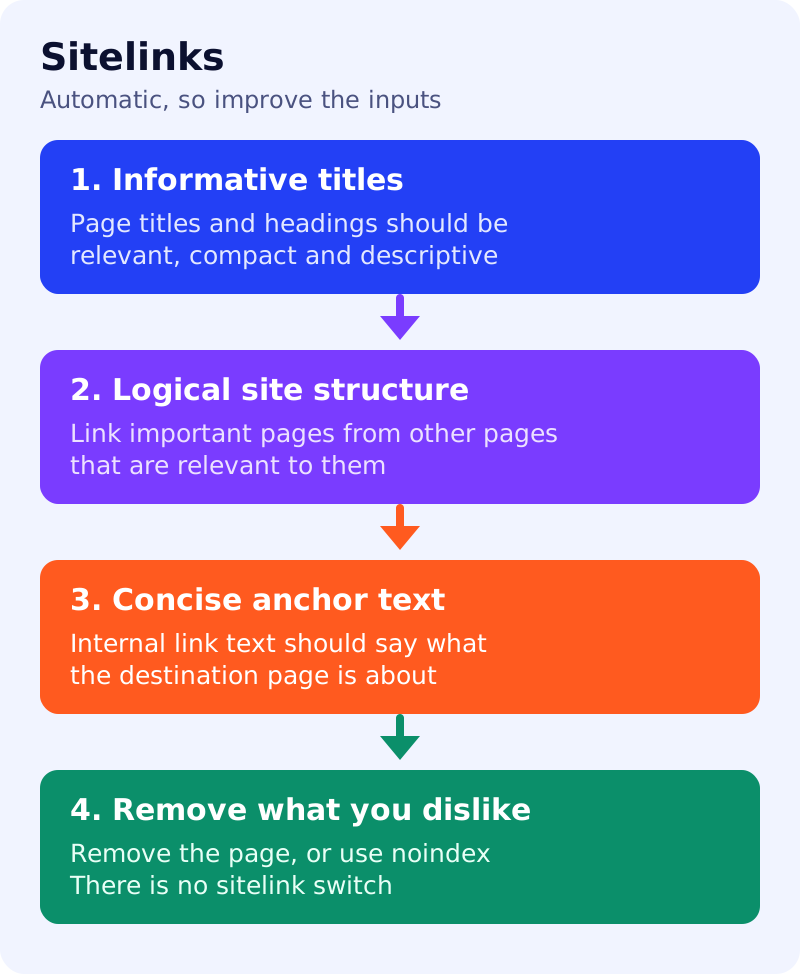
What Google says
- Sitelinks are links from the same domain clustered under a text result. Google’s systems analyse the link structure of your site to find shortcuts that save users time.
- Google shows sitelinks only when it thinks they are useful. If the structure does not allow good sitelinks, or they are not relevant to the query, they are not shown.
- At the moment sitelinks are automated. Google says it may incorporate site owner input in the future.
- Best practices:
- Use informative, relevant and compact page titles and headings.
- Create a logical site structure that is easy to navigate, and link to important pages from other relevant pages.
- Use concise, relevant anchor text for internal links.
- Avoid repetition in content.
- To remove a sitelink, consider removing the page from your site or using
noindex. - Our earlier news posts cover the retirement of the sitelinks search box. That is a different feature.
What to do: audit
| Step | Owner | Time | How to check | Done when |
|---|---|---|---|---|
| 1. List your ten key pages | SEO, brand | 20 min | Pages you would want as shortcuts | A ranked list |
| 2. Check each title and H1 | Content | 30 min | Is it informative and compact? | No vague titles such as “Home” |
| 3. Check how they are linked | SEO | 30 min | Are they linked from the home page and relevant pages? | Each has at least two internal links |
| 4. Check anchor text | Content | 30 min | ”Click here” or a clear destination? | Anchors name the destination |
| 5. Look for repetition | Content | 30 min | Duplicate pages competing for the same label | Duplicates merged or differentiated |
| 6. Review unwanted sitelinks | SEO | 20 min | Which page appears and why? | Remove, noindex or accept |
| 7. Re-check in a month | SEO | 20 min | Search your brand query | A dated note of what changed |
A worked example (made-up)
A university’s “Admissions” shortcut shows a PDF titled “Form 7” because the page title is vague and the main admissions page is barely linked. The team renames the PDF page, links the admissions page from the home page and two faculty pages, and re-checks a month later.
Common mistakes
- Expecting a setting or markup to switch sitelinks on.
- Burying key pages four clicks deep.
- Using the same anchor text for different destinations.
- Blocking a page with robots.txt to remove a sitelink. Google suggests removal or noindex. See noindex vs robots.txt.
Related: how Google chooses your title link, links Google can crawl. Sitelinks are never guaranteed.