

A category with 500 products cannot load on one screen. How you split it decides whether Google can reach product 400. Google’s pagination guidance (last updated 10 December 2025 as we read it) compares three patterns and states what Googlebot actually does.
Best for: ecommerce teams, publishers with archives, and developers building listing pages.
What Google says
- Showing a subset of results can improve speed, reduce network traffic and backend load, and improve reliability, but you may need to act so the crawler can find all content.
- The patterns: pagination (next, previous and page numbers), load more (a button that extends the list) and infinite scroll.
- Pagination shows result size and position but needs new page loads. Load more and infinite scroll keep one page, but cannot handle very large result sets, and infinite scroll can cause scrolling fatigue.
- Google generally crawls URLs found in the
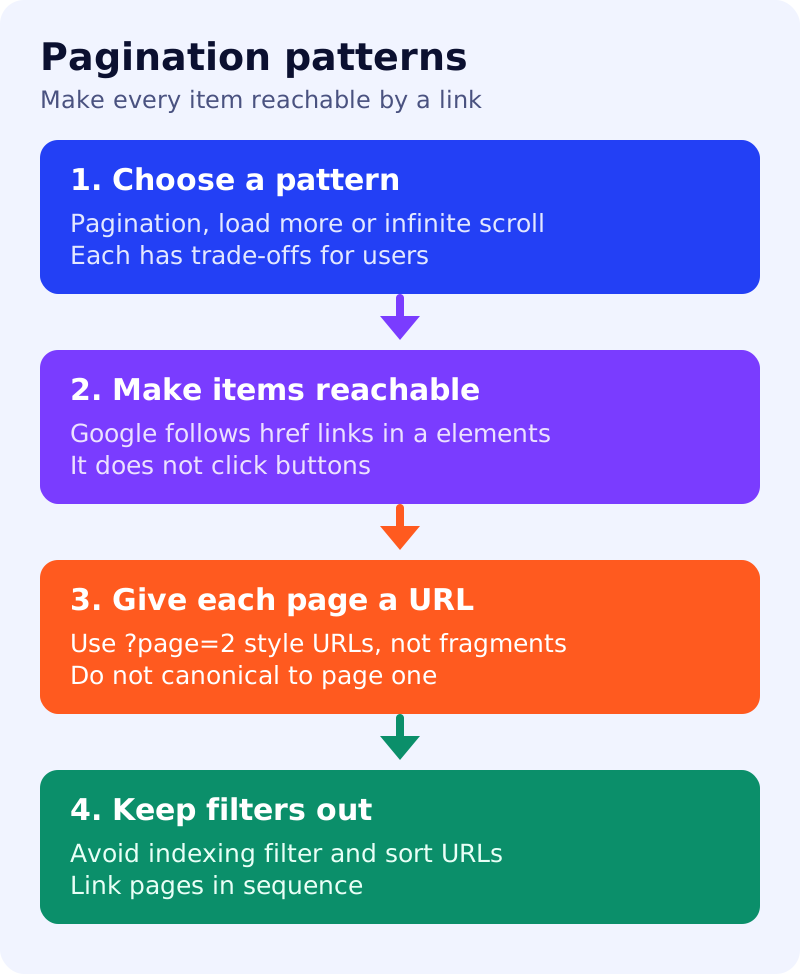
hrefattribute ofaelements. Its crawlers do not “click” buttons and generally do not trigger JavaScript that needs a user action. - Link each page to the next with
a href. Consider linking every page back to the first page of the collection. - Pages in a paginated sequence can share titles and descriptions. Google tries to recognise sequences.
- Give each page a unique URL, such as a
?page=nparameter. Do not make the first page the canonical for the others. Do not use#fragments for page numbers, because Google ignores fragment identifiers. - Avoid indexing URLs with filters or alternative sort orders. A sitemap or a Merchant Center feed can also help Google find all products.
Decision table
| Your list | Better fit | Check |
|---|---|---|
| Hundreds of items, SEO matters | Pagination with crawlable links | Every page reachable through a href |
| A short list with a “show more” | Load more | The extra items also exist as linked URLs |
| A feed of recent posts | Infinite scroll, with a paginated backup | Backup pages are linked and crawlable |
| Filters and sorting | Keep for users | Filter and sort URLs are not indexed |
What to do: step by step
| Step | Owner | Time | How to check | Done when |
|---|---|---|---|---|
| 1. List listing pages | SEO | 30 min | Categories, tag pages and archives | A list of templates exists |
| 2. Test crawlability | Developer | 30 min | View source and find a href to page 2 | Links exist without scripts |
| 3. Check URLs | Developer | 20 min | ?page=2, not #page=2 | No fragment page numbers |
| 4. Check canonicals | SEO | 20 min | Page 2 canonical points to page 2 | No sequence canonicals page 1 |
| 5. Keep filters out | SEO | 45 min | Filter URLs have a noindex or are blocked | They do not appear in results |
| 6. Compare with the sitemap | SEO | 30 min | Do deep products appear in the sitemap or feed? | Deep items are discoverable |
Common mistakes
- A “load more” button that fetches items without any linked URL.
- Using
#fragments for page numbers. - Pointing every page at page one as the canonical.
- Letting every filter combination get indexed. See faceted navigation and canonical URLs.
Test your scripts with our JavaScript SEO check. Results are not guaranteed.