

When an AI answer or a search result names your company, it works from what it can find about you. Organization markup is one way to state the facts yourself. Google’s documentation (last updated 8 September 2026 as we read it) is clear about what it asks for and what it does not.
Best for: brand owners, in-house SEO teams and agencies setting up client sites.
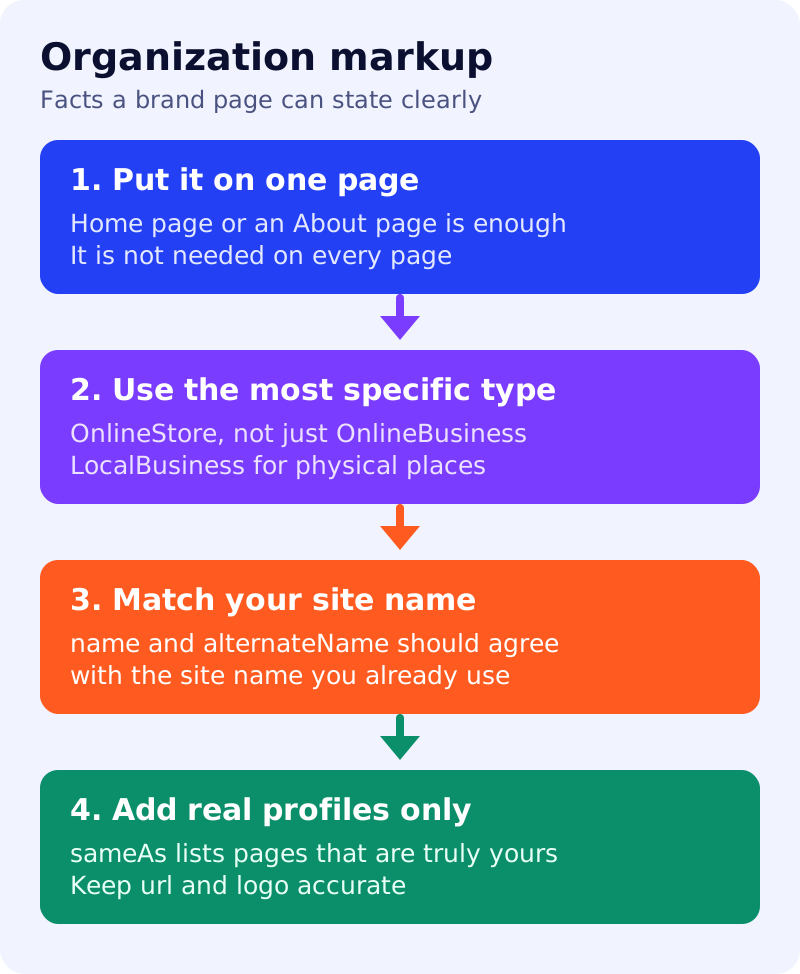
What Google says
- Organization markup helps Google understand administrative details about an organisation and which logo to show in Search results and knowledge panels.
- There are no required properties. Add the recommended properties that apply.
- Google suggests focusing on properties useful to users:
nameoralternateName, real-world presence such asaddressortelephone, and online presence such asurlorlogo. - Place the markup on your home page or a single page that describes the organisation, such as an About page. It is not needed on every page.
- Use the most specific schema.org subtype. An online shop should use
OnlineStorerather thanOnlineBusiness. A physical business should use the rightLocalBusinesssubtype and follow the local business guidance too. nameshould match the name andalternateNameyou use for your site name.sameAsis the URL of a page on another website with more information about the organisation, such as a profile on a social or review site. You can give several.urlhelps Google uniquely identify your organisation.- Google’s AI features guide says no special schema is needed for those features. Our view: this markup is worth adding for clarity, not as an AI trick.
What to do: six-step rollout
| Step | Owner | Time | How to check | Done when |
|---|---|---|---|---|
| 1. Write the facts once | Brand, legal | 1 hour | One document: legal name, brand name, address, phone, logo file | Both teams sign it off |
| 2. Choose the subtype | SEO | 15 min | Browse schema.org for the most specific type | One type is picked and noted |
| 3. List real profiles | Social, brand | 30 min | Open each URL and confirm it is yours and active | Only verified URLs remain |
| 4. Build the markup | Developer | 45 min | JSON-LD on the home or About page only | It validates in the Rich Results Test |
| 5. Check it matches the page | SEO | 20 min | Name, address and logo agree with visible text | No mismatch |
| 6. Review when facts change | Brand | 15 min a quarter | A dated change log | New address or profile is reflected within a week |
A worked example (made-up)
A shoe retailer, “Kaveri Footwear”, uses “Kaveri Footwear Pvt Ltd” in its markup but “Kaveri Shoes” in its site name, with three social profiles including one it abandoned. After the rollout, the name matches the site name, the abandoned profile is removed, and the type is OnlineStore.
Common mistakes
- Adding
sameAslinks to pages you do not control or that are not about you. - Repeating the markup on every page and letting it drift out of date.
- Using a generic type when a specific one exists.
- Treating the markup as proof of reputation. It only states facts.
Pair this with author and profile pages and our schema decision table. Results are not guaranteed.