

Event pages go stale faster than any other page type. A date changes, a venue moves, a show is cancelled, and the page keeps saying otherwise. Google’s event documentation (last updated 8 September 2026 as we read it) is mostly about preventing that.
Best for: venues, organisers, ticket sellers and community groups.
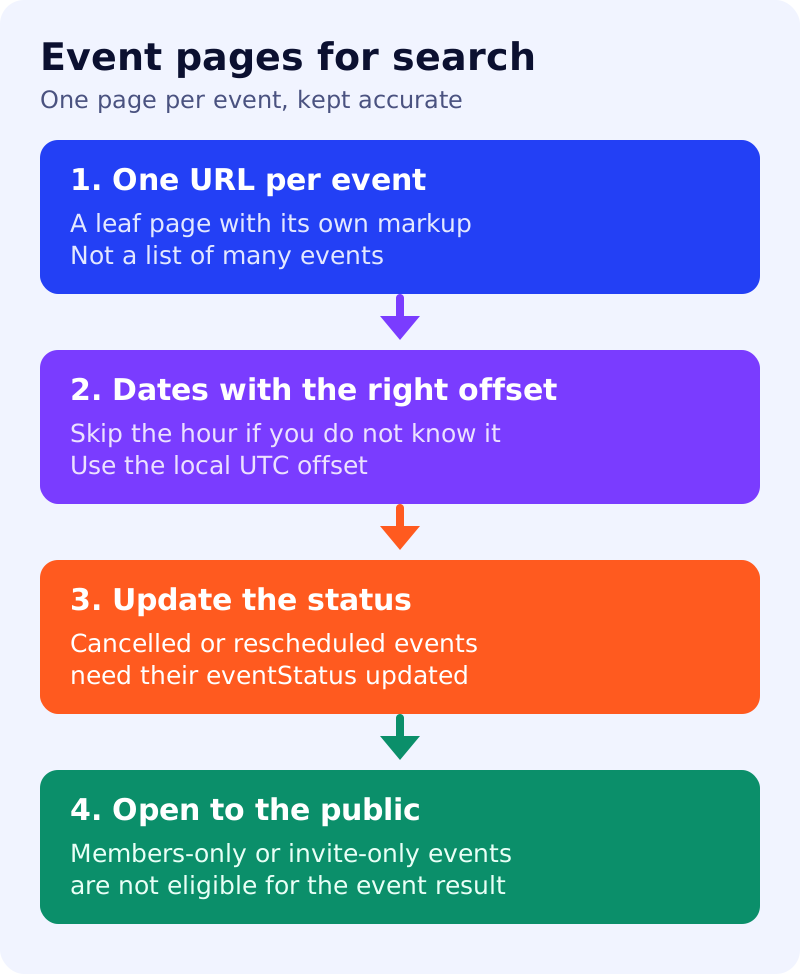
What Google says
- Each event must have a unique URL (a leaf page) with its own markup, not a list page.
- The event name, start date and location must be accurate.
- Do not mark up non-events such as business hours, coupons, trip packages or short-term discounts.
- Events must be bookable by the general public. Membership-only or invitation-only events are ineligible.
- If you do not know the start hour, do not invent one. Use a date only, such as 2025-07-21.
- For a cancelled or rescheduled event, change
eventStatus(and addpreviousStartDatefor a reschedule). - Do not put the venue name in the event name, and do not add promotions like “buy tickets now” to it.
Google’s generative AI guide (updated 10 July 2026) says no special markup is needed for AI features. Our view: a page with clear dates, a place, a price and a status gives any system, human or machine, fewer chances to get it wrong.
The four-point checklist
| Check | Pass if |
|---|---|
| One URL per event | The page is about one event only |
| Dates | Offsets are correct, and unknown hours are left out |
| Status | A cancelled or moved event is updated the same day |
| Public | Anyone can buy a ticket or attend |
A worked example (made-up)
A comedy club lists a month of shows on one page. Fix: create a page per show with its own date, price and booking link, then keep the monthly page as a list that links to them. When a show moves, update the status and previous date on that show’s page.
What to do
- Count events per URL. Anything above one needs splitting.
- Check every upcoming event’s date and time zone against your booking system.
- Make “status changed” part of your event-change checklist.
- Validate with the Rich Results Test and watch Search Console for errors.
- See also XML sitemaps and the AEO and GEO playbook.