

Your video or post can be found in Google Search even if it never touches your website. Google’s guide (last updated 29 July 2026 as we read it) explains how to see that traffic and use it.
Best for: social media managers, creators and SEO teams that work with them.
What Google says
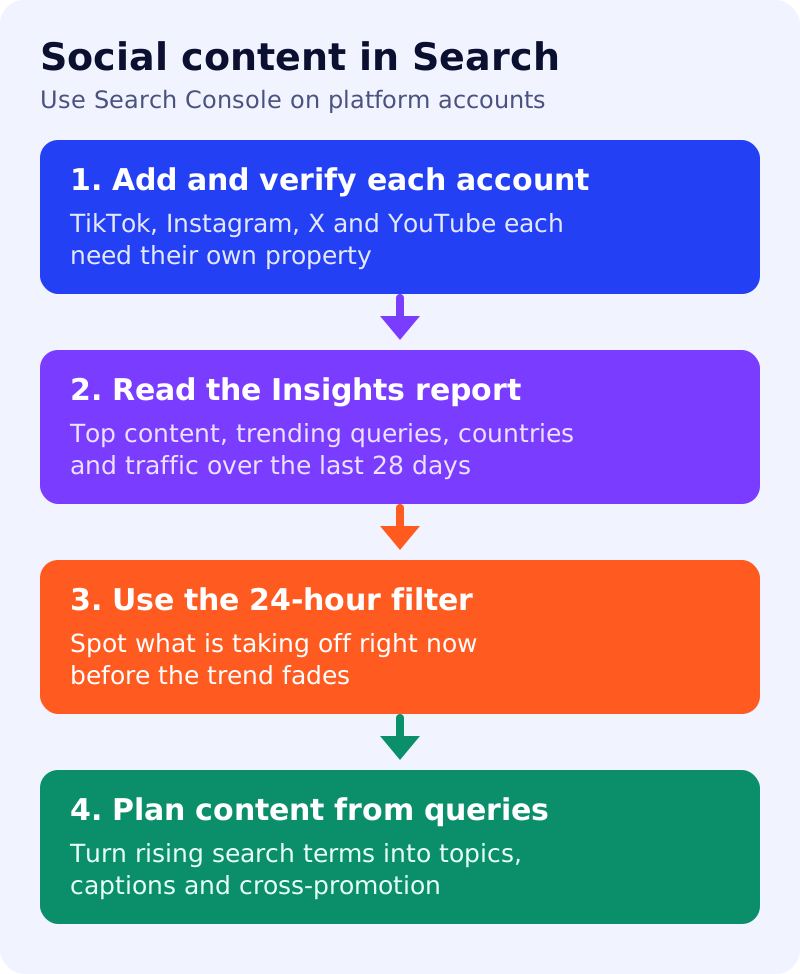
- People may find TikTok, Instagram, X and YouTube content through Google Search.
- With platform properties you can see when a post starts taking off and make decisions such as cross-promoting or repackaging top videos.
- Add and verify each account individually. If you already claimed your Search profile, verified accounts are added automatically as properties.
- Search Console shows performance across Google Search, Discover and Google News.
- The Insights report gives traffic trends for the last 28 days, top-performing content, how people find you (search queries) and where your audience is.
- A card of query groups shows top, trending up and trending down groups, which Google suggests can guide where to invest effort.
- In the Performance report, the 24-hour filter shows whether a newly posted video is trending. Google also suggests monitoring rising topics with Google Trends.
- You can filter by country, date and search term, and compare content types.
What to do: weekly routine
| Step | Owner | Time | How to check | Done when |
|---|---|---|---|---|
| 1. Add each account once | Social manager | 30 min | Property list in Search Console | Every active account is verified |
| 2. Open Insights every Monday | Social manager | 10 min | Last 28 days, top content, query groups | Three notes on what rose and fell |
| 3. Use the 24-hour filter after each launch | Creator | 5 min | Performance report for the platform property | You know if the new post is trending |
| 4. Match queries to topics | SEO, creator | 20 min | Rising queries vs your content plan | Two new topic ideas written down |
| 5. Compare countries and devices | Social manager | 15 min | Performance filters | Notes on any mismatch with your audience |
| 6. Feed insights back to the site | SEO | 20 min | Do website pages exist for rising queries? | A list of pages or posts to create |
| 7. Review monthly | Team lead | 30 min | Compare four weekly notes | A short summary and one decision |
A worked example (made-up)
A skincare creator posts a morning-routine video and checks the 24-hour filter the next day. A query about a specific product is rising. She posts a short follow-up that answers it and links her profile, and the SEO team adds a product guide to the website.
Common mistakes
- Adding only the website and forgetting the platform accounts.
- Checking once a quarter instead of weekly.
- Chasing every spike. Use trends from several weeks before changing strategy.
Read how Google Search works for background on how content is found and shown.