

Preferred sources let a reader tell Google they want to see more from your site. Google’s documentation (last updated 18 September 2026 as we read it) explains how to invite them to do that.
Best for: publishers, news and magazine sites, and blogs that cover timely topics.
What Google says
- When a user selects your site as a preferred source, your content is more likely to appear in Top Stories, with a “preferred” badge. In AI Mode and AI Overviews, content may be highlighted with a badge for users who selected your site.
- The feature is available globally for Top Stories in all languages where Search is available.
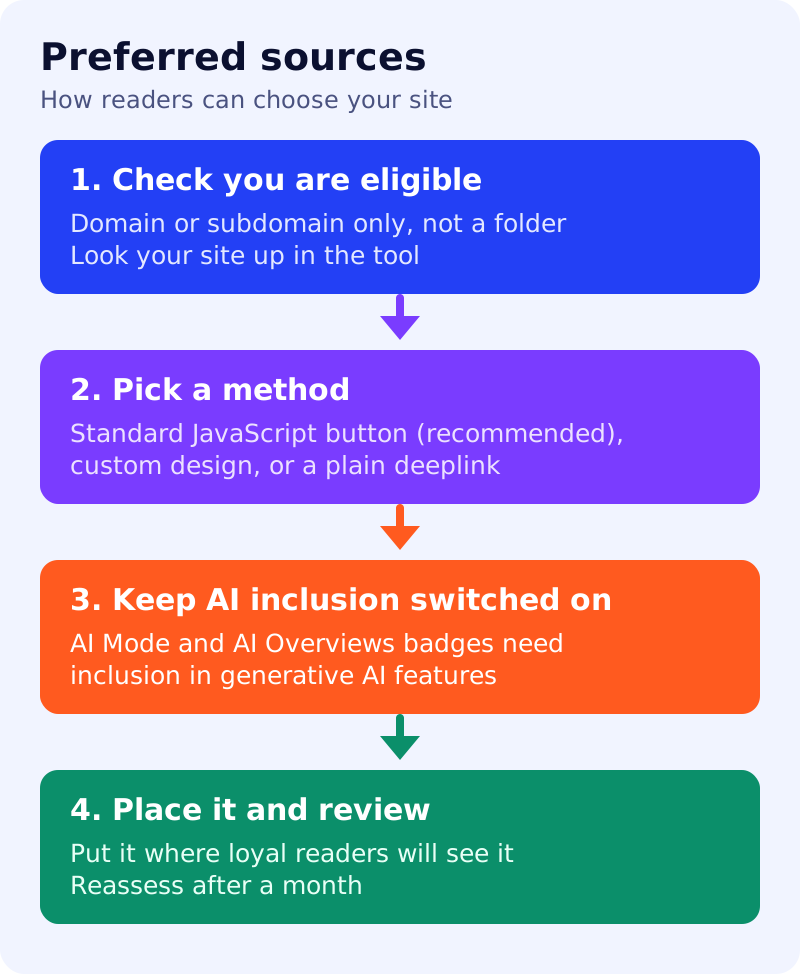
- For AI Mode and AI Overviews, your site must be included in Search generative AI features in Search Console.
- Only domain-level and subdomain-level sites are eligible.
https://www.example.com/andhttps://code.example.com/qualify, whilehttps://www.example.com/blogdoes not. - Check whether your site appears in the source preferences tool by searching for it there.
- Three ways to invite readers: the standard JavaScript button (recommended, two lines of HTML), an advanced JavaScript button with your own design assets, and a deeplink for sites that cannot add the button. None is required to appear as a preferred source.
- The standard button uses a script tag loading Google’s publisher library plus a
divwith the attributegoogle-add-preferred-source-btn. It supportsdata-theme(light or dark) anddata-lang.
What to do: step by step
| Step | Owner | Time | How to check | Done when |
|---|---|---|---|---|
| 1. Check your site is listed | SEO | 5 min | Search for your domain in the source preferences tool | You see your site, or you note it is missing |
| 2. Confirm you are a domain or subdomain | SEO | 5 min | Is the blog on a folder path? | You know if the folder setup blocks eligibility |
| 3. Confirm generative AI inclusion | SEO | 10 min | Search Console setting for Search generative AI features | Inclusion is on, if you want AI badges |
| 4. Choose a method | Developer | 15 min | Can your CMS add a script? | Button or deeplink is chosen |
| 5. Add it where loyal readers are | Developer, editor | 1 hour | Preview on mobile and desktop | The button appears after a good article or in a header |
| 6. Promote the deeplink | Marketing | 30 min | Newsletter and social posts include it | Link live in three places |
| 7. Review after a month | SEO | 1 hour | Compare Top Stories impressions before and after | A note records what changed |
Common mistakes
- Using a folder such as
/blogand expecting the button to make the site eligible. - Switching off generative AI inclusion without realising it affects AI badges.
- Hiding the button in the footer.
- Assuming the button guarantees visibility. Google says it is not required, and it does not guarantee placement.
We also covered earlier news on the feature: the rollout and analytics for preferred sources.