

Most SEO work is about getting pages in. Google’s page on controlling what you share is about the opposite, and it now includes a control for AI features. Choosing the wrong tool is a common source of surprises.
Best for: SEO leads, developers and legal or privacy owners.
What Google says
Google lists these methods (page last updated 21 October 2026 as we read it):
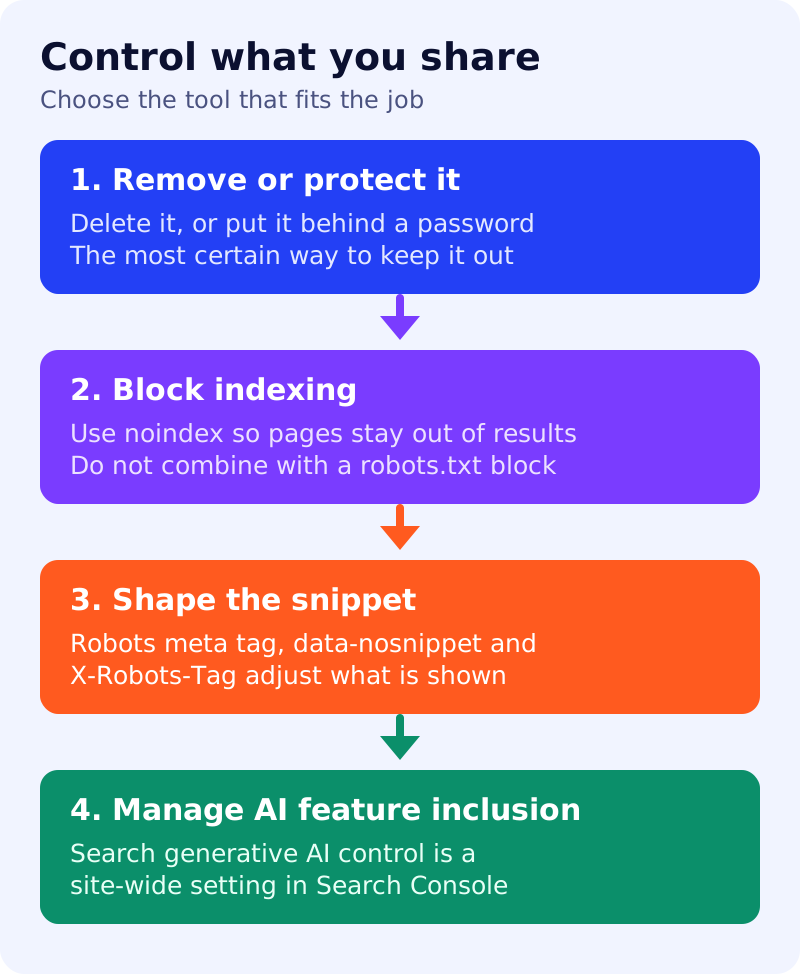
- Remove the content. The best way to ensure it does not appear in Search or elsewhere.
- Password-protect files. For confidential or private content.
- noindex. Applies to all content types. The page can still be linked and visited but does not appear in results.
- robots.txt. Applicable to images and video, since Google only indexes media it is allowed to crawl.
- Robots meta tag,
data-nosnippetorX-Robots-Tag. Page-level and text-level settings that change how content is presented. - The Search generative AI control. A site-wide setting in Search Console to manage inclusion in AI features such as AI Overviews and AI Mode.
- Opt out of specific Google properties, such as Google Shopping and Google Hotels.
The noindex documentation adds an important warning: for noindex to work, the page must not be blocked by robots.txt. If it is blocked, the crawler never sees the rule and the page can still appear.
Decision table
| You want to | Use | Avoid |
|---|---|---|
| Delete something for good | Remove it | Leaving it live with noindex |
| Protect private files | Password protection | Relying on an unlinked URL |
| Keep a normal page out of results | noindex | A robots.txt block on the same page |
| Keep a picture or video out | robots.txt rule for the file | noindex alone for media you can block |
| Hide part of a page’s text from snippets | data-nosnippet | A site-wide nosnippet |
| Step back from AI features | The Search generative AI control | Assuming noindex does the same job |
What to do: step by step
| Step | Owner | Time | How to check | Done when |
|---|---|---|---|---|
| 1. List what should not be public | Privacy, SEO | 1 hour | Review internal search, staging and file folders | A written list exists |
| 2. Match each item to a method | SEO | 30 min | Use the decision table | Every item has one method |
| 3. Apply the change | Developer | 1 to 2 hours | Inspect the page source and headers | Rule is live |
| 4. Verify what Google sees | SEO | 20 min | URL Inspection on three samples | noindex is detected, not blocked |
| 5. Decide on AI features | Leadership, SEO | 30 min | Read the setting in Search Console | A recorded decision and owner |
| 6. Review quarterly | SEO | 30 min | Re-run steps 1 and 4 | A dated note is saved |
Common mistakes
- Blocking in robots.txt and adding noindex. See noindex vs robots.txt.
- Changing the generative AI control without checking side effects such as preferred source badges.
- Using nosnippet on pages you want cited. Google’s AI features guide says a page must be eligible with a snippet; see AI features and your website.
We did not test the generative AI control. Check Search Console for its current wording.