

Google’s Search Central documentation updates page lists a change dated October 26, 2026: an updated guide on preventing user-generated spam. Google says the update adds guidance on blocking indexing of link-shared content and on monitoring abuse in Search Console. Its stated reason is to help platforms keep user-created pages that are not meant for Search out of the index and detect spam earlier.
Who the guide is for
The guide covers sites with open comment forms and other places where users publish content. It also covers hosting platforms and tools that let people publish shared pages, generated content or web apps. Google notes that spammers may create a large number of pages or sites that break its spam policies and add little value.
Only index content meant for Search
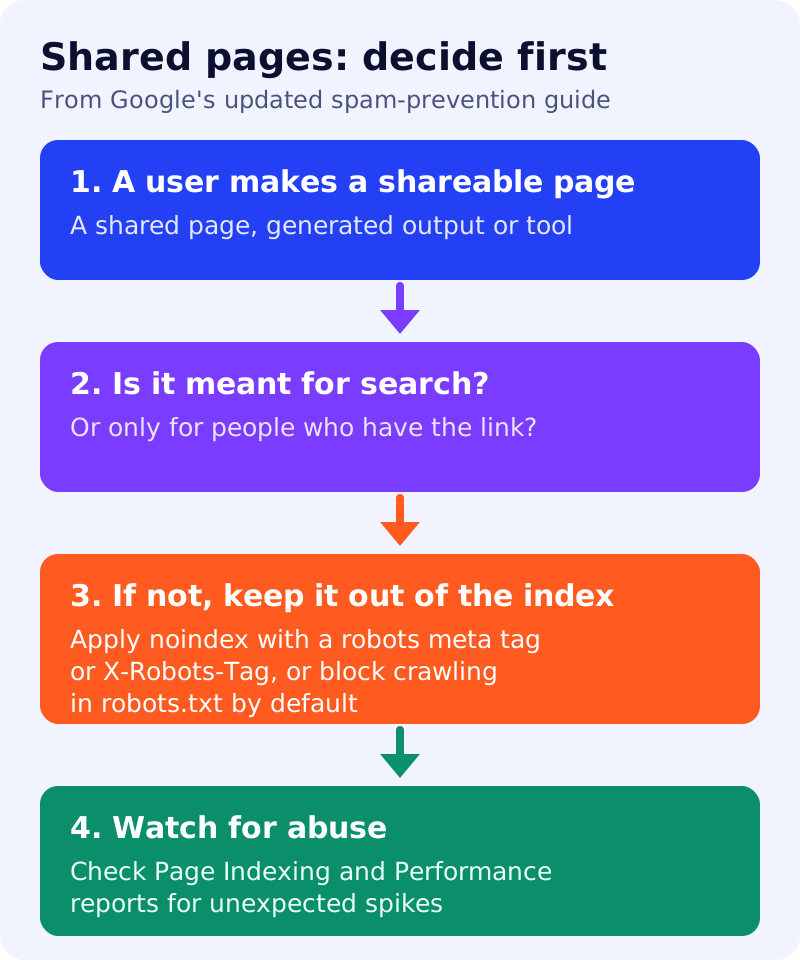
Google’s guide now asks platform owners to consider whether user-created content is meant to be found through search engines or only reached directly by people with a link. For pages created for sharing, collaboration or utility rather than public discovery, it says to apply the noindex rule, using a robots meta tag or an X-Robots-Tag HTTP header, or to block crawling in robots.txt by default.
Monitor for abuse
For monitoring, the page recommends verifying your site or subdomain in Search Console so you receive email alerts about manual actions and security issues. It also suggests checking the Page Indexing report and the Search performance report regularly for unexpected spikes in indexed pages, impressions or queries that do not match your platform’s purpose. Other suggestions include tracking platform-level creation and indexing metrics, setting alerts for spikes in newly published public pages, and watching web server logs for sudden traffic jumps.
Existing advice that remains
The guide still lists earlier measures: a clear abuse policy, a way for trusted users to report spam, a noindex on posts from new users with no reputation, nofollow or ugc link attributes on untrusted content, manual approval for suspicious activity, blocklists, and CAPTCHAs to stop automated sign-ups.
What to do
- List what users can publish on your site, such as profiles, shared documents, generated outputs and tools.
- Decide which pages belong in Search. Apply
noindexor a robots.txt rule to the rest by default. - Verify your site in Search Console and check Page Indexing and Performance for unusual spikes.
- Set alerts for sudden growth in public pages or in a few accounts producing many URLs.
- Keep the basics: link attributes, moderation for new accounts, and sign-up checks.
If you run a blog or business site without user publishing, this change is unlikely to affect you. For more on how Google’s controls work, see our guide to seeing and controlling AI Overviews and AI Mode in Search Console.
Source: Google Search Central documentation, as linked above.