

Bing has added a new view to the AI Performance report in Bing Webmaster Tools. It is called Topic Portfolio, it is in beta, and it is the first place where a site owner can see, inside a major search tool, queries where other sites are cited by AI answers and theirs is not. The feature description below is Bing’s, as sent to us by Bing. We could not open Bing’s blog post or the Webmaster Tools page from our systems, so the details marked “reported” come from search summaries of that post and of Search Engine Roundtable’s coverage. Bing’s own pages use both “Topic Portfolio” and “Topics Portfolio”.
What Bing says it is
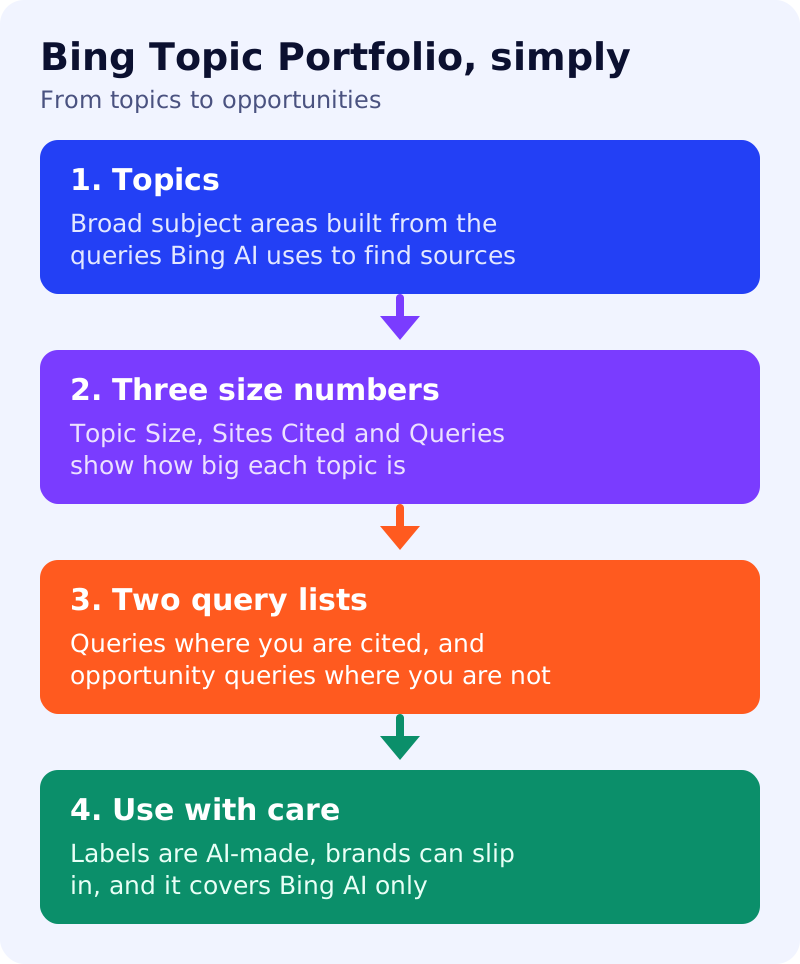
Bing says it introduced AI Performance to show how a site appears in AI-generated answers, then added topic and intent labels to give context to those citations. Topic Portfolio goes a step further. According to Bing, it:
- brings your topics together, so you move from labels on single queries to a portfolio of topics relevant to your site and the broader subject areas tied to your citation activity;
- adds context for content planning through three measures, Topic Size, Sites Cited and Queries, which show the scale and breadth of citation activity in each topic;
- highlights grounding queries relevant to your site where other sites are cited and yours is not, which you can review in each topic next to the queries already driving your citations.
A grounding query is a phrase the AI system uses to find sources for an answer. It is not necessarily what the user typed.
What the three numbers mean (reported)
Search coverage of Bing’s post describes them as approximate figures:
| Measure | Reported meaning |
|---|---|
| Topic Size | About how many citations in total, across all sites, for the topic in the chosen period |
| Sites Cited | About how many sites appear for queries in the topic |
| Queries | About how many distinct grounding queries the topic contains |
Read together, a large topic with few cited sites suggests a concentrated field. A large topic with many sites suggests broad competition.
The two lists inside a topic (reported)
- Your grounding queries: queries where your site is already cited.
- Opportunity queries: queries where other sites are cited and yours is not.
Cautions
Reports say topic labels are AI-generated and can be wrong, that a competitor’s brand queries can appear as opportunities, and that small sites may see no tab. Reports also say the data covers Bing’s AI surfaces, not ChatGPT or Google AI Mode. And it is a beta, so details may change.
Our view
This is our opinion, not Microsoft’s. The feature is useful because it turns a citation count into a list of gaps. It also tempts people to do the wrong thing. Google’s guide to AI search says that making separate pages for every query variation mainly to manipulate AI responses violates its scaled content abuse policy. Bing has its own rules, but the sensible approach is the same for any engine: do not publish one thin page per opportunity query.
A better routine:
- Sort topics by relevance to your business, not by size.
- Skip competitor brand queries and topics you cannot serve well.
- Group the remaining opportunity queries by intent, then map each group to an existing page.
- Improve that page: a direct answer, original evidence and clear headings. See our first-hand evidence guide and answer-first pages.
- Only create a new page where there is a real question you can answer better than anyone.
What to do
- Open AI Performance in Bing Webmaster Tools and look for the Topic Portfolio or Topics tab.
- Export or note your top five topics and their opportunity queries.
- Make sure Bing can index your pages, as in our Bing and Copilot guide.
- Compare Bing’s view with Google’s in our AI Performance comparison.
- Re-check the report monthly, alongside your 20-prompt AI visibility test.