
Most advice about AI answers focuses on Google and ChatGPT. Microsoft Copilot matters too, especially for people who use Windows, Edge and Microsoft 365. We could not open Microsoft’s own pages from our systems, so this guide draws on a search of Microsoft’s Bing Webmaster blog and on third-party guides, and we say where a claim is secondhand. Check Microsoft’s current guidance before you act.
Step 1: be in Bing’s index
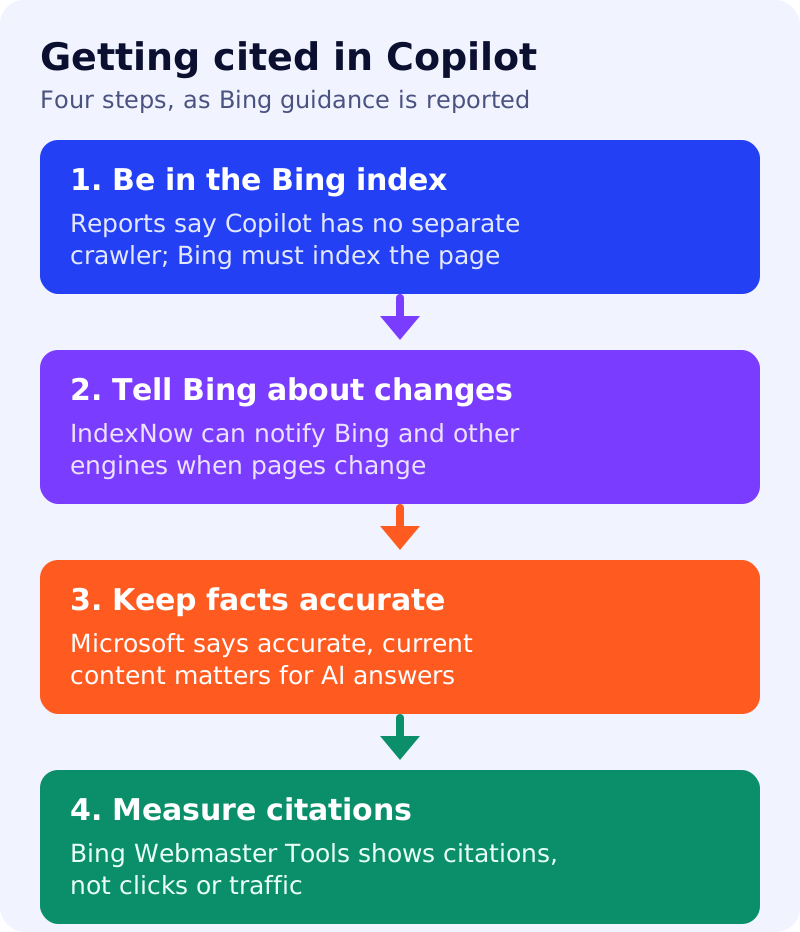
Third-party guides report that Copilot has no separate crawler and that the work is done by Bingbot. If that is right, a page Bing has not indexed is not a candidate for citation. So start with ordinary SEO for Bing: crawlable pages, a sitemap, and clean technical signals. Verify your site in Bing Webmaster Tools and submit your sitemap there.
Step 2: tell Bing when pages change
IndexNow is a protocol that notifies participating search engines when pages are added, updated or removed. Reports list Bing, Yandex, Seznam, Naver, Yep, the Internet Archive and Amazon as participants, and say Google is not one of them. Many CMS platforms and CDNs support it through a plugin or setting. Microsoft’s Bing Webmaster blog, as quoted in guides, says accurate and up-to-date content is important for inclusion and citation in AI-generated answers.
Step 3: keep facts accurate
Fix stale prices, dates, addresses and instructions, and update the page’s visible date only when the content has really changed. Put the direct answer near the top of the page. See answer-first pages.
Step 4: measure citations
Microsoft introduced an AI Performance report in Bing Webmaster Tools as a public preview in February 2026. Sources describe it as showing how often a site’s content is cited across Copilot, AI summaries in Bing and some partner integrations, with page-level data. Microsoft says a citation does not represent traffic, clicks or engagement. Our comparison of Bing’s and Google’s AI reports explains the differences.
What Microsoft does not say
Reports say Microsoft publishes no formula for which indexed page gets cited. Indexing makes a page eligible but does not guarantee a citation.
What to do
- Verify your site in Bing Webmaster Tools and submit your sitemap.
- Check indexing for your top 20 pages in Bing, not just Google.
- Turn on IndexNow through your CMS, CDN or plugin.
- Audit key facts on those pages and correct anything out of date.
- Review the AI Performance report monthly and note which pages are cited.
- Keep Googlebot and OAI-SearchBot allowed too. See our list of OpenAI bots.
Sources: Microsoft’s Bing Webmaster blog (as quoted in search results) and the third-party guides linked above.