
Site owners can now see how often their pages appear in AI answers from two search engines. Bing Webmaster Tools has an AI Performance report, and Google Search Console has a generative AI performance report. This article compares them. The Bing details come from third-party guides, because we did not find a Microsoft announcement dated October 2026, so check your own account.
Bing: AI Performance
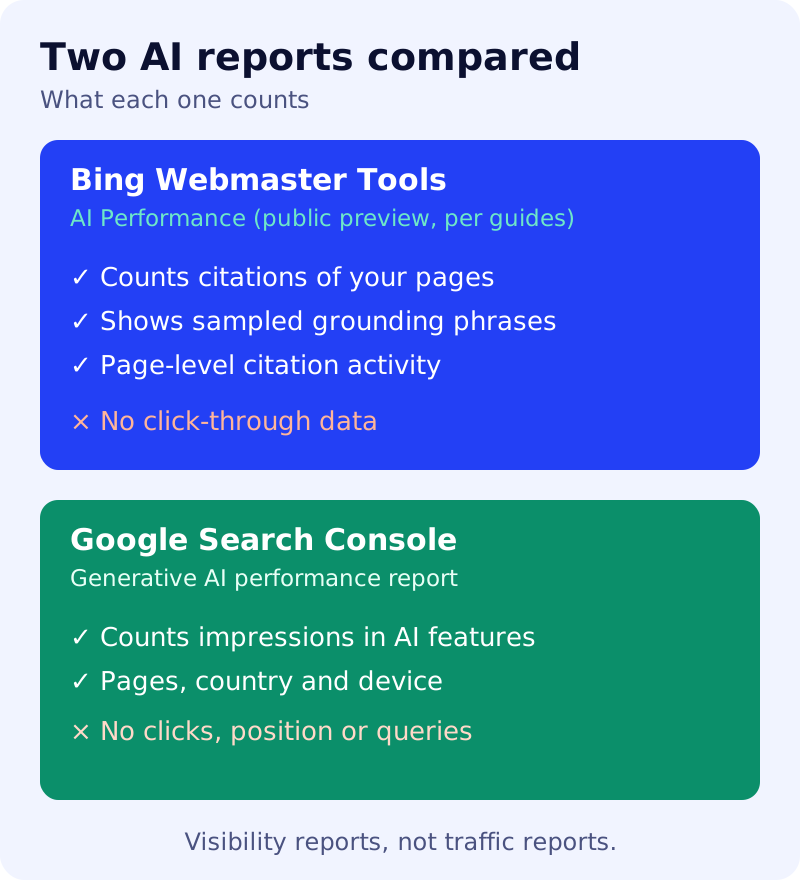
Several guides date the report to February 2026, in public preview for verified sites. They describe these measures:
- Total citations: how often your pages are cited in AI answers.
- Average cited pages.
- Grounding queries: key phrases the AI used when retrieving content for its answers. They are reported as a sample, they are not what users typed, and they are not tied to individual citations.
- Page-level citation activity.
The guides note that the report does not include click-through rate or a view of traffic. One guide says a June 2026 update added a share-of-citations view. We could not confirm that from a second source.
Google: generative AI performance
Google’s help page describes impressions for AI Overviews and AI Mode in Search, and for generative AI features in Discover, with breakdowns such as pages, country and device. It does not give clicks, click-through rate, position or queries for these features. We cover the details in our guide to the Search Console report.
Side by side
| Bing | ||
|---|---|---|
| Counts | Citations | Impressions |
| Search phrases | Grounding phrases (sampled) | Queries not shown |
| Clicks | Not included | Not included |
| Status | Public preview, per guides | Rolled out worldwide, per reports |
What to do
- Verify your site in Bing Webmaster Tools if you have not, so the report can appear.
- List your most-cited pages in each report. Pages that appear in both are your strongest sources.
- Read the grounding phrases as hints. They show the kinds of phrases the AI looks up when it finds your pages. They are a sample, not questions people asked, so use them as a topic guide, not as demand data.
- Keep measuring clicks separately with your normal analytics.
Citation counts show visibility, not visits, so treat both reports as one input among several.