

A user creates a page on your platform and clicks “Share link”. They send it to a colleague, customer or family member. The page is intended for direct access by people who have the link.
A few days later, the page appears in Google Search.
That may be a privacy problem, a product-design problem and an SEO problem at the same time.
Google Search Central updated its guide to preventing user-generated spam on 26 October 2026. The update adds guidance on preventing link-shared content that is not meant for public Search discovery from being indexed, and on monitoring abuse through Search Console.
The guidance matters to forums, online communities, marketplaces, document-sharing tools, profile platforms and any service that lets users create pages.
1. What exactly has Google added?
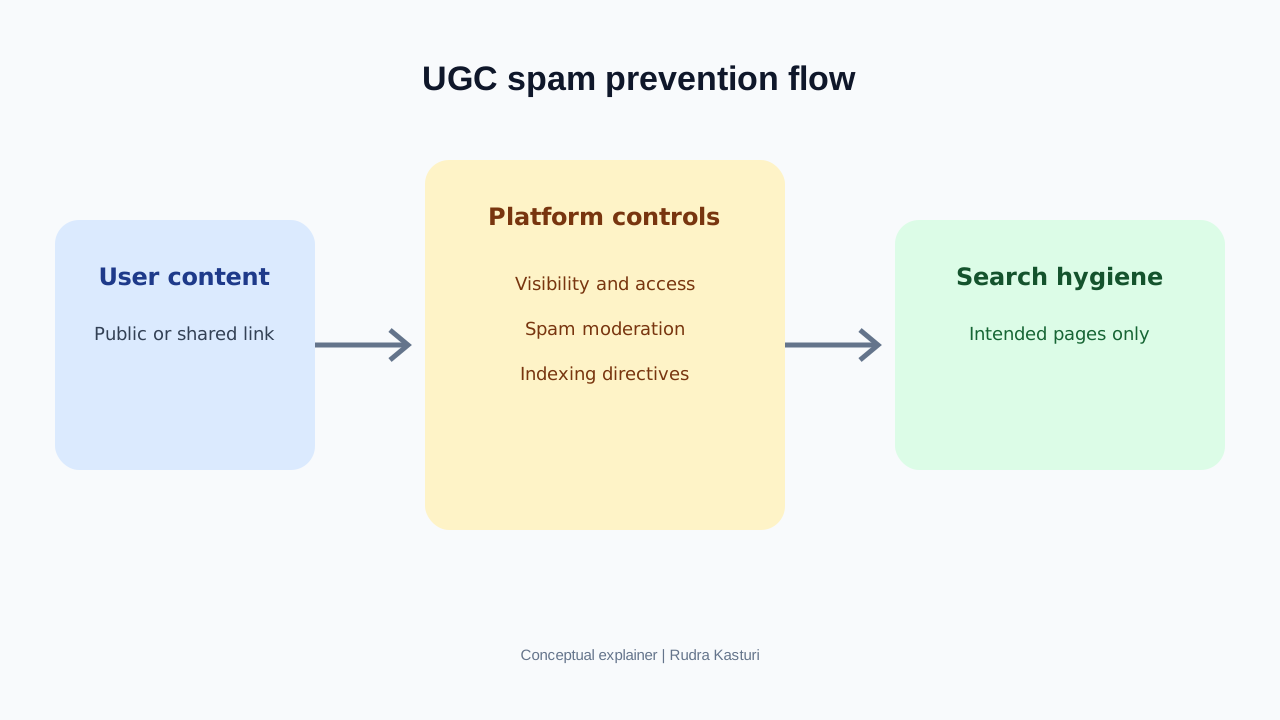
Google’s updated guidance asks platforms to consider whether user-created pages are intended to be found through Search or only accessed directly by people who have a link.
If a page is meant for direct sharing, collaboration or utility rather than public discovery, the platform should apply the appropriate controls. Google mentions options such as a robots noindex directive or blocking crawling in robots.txt, depending on the situation.
The documentation update also highlights monitoring abuse in Search Console, including unexpected indexing patterns.
This is not an announcement of a new penalty. It is practical advice for platforms that host content created by users.
2. What is the difference between public, private and link-shared content?
These three states are often confused.
Public content: Anyone can access the page, and the platform intends it to be discoverable. A public forum thread or a public business profile may belong here.
Private content: Access is restricted to a user or an explicitly authorised group. Someone without permission should not be able to read it merely by guessing or finding the URL.
Link-shared content: A person with the link can access the page, depending on the platform’s sharing model. The link may be difficult to guess, but that does not automatically make the page private or appropriate for public indexing.
This distinction is critical. A URL that is not linked from the homepage can still be accessible and discoverable. “Nobody knows the URL” is not a reliable access-control system.
3. A simple example: a community platform
Imagine a housing society platform where residents can create:
- Public notices.
- Private maintenance complaints.
- Shared meeting documents.
- Event registration pages.
- Resident discussion threads.
The public notice may be useful in Search. A private maintenance complaint should not be.
If the platform applies the same indexing rules to every page, it can expose information users did not expect to be public or fill Search with thin pages that have no public value.
The product must know the intended visibility of each page at the moment it is created.
4. What should a platform do technically?
A. Decide visibility when the page is created
Every page should have a clear visibility state such as public, private or link-shared. The interface should explain what each state means.
Do not use “unlisted” as a synonym for private unless access is actually restricted.
B. Protect private pages with access control
If a page is private, enforce authentication and authorisation on the server. A robots directive is not a privacy control. It does not stop someone who already has access to the URL from viewing the page.
Sensitive content should not be publicly retrievable in the first place.
C. Use noindex for pages that are accessible but not intended for Search
For link-shared utility pages that are accessible to users but should not appear in Search, a robots meta tag such as noindex or an X-Robots-Tag response header may be appropriate.
Google’s guidance also mentions robots.txt. These controls are not interchangeable in every situation. If crawling is blocked in robots.txt, Google may be unable to read a noindex directive on the page. Choose the control based on the intended behaviour and follow Google’s current technical documentation.
D. Do not rely on robots.txt to hide private information
Robots.txt is a crawl-management instruction, not an access-control mechanism. A blocked URL may still be known to Search through links or other signals, and robots.txt does not stop a person from opening a public URL.
Use authentication for private content. Use indexing controls for content that is accessible but should not appear in Search.
E. Handle user-submitted links carefully
Google recommends using rel attributes such as ugc or nofollow for links in untrusted user-generated content where appropriate. This helps communicate the nature of those links. It does not replace moderation or spam prevention.
5. How does user-generated spam happen?
Open platforms attract genuine users, but they can also attract people trying to publish links, fake profiles or large volumes of low-value pages.
Common patterns include:
- New accounts posting the same links repeatedly.
- Automated profile creation.
- Fake discussions designed to promote products.
- Pages created only to host outbound links.
- User-generated pages with unrelated redirects.
- Shareable pages created at scale with no meaningful content.
- Private or temporary pages accidentally exposed to Search.
Google’s guide recommends looking at account and interaction patterns. Signals can include form completion time, repeated activity from the same IP range, user-agent patterns and unusual account behaviour.
No single signal proves abuse. Platforms should combine automated detection with user reports and human review.
6. How should Search Console be used?
Google’s update highlights Search Console as one way to monitor abuse and unexpected indexing.
A platform should verify its domain and review:
Page indexing: Look for unusual growth in indexed URLs, especially under user profile, shared page, attachment or generated-content paths.
Search performance: Watch for unexpected queries, impressions or pages that do not match the platform’s intended purpose.
Manual actions and security issues: Review alerts and reports. A manual action or security warning requires a different response from ordinary ranking changes.
Search Console is not a complete moderation system. Combine it with internal platform data and server logs.
7. Build a platform-level monitoring system
Do not wait for a traffic drop to discover that thousands of spam pages have been created.
Track these operational signals:
- New public pages created per day.
- New pages by account age and user reputation.
- Percentage of pages that become indexed.
- Pages indexed despite being marked private or link-shared.
- Outbound links per user and per page.
- Repeated or near-duplicate content.
- Reports and moderation actions.
- Sudden increases in crawl requests or server traffic.
Set alerts for unusual changes. For example, if a small number of new accounts suddenly create a large share of indexable URLs, send the pattern for review.
A useful internal score could combine 30 points for visibility-control accuracy, 25 for spam detection, 20 for indexing hygiene, 15 for moderation response time and 10 for monitoring coverage. This is a proposed operational score, not a Google metric.
8. A practical checklist for forums and marketplaces
| Area | What to verify |
|---|---|
| Page creation | Is visibility selected and explained clearly? |
| Private pages | Is access enforced by authentication and authorisation? |
| Link-shared pages | Are they excluded from Search when they are not intended to be public? |
| Public discussions | Are genuinely useful threads crawlable and indexable? |
| User links | Are untrusted links appropriately marked and moderated? |
| New accounts | Are suspicious posting patterns detected? |
| Search Console | Are unexpected indexed pages and query spikes reviewed? |
| Incident response | Can the team quickly restrict, remove or deindex abusive pages? |
Do not blanket noindex an entire forum to solve a problem with a small set of private or spam pages. That can remove useful public discussions from Search. Apply controls according to the page’s intended visibility.
9. What should a platform team do in the next seven days?
Day 1: List all user-generated URL types, including profiles, posts, attachments, share links and generated tools.
Day 2: Map each URL type to public, private or link-shared status.
Day 3: Test whether private pages can be accessed without permission.
Day 4: Check indexing directives and robots behaviour for pages that should not appear in Search.
Day 5: Review Search Console for unexpected indexed URLs and queries.
Day 6: Inspect account creation, outbound link and content-volume patterns.
Day 7: Assign owners for moderation, technical fixes and ongoing monitoring. Test the incident process with a sample page.
Our reading
The central issue is not whether user-generated content is good or bad for SEO. Good public discussions can be valuable. Private pages should remain private. Link-shared pages should behave according to the promise made to the user.
Google’s updated guidance is a reminder that product design, privacy and search visibility are connected. A platform must be clear about what users are publishing, who can access it and whether it should be discoverable by the public.
The best technical SEO system is not one that indexes every possible URL. It is one that helps Search discover the pages that deserve to be public, while keeping everything else out of the index and properly protected.