

OpenAI has an open incident on its status page called “ChatGPT Work and Dots Errors”. If you use either product, here is what it means.
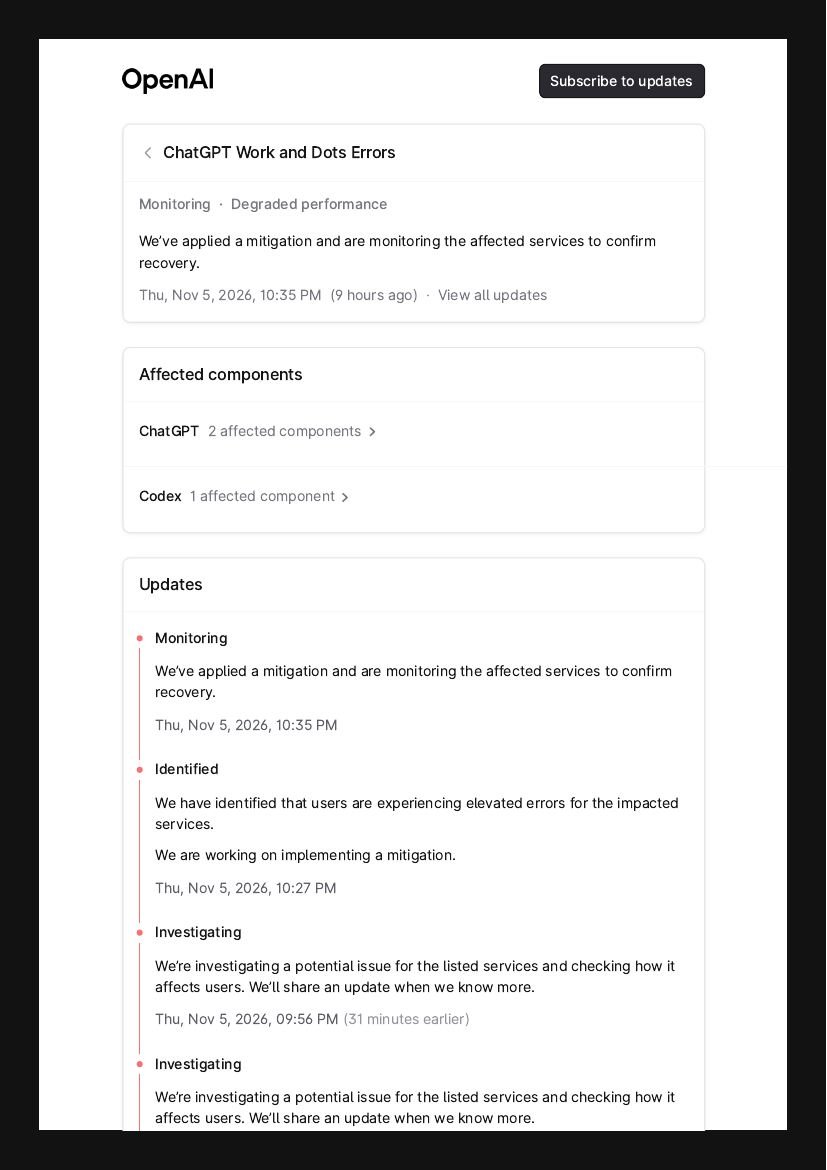
Source: OpenAI Status, screenshot of the incident page.
What happened
The incident was first logged at 8:55 PM on Thursday 5 November 2026. OpenAI’s updates, in order:
- 8:55 PM: investigating a potential issue for the listed services.
- 10:27 PM: identified. Users are seeing elevated errors, and OpenAI is working on a fix.
- 10:35 PM: a mitigation is applied, and OpenAI is monitoring to confirm recovery.
The status is “Monitoring” and the label is “Degraded performance”. Two ChatGPT components and one Codex component are affected. OpenAI has not said what caused it, and it has not marked the incident resolved.
What Work and Dots are
ChatGPT Work launched in July 2026. It is an agent that does longer, multi-step jobs across your connected apps and files, such as email, Slack and calendars, and produces documents, spreadsheets and presentations. It can also run Scheduled Tasks, like refreshing a report every morning or watching a website for changes.
Dots were announced on 29 September 2026. A dot is an always-on agent with its own cloud computer. It keeps working after you close the chat, and you can message it in ChatGPT, Slack or Teams.
The difference from normal chat matters. When chat fails, you see an error and try again. When these fail, the work can fail while you are not looking.
What could go wrong
OpenAI only says “elevated errors”. It does not say which features broke. This is what that kind of error can look like for people using these tools:
- A task will not start. You ask Work for a report and get an error.
- A task stops halfway. A long job hits an error in the middle. You may find half a document, or nothing.
- A scheduled run is missed. The Monday report, the daily refresh or the website check does not happen, and nothing tells you.
- A dot goes quiet. You message it in Slack or Teams and get no reply. A job it was running in the background may be stuck.
- An action happens twice, or not at all. If a task was sending an email or updating a sheet when it failed, you cannot tell whether that step finished. Running it again can send a duplicate.
- Coding tasks fail too. One Codex component is on the affected list.
- Normal chat may be fine. The incident names Work and Dots, but OpenAI does not say normal chat is untouched.
What to do
- Open the status page and read the latest update before you retry anything.
- Before you re-run a task that sends emails or edits files, check whether the first run already did it.
- Check your scheduled tasks. Note which runs may have been missed and run them by hand once the incident is closed.
- If you have a client deadline today, do not rely on a Work or Dot job. Do that part yourself or with another tool.
- Save your important prompts in a document, so you can run them anywhere.
- Subscribe to OpenAI’s status updates so you hear when it is resolved.