
OpenAI introduced Intelligent UI in ChatGPT on October 7, 2026, alongside GPT-6, according to several news outlets. The feature lets ChatGPT pair its text answers with interactive visuals such as diagrams, charts, forms and tappable buttons.
What it does
Reports describe examples such as a diagram of a seven-speed bicycle with buttons that highlight each component, a savings chart where users change contributions, and a trip map where users change stops, without asking ChatGPT for a new full answer. Reports say no special prompt is needed, though users can ask for a specific tool, such as a calculator.
Who gets it
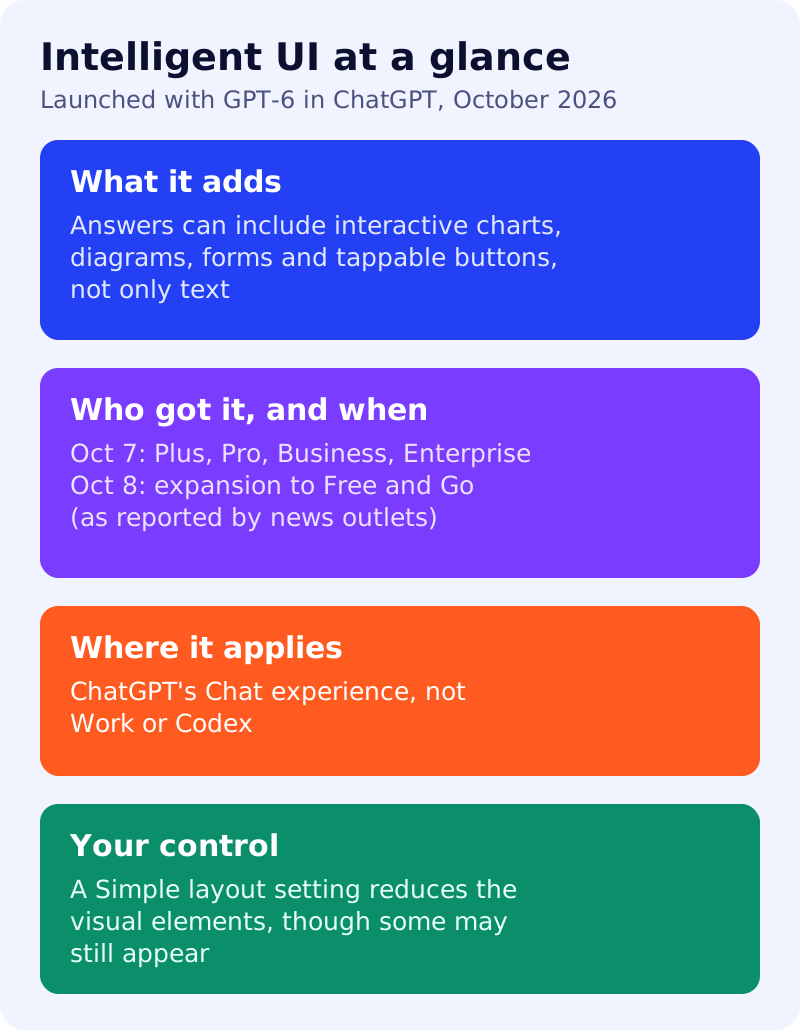
News outlets report that the rollout began on October 7 with Plus, Pro, Business and Enterprise users, and expanded to Free and Go users from October 8. One outlet reported a simultaneous rollout to everyone, so check your own account. Reports say it applies to ChatGPT’s Chat experience, and that the models behind Work and Codex are unchanged.
How to turn it down
A third-party guide says that on the web you can open Personalization, then Layout and Visuals, and choose a Simple layout. It says this reduces the visual and interactive elements, though some may still appear. We have not verified this setting in OpenAI’s own documentation.
What is not known
Reports say OpenAI has not detailed whether this richer output will be available through its API. We have also not seen OpenAI say how interactive answers affect links to publishers’ pages. Treat any claim about traffic effects as unproven. For background on how much search happens in ChatGPT, see our look at ChatGPT’s share of search and what happened to ChatGPT referral traffic.
What to do
- Check how your topics appear. Ask ChatGPT the questions your customers ask and note when it answers with charts, calculators or forms.
- Publish what a chart cannot copy: original data, first-hand tests, expert views and clear methods.
- Keep numbers consistent across your pages, so any tool that cites you reads the same facts.
- Track referrals from ChatGPT in your analytics, and compare before and after October 7.
- Do not rewrite pages for it. There is no published requirement for websites.
Sources: the news reports linked above; we could not read OpenAI’s own announcement directly, so details may differ from it.