
Quick answer: Google has tested pulling YouTube videos into AI Overviews as a carousel, mainly for product and location queries, and separate reporting says videos get cited in a notable share of AI Overview answers. Neither Google nor YouTube has published a ranking formula for this. We could not open Google’s own blog post on this directly in this session, so the claims below are attributed to the secondary reports that covered it, not to a primary Google page we read ourselves.
Best for: creators, brands and SEO teams who already publish on YouTube and want a realistic plan, not a promise.
What is actually confirmed
Two things are reasonably well reported, each from more than one outlet:
- Google has tested a video carousel inside AI Overviews, surfacing YouTube videos for some English-language product and location-based searches.
- YouTube itself is separately testing an AI-powered search experience (“Ask YouTube” style features) inside the app, similar in spirit to Google’s AI Mode.
What is not confirmed: an exact algorithm, a guaranteed citation rate, or a stable list of query types that always trigger a video result. Treat any specific percentage you read elsewhere as a third-party estimate, not a Google figure.
Why this matters even without a public formula
AI Overviews and AI Mode summarize an answer and then show supporting sources, sometimes including video. Your job is unchanged in spirit from classic video SEO: make it unambiguous what question your video answers, and make that answer easy for a machine to extract. What changes is the stakes — a citation now competes for a much smaller amount of visible space than a normal search results page.
What to do
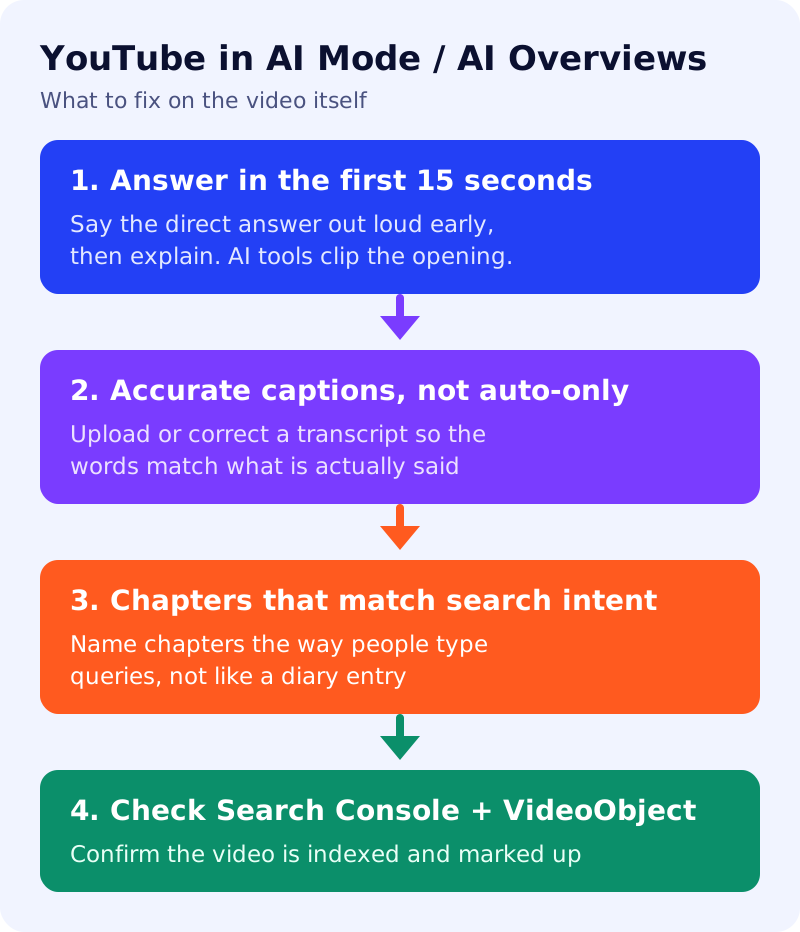
- State the direct answer in the first 10-15 seconds, out loud. AI systems favor content that gets to the point. Save the story and the sponsor read for after the answer, not before it.
- Fix your captions, don’t just accept auto-captions. Upload a corrected transcript or edit the auto-generated one. A wrong word in the transcript is a wrong word in whatever text an AI system extracts from your video.
- Write chapters as search phrases, not vibes. A chapter titled “how to clean a cast iron pan without soap” is more useful to an AI system than one titled “the soap myth.”
- Use one watch page per topic. Don’t bury three unrelated answers in one 40-minute video and hope a system finds the right 90 seconds.
- Add VideoObject structured data (or confirm your CMS does) with an accurate title, description and duration, and submit a video sitemap.
- Check Google Search Console’s video indexing report monthly. If a video you expect to be cited is not indexed at all, no amount of chapter-writing will fix that.
- Re-test your own queries in both Google AI Mode and inside YouTube search every few weeks. What triggers a video carousel today is a live experiment, not a fixed rule, so your own test log matters more than any guide, including this one.
Common mistakes
- Treating the title as the only SEO field. The spoken answer and the transcript carry more weight for AI extraction than a clever title.
- Assuming every query type gets a video carousel. Most informational text queries still return a conventional AI Overview with no video at all.
- Ignoring Search Console. Ranking conversations are pointless if the video isn’t indexed in the first place.
Related reading
For the Instagram and Threads side of this same question, see how Instagram Reels get into AI Mode and AI Overviews, and for a repeatable testing routine, use the 20-prompt AI visibility test. For the technical fundamentals of AI-era search behind this guide, see the AEO and GEO playbook.